Automatically Assign Roles to G Suite Users by Organizational Unit
This workflow automatically assigns roles to new G Suite users based on their organizational unit, streamlining user management.
make
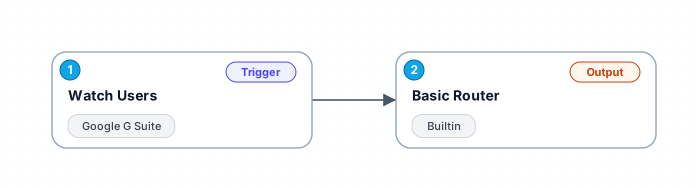
When a new user is added to your G Suite domain, this workflow checks the user's organizational unit and assigns an appropriate role. It supports specific role assignments for Marketing and Finance departments and provides a default role for other users.
Free
Last updated August 22, 2026
30-day money-back guarantee
Instant download
Lifetime updates included
Secure checkout powered by Stripe
Support
How to import this workflow into Make
- 1Purchase or download the workflow to get the Make blueprint JSON file.
- 2In Make, create a new scenario, click the three-dots menu, and choose "Import Blueprint".
- 3Reconnect each module to your own app connections when prompted.
- 4Run the scenario once to verify it, then set your schedule and turn it on.
Related Business Operations & ERPs workflows
- Automate Job Applications and Track Status with LinkedIn, Indeed, and Google Sheets$14.99
- Automated Stock Price Monitoring and Alerts for Indian & US Markets$9.99
- Build Custom Workflows Automatically with GPT-4o, RAG, and Web Search$24.99
- AI Chat Agent Receptionist for Clinics$150
- Automatically Archive Zoom Recordings to Google Drive and Log in Airtable$4.99
- Automate Call Scheduling with Voice AI Receptionist Using Twilio, Google Calendar & Airtable$24.99
More from Dev Petrova
Need this deployed? We'll set it up for you.
Our automation experts deploy this workflow in your stack, connect your accounts, and verify it works — or build a custom solution from scratch.