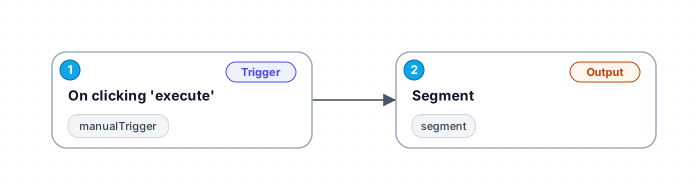
Manually Track Events in Segment
This workflow allows you to manually trigger and track events in Segment, providing flexibility in event management.
n8n
Free
Last updated August 22, 2026
30-day money-back guarantee
Instant download
Lifetime updates included
Secure checkout powered by Stripe
Support
How to import this workflow into n8n
- 1Purchase or download the workflow to get the n8n workflow JSON file.
- 2In your n8n instance, open Workflows and choose "Import from File" (or paste the JSON with Ctrl+V on the canvas).
- 3Open each node marked with a credential warning and connect your own accounts and API keys.
- 4Run the workflow once manually to verify the data flow, then toggle it to Active.
Related Data & Analytics workflows
- Generate AI viral videos with VEO 3 and upload to TikTok$14.99
- Generate a daily multi-asset market report with TwelveData, Groq and Google Sheets$14.99
- Build an OpenAI RAG system with document upload, semantic search and caching$24.99
- Automate Website Content Scraping and SEO Keyword Extraction with GPT-4o-mini and Airtable$14.99
- Process Contact Form Submissions with Validation and MongoDB Storage$14.99
- Add webhook data to a Google Sheet$2.99
More from Tom Anderson
Need this deployed? We'll set it up for you.
Our automation experts deploy this workflow in your stack, connect your accounts, and verify it works — or build a custom solution from scratch.