Development & IT Workflows
Software development and IT operations
Transform Images with AI Prompts Using FLUX Kontext
This workflow streamlines the process of generating AI-enhanced images based on prompts stored in Google Sheets. It effectively automates the retrieval of image generation statuses from the FLUX Kontext API, waits for the necessary time, and then ...
n8n$19.99Effortless Figma Versioning and Jira Integration Workflow
Automate updates between Figma and Jira with this triggered workflow to enhance project management efficiency.
n8n$7.42Automate GoDaddy Subdomain Management via Email Requests
This n8n workflow automates the creation and deletion of subdomains on GoDaddy via email requests, allowing developers to manage subdomains without involving DevOps for minor tasks.
n8n$4.99DeepSeek AI Agent + Telegram Bot with Long-Term Memory
n8n workflow integrating DeepSeek AI with Telegram for personalized, context-aware chatbots using long-term memory and multi-message support.
n8n$24.99Building Your First WhatsApp AI Sales Chatbot
Build a WhatsApp sales agent chatbot powered by OpenAI and a product catalog vector store for intelligent customer responses.
n8n$19.99Automate Invoice Data Extraction from Email to Google Sheets with GPT-4o AI
Streamline your invoice processing by automatically extracting data from emails and saving it to Google Sheets using GPT-4o AI.
n8n$19.99Slack AI Chatbot with Threads & Thinking UI (OpenRouter + Postgres)
Builds an advanced Slack AI agent with multi-thread support, thinking UI, and quick pinning. Uses OpenRouter for AI and Postgres for persistent conversations.
n8n$24.99Automate Lemlist Email Replies to Slack Notifications
This n8n workflow automates the process of sending email replies from Lemlist campaigns to your designated Slack channel. By integrating Lemlist with Slack, this workflow ensures that you never miss a reply from your outreach campaigns, streamlini...
n8n$15.99Automate n8n Workflow Backups to GitLab by User
Securely back up and version control your n8n workflows by storing them in a GitLab repository, organized by username. This workflow supports both manual and scheduled weekly backups, ensuring your workflows are always up-to-date.
n8n$9.99Shopify Orders to Structured Airtable Records
Automates capturing Shopify order webhooks, transforming data into structured format, and inserting line items as separate Airtable records for inventory and analytics.
n8n$14.99Automate Chatbot Responses with HTTP Webhook Integration
Streamline your chatbot interactions by automating responses using HTTP webhooks, enhancing user engagement.
n8n$19.99Create, Update & Get WooCommerce Products
Automate creating a new product in WooCommerce, updating its stock quantity, and retrieving the product details in a simple linear workflow.
n8n$12.99Automate Event Notifications from Jira
This workflow automatically triggers notifications for any event occurring in Jira, ensuring you stay updated on project changes.
n8nFreeAI-Powered Telegram Bot for Data Extraction with Bright Data MCP
Telegram bot powered by AI that processes natural language queries to dynamically extract data using Bright Data MCP tools for seamless automation.
n8n$24.99AI Copywriter Team - Streamlined Content Creation
The AI Copywriter Team workflow is designed to streamline the process of generating various types of marketing copy, including ad copy and VSL scripts, using advanced AI tools. This workflow integrates with popular AI models and tools, enabling us...
n8n$19.99Automate Daily Snapshots for Contabo VPS Instances
This workflow automates the process of taking daily snapshots of your VPS instances hosted on Contabo, ensuring data security by retaining only the latest backups.
n8n$14.99Automate Your Financial Document Management with Qdrant and Mistral.ai
This workflow streamlines the management of financial documents, utilizing Qdrant for data storage and Mistral.ai for AI-driven analysis.
n8n$13.17Deploy Docker MinIO and API Backend for WHMCS/WISECP
# Setting up n8n workflow ## Overview The **Docker MinIO WHMCS module** uses a specially designed workflow for **n8n** to automate deployment processes. The workflow provides an API interface for the module, receives specific commands, and connects via SSH to a server with Docker installed to perform predefined actions. ## Prerequisites - You must have your own **n8n** server. - Alternatively, you can use the official **n8n** cloud installations available at: [n8n Official Site](https://n8n.partnerlinks.io/o692v7cg297k) ## Installation Steps ### Install the Required Workflow on n8n You have two options: #### **Option 1: Use the Latest Version from the n8n Marketplace** - The latest workflow templates for our modules are available on the official n8n marketplace. - Visit our profile to access all available templates: [PUQcloud on n8n](https://n8n.io/creators/puqcloud/) #### **Option 2: Manual Installation** - Each module version comes with a workflow template file. 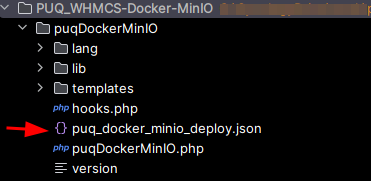 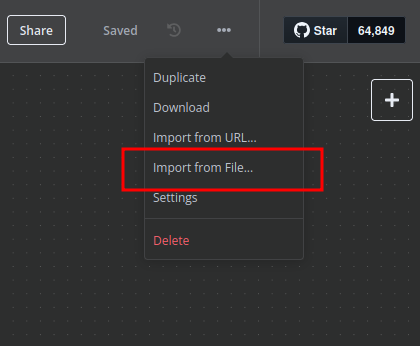 ## n8n Workflow API Backend Setup for WHMCS/WISECP ### Configure API Webhook and SSH Access - Create a **Basic Auth Credential** for the Webhook API Block in n8n. 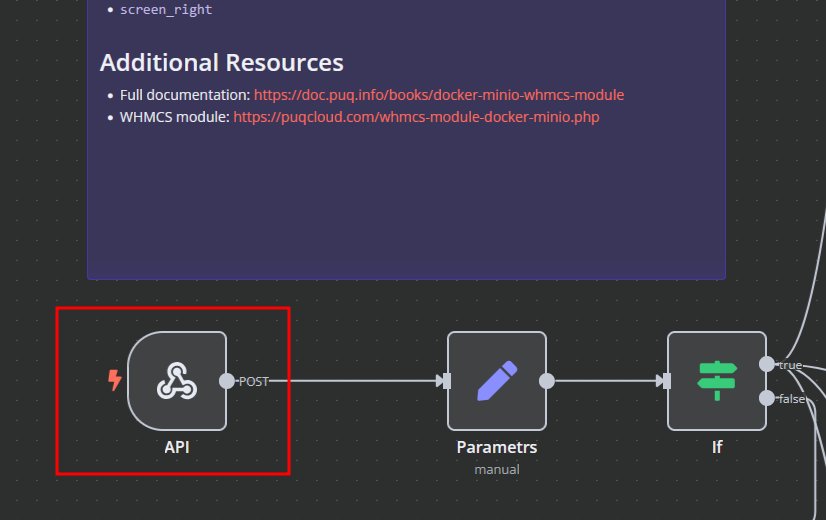 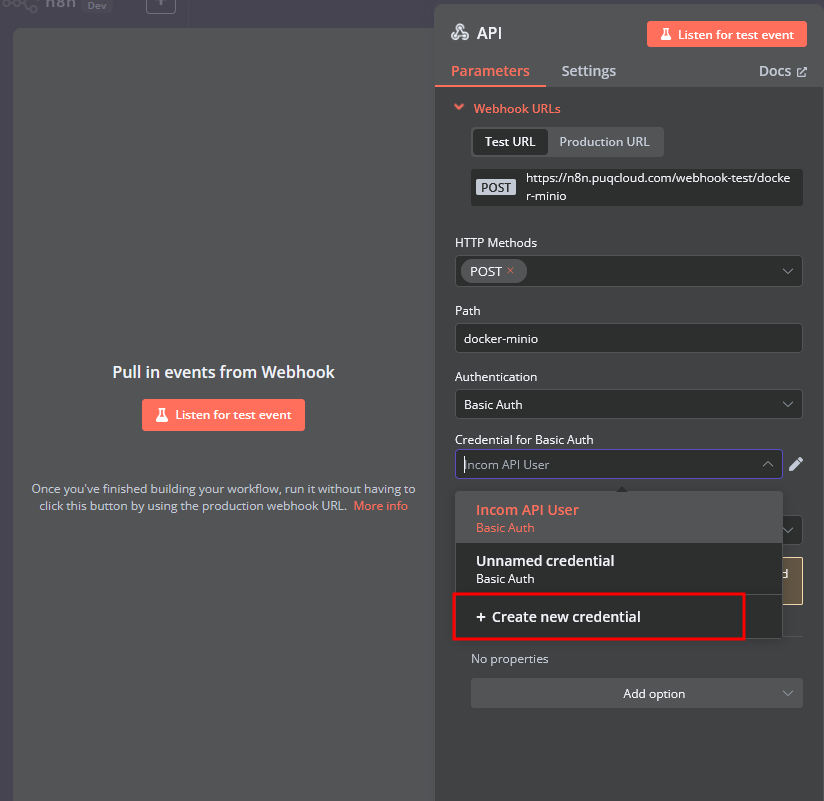 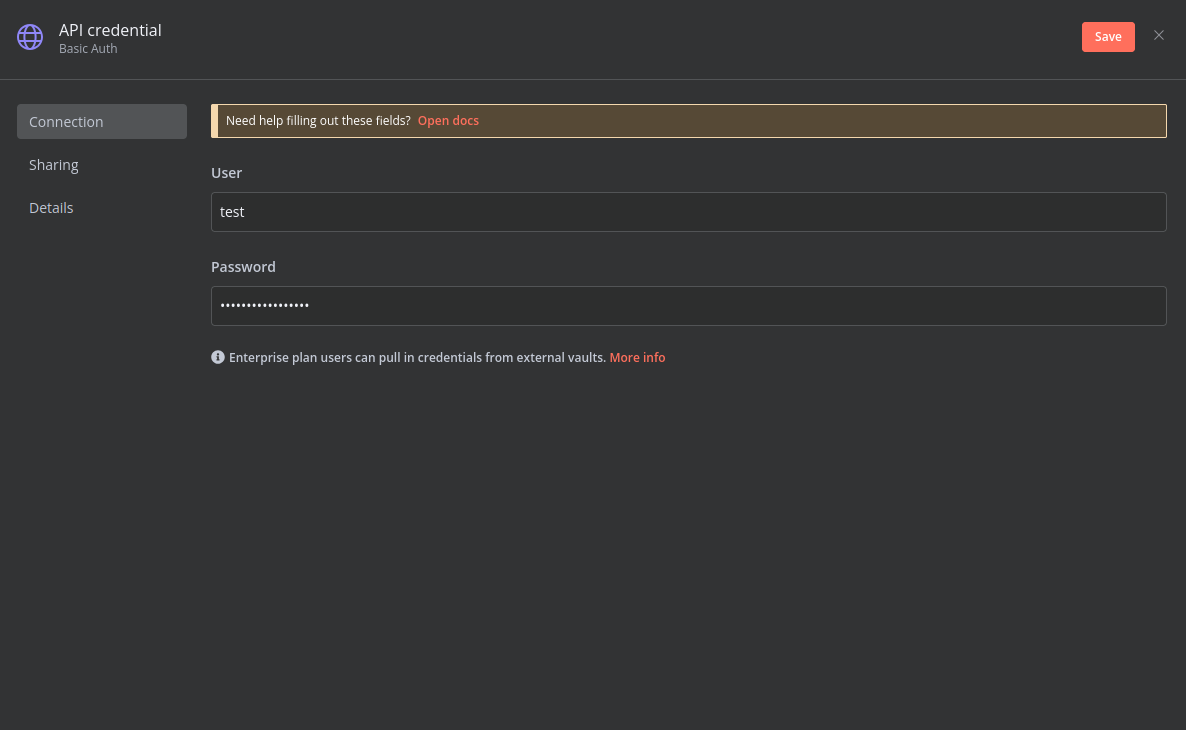 - Create an **SSH Credential** for accessing a server with Docker installed. 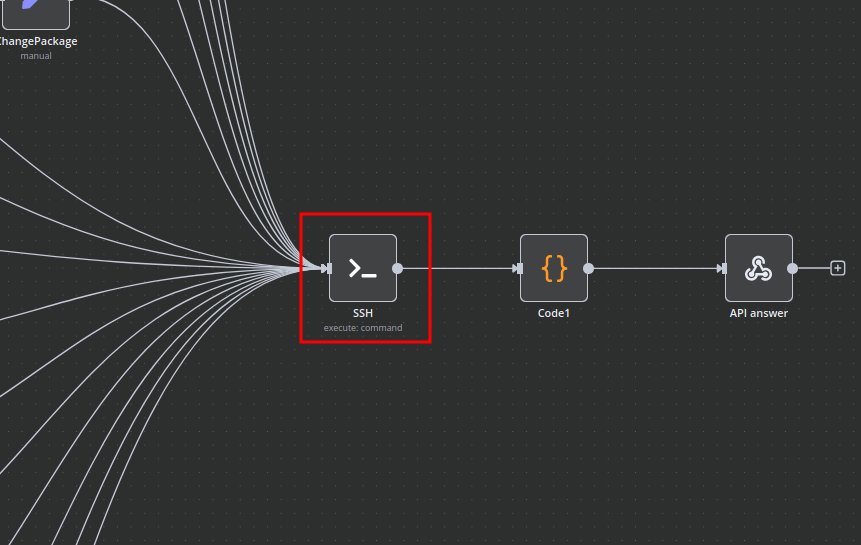 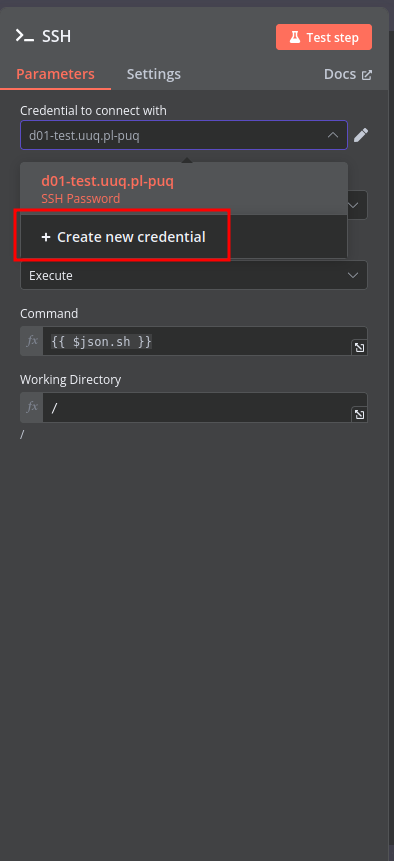 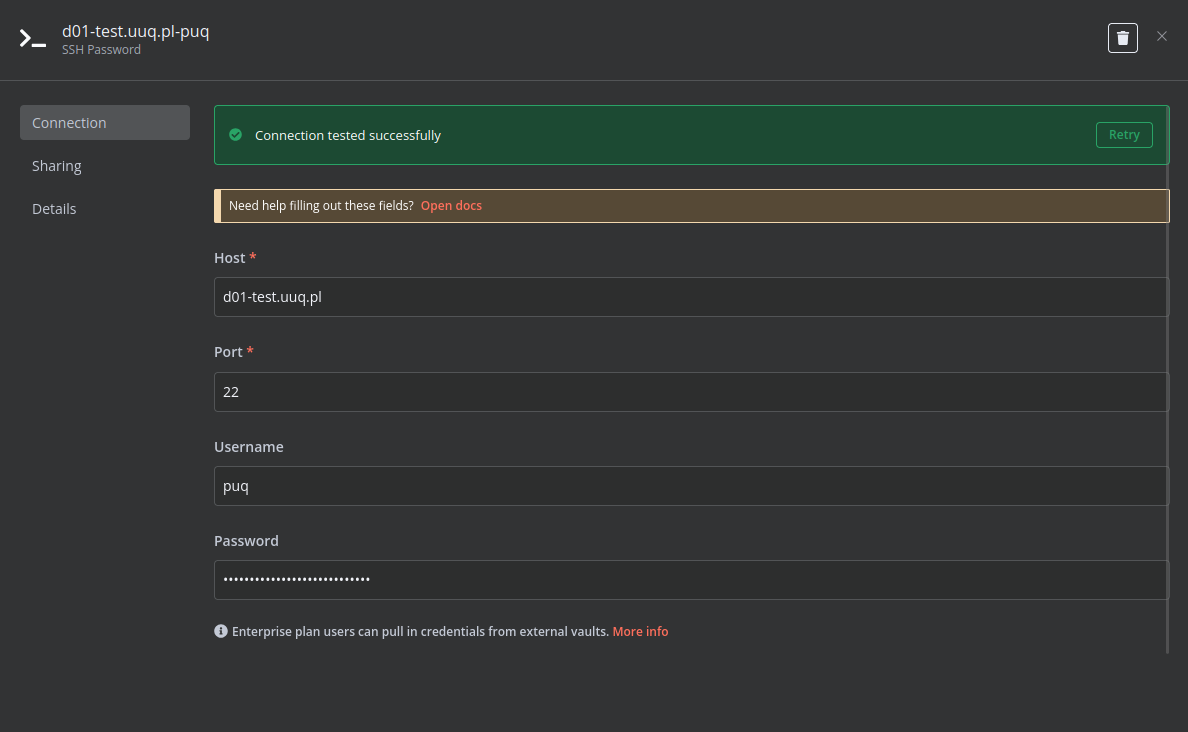 ### Modify Template Parameters In the **Parameters** block of the template, update the following settings: 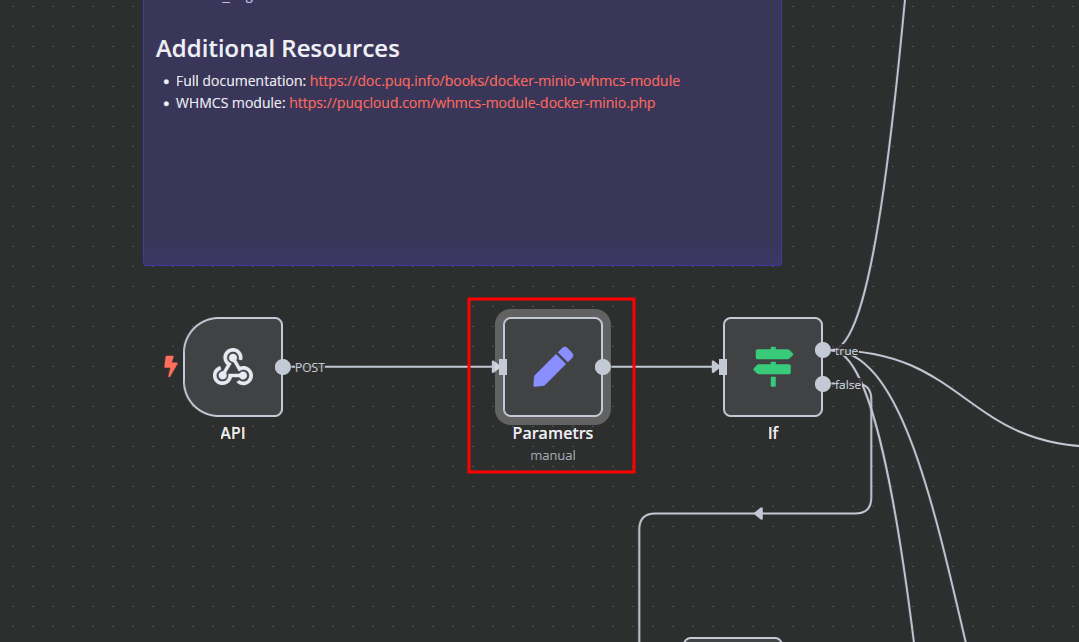 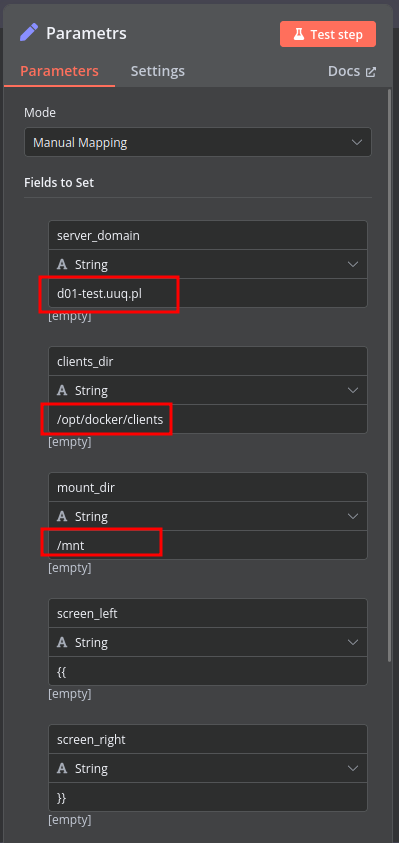 - `server_domain` - Must match the domain of the WHMCS/WISECP Docker server. - `clients_dir` - Directory where user data related to Docker and disks will be stored. - `mount_dir` - Default mount point for the container disk (recommended not to change). **Do not modify** the following technical parameters: - `screen_left` - `screen_right` ### **Deploy-docker-compose** In the **Deploy-docker-compose** element, you have the ability to modify the Docker Compose configuration, which will be generated in the following scenarios: - When the service is created - When the service is unlocked - When the service is updated 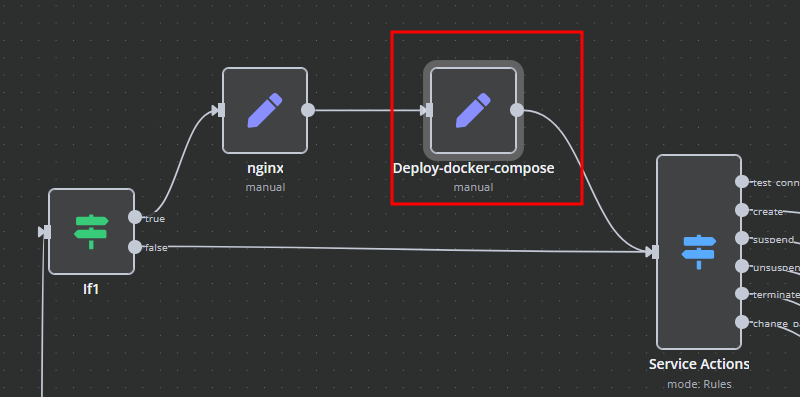 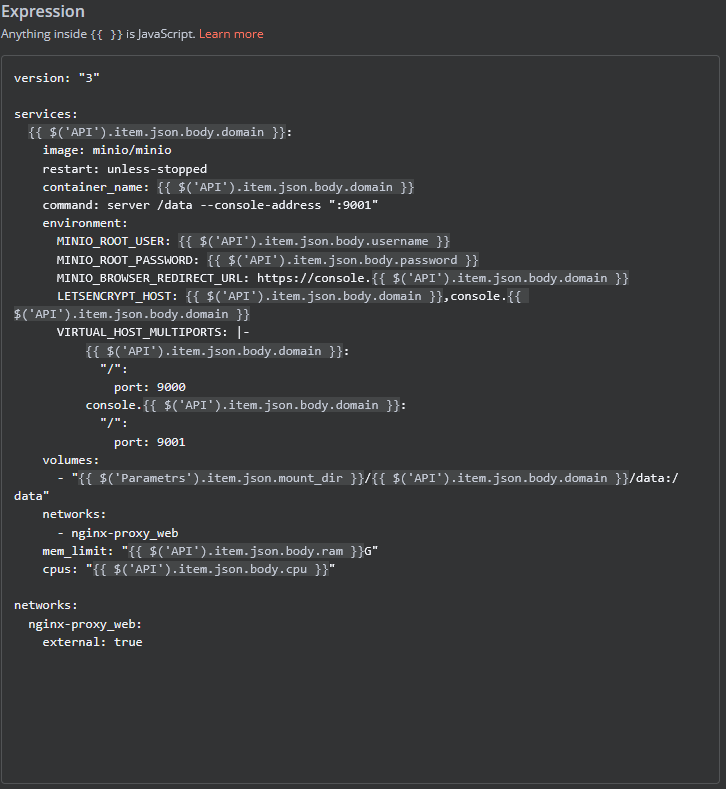 ### **nginx** In the **nginx** element, you can modify the configuration parameters of the web interface proxy server. - The **main** section allows you to add custom parameters to the **server** block in the proxy server configuration file. - The **main_location** section contains settings that will be added to the **location /** block of the proxy server configuration. Here, you can define custom headers and other parameters specific to the root location. 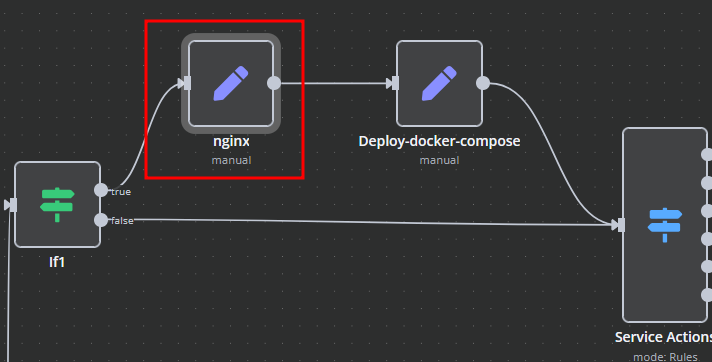
n8n$24.99Generate & Schedule AI Reddit Discussion Posts with GPT-4 & Airtable
Automates scheduled generation of unique discussion questions using GPT-4, posts to Reddit, and tracks via Airtable to prevent duplicates.
n8n$16.99Analyze Email Headers for IPs and Spoofing Detection
This workflow analyzes email headers via webhook to extract IPs, check fraud via IP Quality Score & IP-API, and evaluate SPF/DKIM/DMARC for spoofing risks.
n8n$24.99Automate Your Build Process with TravisCI Trigger Workflow
This workflow triggers a build in TravisCI with a manual execution step, enhancing your CI/CD process.
n8n$13.61Daily Telegram Journal Reminder Automation
Automates sending a daily Telegram reminder at 6 AM to log yesterday's accomplishments, fostering consistent journaling habits with minimal setup.
n8n$4.99Automate Daily Telegram Message Backup to Google Sheets
This workflow automates the process of backing up daily messages from Telegram to Google Sheets. By leveraging the Telegram API and Google Sheets integration, it ensures that important messages are stored safely and can be easily accessed whenever...
n8n$15.99Manually Trigger a Travis CI Build
Use n8n’s manual trigger node to start a Travis CI build on demand, without waiting for a code push or schedule. This workflow adds a manual button to your n8n dashboard so you can initiate a build whenever needed—ideal for testing, debugging, or deploying specific branches. It gives developers direct control over when builds run.
n8n$2.99
Related categories
Custom AI Systems & Services
Our team of experienced AI builders will help build custom AI systems, workflows, and solutions.
Request Custom Work