DeepSeek Accessibility Issues: How to Advocate for Screen Reader Support
Error message
[BUG] 关于请求协助说服企业重视DeepSeek可访问性问题的呼吁
Diagnosis
This guide addresses the lack of accessibility in the DeepSeek web interface, specifically for blind users who rely on screen readers. The core problem is that the DeepSeek chat page has poor accessibility, making it nearly impossible for visually impaired users to navigate and use the service. This is not a traditional error code but a systemic usability failure that has been reported multiple times on GitHub without resolution.
What Causes This Error
1. Missing Screen Reader Support for Toggle Buttons
According to a GitHub issue filed by a visually impaired user (Issue #246), toggle buttons in the DeepSeek chat interface lack proper ARIA labels or roles. Screen readers cannot identify these interactive elements, so users cannot toggle settings or features.
2. Inaccessible reCAPTCHA for Blind Users
Issue #220 describes that the reCAPTCHA challenge on the login page is impossible for blind users to complete. Standard reCAPTCHA relies on visual pattern recognition, and no audio alternative or accessible fallback is provided.
3. General Accessibility Gaps in the Chat Feature
Issue #233 outlines broader accessibility problems in the DeepSeek V3 chat feature. Screen reader users cannot effectively read message history, input text, or interact with buttons because the HTML structure lacks semantic landmarks, focus management, and keyboard navigation support.
4. Lack of Response from the Development Team
The community reporter notes that despite submitting detailed bug reports with code fixes and implementation methods, the DeepSeek team has not responded or taken action on any of these issues. The only exception is the reCAPTCHA issue, which received some acknowledgment but remains unresolved.
How to Fix It
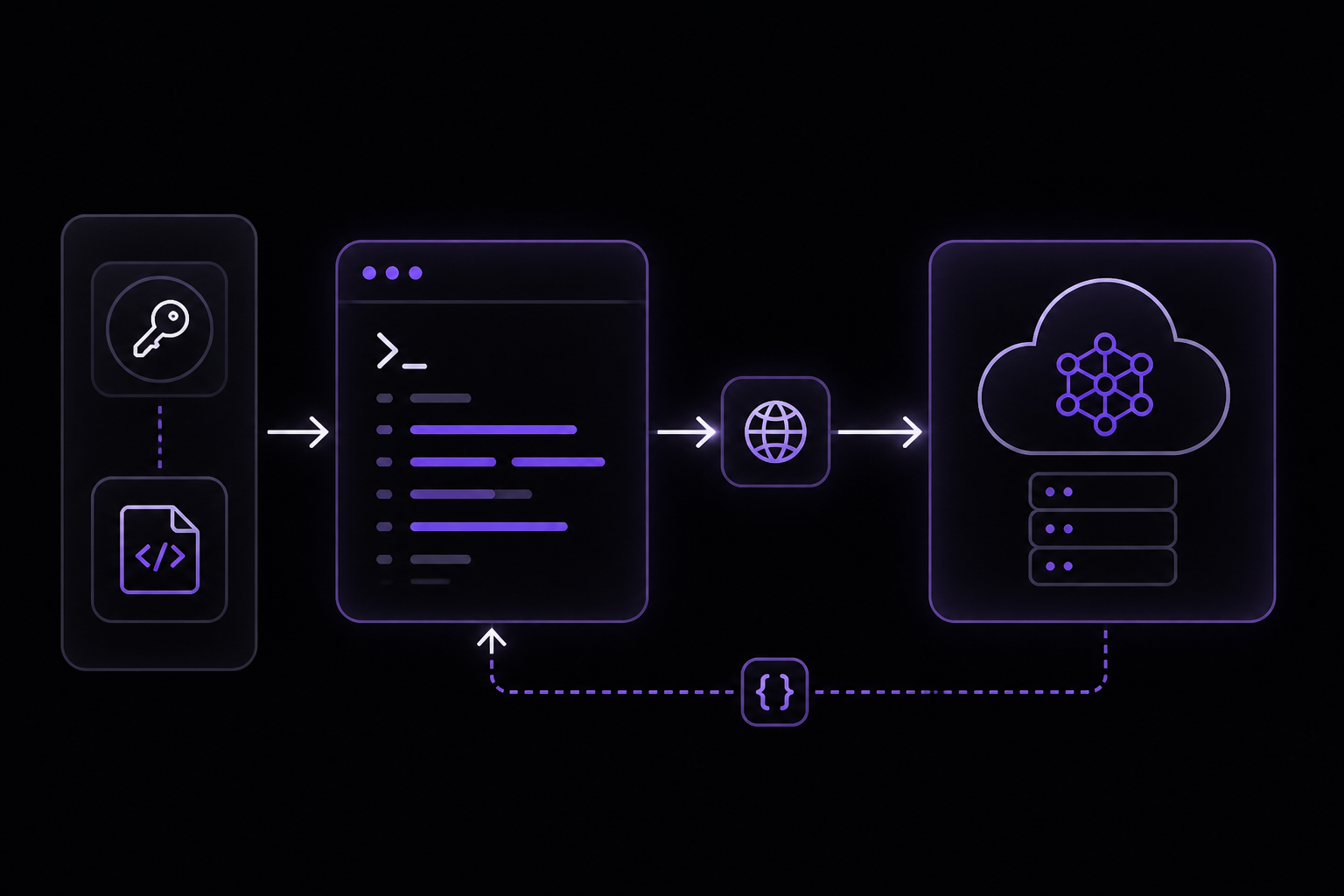
Because this is not a code-level error but a design and policy issue, the solutions involve advocacy, community pressure, and technical workarounds.
Solution 1: Use the DeepSeek API Instead of the Web Interface
This is the most immediate workaround for blind users who need to access DeepSeek models. The API is accessible via standard HTTP requests and can be used with any screen reader.
Prerequisites:
- An API key from the DeepSeek platform.
- Basic familiarity with curl, Python, or Node.js.
Steps:
- Obtain an API key from the DeepSeek console.
- Use the OpenAI-compatible API endpoint at
https://api.deepseek.com. - Send a chat completion request using curl:
curl https://api.deepseek.com/chat/completions \
-H "Content-Type: application/json" \
-H "Authorization: Bearer ${DEEPSEEK_API_KEY}" \
-d '{
"model": "deepseek-v4-pro",
"messages": [
{"role": "system", "content": "You are a helpful assistant."},
{"role": "user", "content": "Hello!"}
],
"thinking": {"type": "enabled"},
"reasoning_effort": "high",
"stream": false
}'
- For Python users, install the OpenAI SDK and use this script:
# Please install OpenAI SDK first: `pip3 install openai`
import os
from openai import OpenAI

client = OpenAI(
    api_key=os.environ.get('DEEPSEEK_API_KEY'),
    base_url="https://api.deepseek.com"
)

response = client.chat.completions.create(
    model="deepseek-v4-pro",
    messages=[
        {"role": "system", "content": "You are a helpful assistant"},
        {"role": "user", "content": "Hello"},
    ],
    stream=False,
    reasoning_effort="high",
    extra_body={"thinking": {"type": "enabled"}}
)

print(response.choices[0].message.content)
- For Node.js users:
// Please install OpenAI SDK first: `npm install openai`

import OpenAI from "openai";

const openai = new OpenAI({
    baseURL: 'https://api.deepseek.com',
    apiKey: process.env.DEEPSEEK_API_KEY,
});

async function main() {
    const completion = await openai.chat.completions.create({
        messages: [{ role: "system", content: "You are a helpful assistant." }],
        model: "deepseek-v4-pro",
        thinking: {"type": "enabled"},
        reasoning_effort: "high",
        stream: false,
    });

    console.log(completion.choices[0].message.content);
}

main();
What to expect: The API returns JSON with the model's response. You can pipe this output to a text-to-speech tool or read it with your screen reader. This bypasses all web interface accessibility issues.
Solution 2: Use Third-Party Agent Tools That Support DeepSeek
The DeepSeek API is compatible with tools like Claude Code, GitHub Copilot, and OpenCode. These tools often have better accessibility than the raw web interface. Configure them to use DeepSeek as the backend model by setting the base URL to https://api.deepseek.com.
Solution 3: Advocate Through Public Channels
If you are a developer or community member who wants to help, the original reporter (a blind developer) has provided specific code fixes in these GitHub issues:
- Issue #246: Toggle button screen reader support
- Issue #233: General chat accessibility
- Issue #220: reCAPTCHA for blind users
You can:
- Add your voice to these issues by commenting and using reactions.
- Fork the DeepSeek-V3 repository, apply the fixes, and submit a pull request.
- Share these issues on social media or developer forums to increase visibility.
Important note from the community: One commenter (tianya12612) argued that DeepSeek is open source and that users should fix issues themselves rather than accusing the company of discrimination. This perspective highlights a disagreement: some believe the company has no obligation to provide accessibility, while others argue that accessibility is a fundamental requirement for a public service. Both views are present in the discussion.
Solution 4: Directly Contact DeepSeek
The reporter specifically asks: "Please join me in leaving messages to DeepSeek China, urging them not to ignore the needs of disabled users." You can contact DeepSeek through:
- Their official website contact form.
- Social media channels (Weibo, Twitter).
- The GitHub repository issues page.
If Nothing Works
If advocacy and API workarounds are not sufficient, consider these escalation paths:
-
Switch to alternative providers: The official error code documentation (for rate limiting) advises users to "temporarily switch to the APIs of alternative LLM service providers, like OpenAI." This same advice applies here: if DeepSeek's web interface is inaccessible, use OpenAI or Anthropic's APIs which have better accessibility.
-
File a formal complaint: If you are in a jurisdiction with accessibility laws (e.g., ADA in the US, EN 301 549 in the EU), you may have legal grounds to demand compliance.
-
Build your own accessible frontend: Since DeepSeek is open source, you can create a custom accessible interface that uses the DeepSeek API. The API itself is fully accessible.
How to Prevent It
This issue is systemic and cannot be prevented by individual users. However, the community can take proactive steps:
- When filing bug reports, include code fixes: The reporter provided both the problem and the solution, which makes it easier for maintainers to act.
- Use the API from the start: If you rely on screen readers, skip the web interface and use the API directly. The API is compatible with OpenAI SDKs and works with any HTTP client.
- Monitor GitHub for updates: Star the relevant issues to track progress. If the DeepSeek team starts addressing accessibility, you will see it there first.
Error Codes Reference
While this guide focuses on accessibility, the DeepSeek API itself returns standard HTTP error codes that you may encounter when using the API workaround:
| Code | Description | Solution |
|---|---|---|
| 400 | Invalid Format | Check request body format per API docs |
| 401 | Authentication Fails | Verify API key |
| 402 | Insufficient Balance | Add funds to account |
| 422 | Invalid Parameters | Adjust request parameters |
| 429 | Rate Limit Reached | Slow down requests or switch providers |
| 500 | Server Error | Retry after a brief wait |
| 503 | Server Overloaded | Retry after a brief wait |
These codes are documented in the official DeepSeek error codes page and apply to all API calls.
The #1 Deepseek Newsletter
The most important deepseek updates, guides, and fixes — one weekly email.
No spam, unsubscribe anytime. Privacy policy
Related Error Solutions
Keep exploring DeepSeek
DeepSeek resources
Skip the manual work
Ready-made AI workflows and automation templates — import and run instead of building from scratch.