
The Complete Hermes Agent Guide: Getting Started to Advanced Use
What You Need
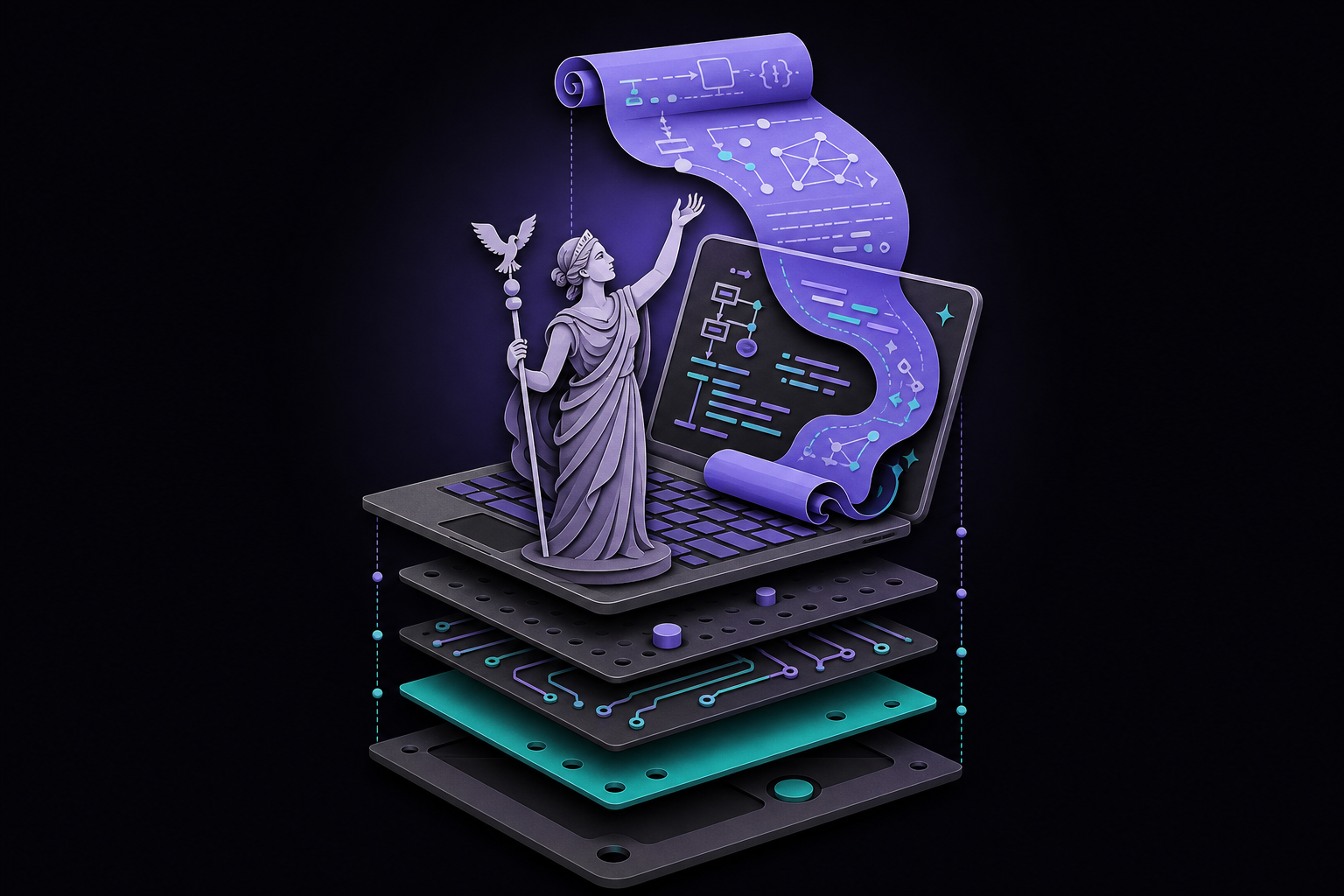
This guide covers everything you need to install, configure, and master Hermes Agent, the open-source self-improving AI agent from Nous Research. It is written for developers, automation operators, and product managers who want a persistent, learning agent that runs on their own hardware and improves over time. By the end, you will be able to install Hermes, set up its identity and memory, create reusable skills, run multiple agent profiles, schedule cron jobs, and connect it to messaging gateways.
Prerequisites
- Operating system: macOS, Linux, or Windows with WSL2. Native Windows works via an early-beta PowerShell installer. Android (Termux) is also supported. Linux, macOS, and WSL2 are first-class.
- Terminal: Any shell works (bash, zsh, fish).
- API key or local model: You need an API key from a supported provider (OpenAI, Anthropic, Nous Portal, OpenRouter, etc.) or a local model via Ollama, vLLM, or LM Studio. For API-based usage, you do not need a GPU.
- Disk space: Approximately 200 MB for the install, plus space for memory and skills.
- Network: Internet access for the initial install and for API calls (if not using a local model).
What Hermes Agent Is and Why It Matters
Hermes Agent is an open-source AI agent runtime from Nous Research. It runs on your own machine or a cheap VPS, remembers what it learns across sessions, and writes its own reusable skills as it works. It talks to you through a CLI, TUI, Telegram, Discord, email, and many other messaging providers. As of July 2026, it has over 218,000 GitHub stars and is the fastest-growing open-source agent of 2026.
The core idea is "Harness Engineering": Nous believes the real unlock is not a smarter model, but a smarter wrapper around the model. Hermes invests heavily in five layers around the LLM (instructions, constraints, feedback, memory, orchestration) and lets you swap the model itself. On day one, Hermes is a generic assistant. On day thirty, it is your assistant, with thirty days of learned preferences baked in.
The 30-Second Version
You install Hermes with one curl command. You pick a model provider and a model. You give it a job. It runs. It learns. A week later, the same job produces tighter output because Hermes has been quietly writing skills (little markdown files that capture what worked) and pulling them into future runs.
How It Is Different
- Claude Code is an in-repo coding agent. Cursor is an in-editor pair programmer. OpenClaw is a configuration-driven task runner. Hermes is a self-improving autonomous agent that lives outside all of them.
- Most power users run Hermes alongside Claude Code: Claude Code for inside-the-repo coding, Hermes for everything else (daily briefings, monitoring, automation, multi-repo research, cross-channel coordination).
- If you are migrating from OpenClaw, Nous ships a migration tool (
hermes claw migrate) that imports 30+ categories of state automatically.
Installation
One-Line Install (Supported Path)
For macOS, Linux, WSL2, and Termux, run the installer from the official repository:
curl -fsSL https://raw.githubusercontent.com/NousResearch/hermes-agent/main/scripts/install.sh | bash
For native Windows (PowerShell, early beta):
irm https://raw.githubusercontent.com/NousResearch/hermes-agent/main/scripts/install.ps1 | iex
The installer sets up uv, Python 3.11, Node.js, ripgrep, ffmpeg, the venv, and the hermes command. On Linux/macOS it drops the binary under ~/.hermes/ and symlinks ~/.local/bin/hermes. On Windows it installs to %LOCALAPPDATA%\hermes with a bundled portable Git Bash.
Reload Your Shell
After installation, reload your shell:
source ~/.zshrc
# If you use Bash, run: source ~/.bashrc
# If you use Fish, run: source ~/.config/fish/config.fish
First Run and Setup
Run the setup wizard:
hermes setup
The wizard walks you through provider selection, API key entry, model choice, tool configuration, and basic settings.
Start a terminal session:
hermes
If you prefer the newer terminal interface:
hermes --tui
Verify Installation
Run the health check:
hermes doctor
This prints a health report. Green across the board means you are ready. Red lines usually map to one of the common pitfalls below.
Common Installation Pitfalls
- "Command not found: hermes": Your shell did not pick up the new PATH. Open a fresh terminal or run
source ~/.bashrc(or~/.zshrc). - "Provider error: invalid key": The key you pasted has a trailing space or is for the wrong provider. Re-run
hermes modeland paste carefully. - Windows: "bad interpreter": You are on bare Windows, not WSL2. Install WSL2 (
wsl --installin PowerShell), then rerun the curl install from inside WSL. - pip and Homebrew installs are deprecated: As of v0.19.0, both paths are flagged as unsupported legacy. If you installed via pip or brew, plan the migration to the one-line installer now.
Pick Your Model (The First-Weekend Mistake)
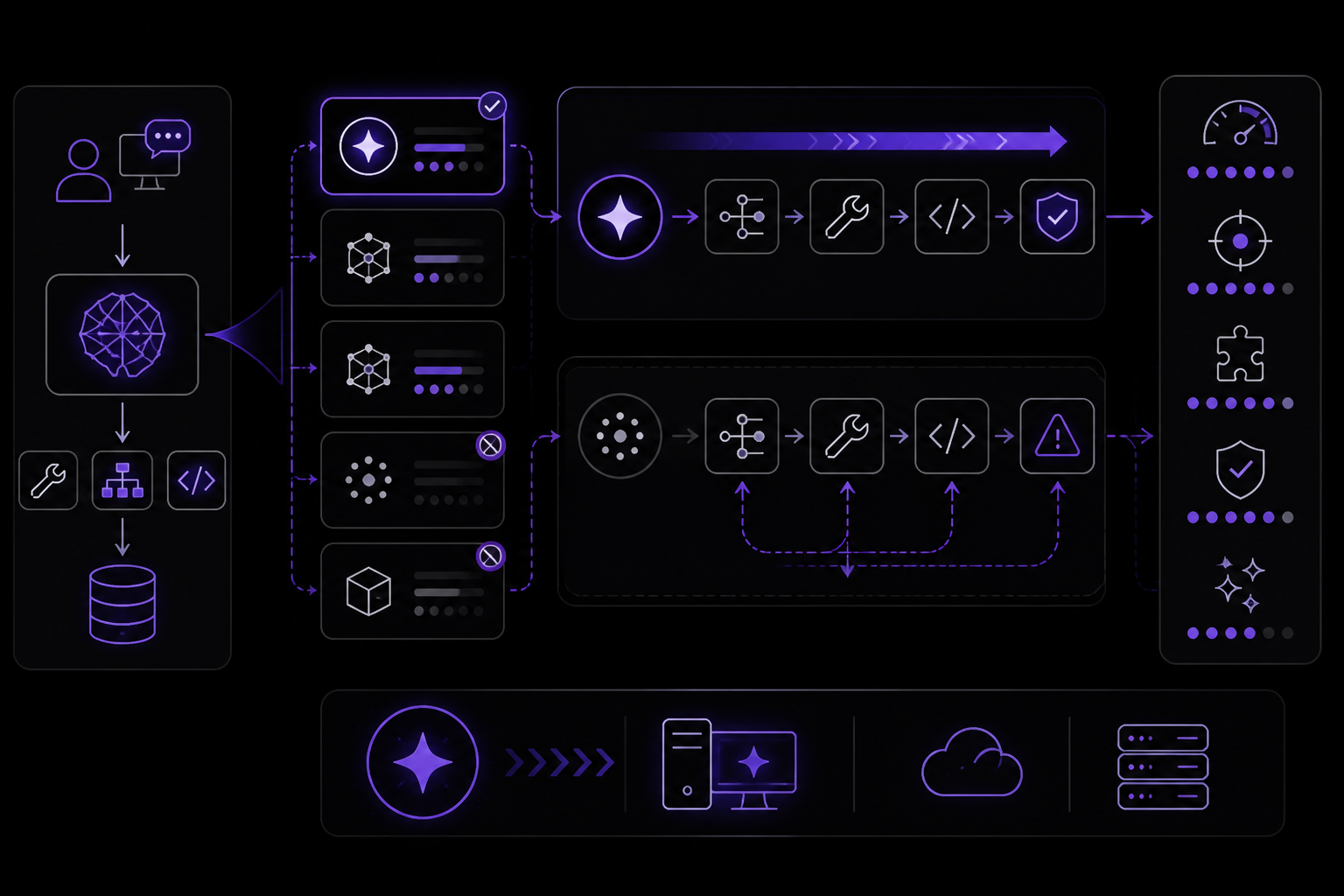
This is where most first-time setups silently fail. If Hermes feels broken, dumb, or slow in your first session, the model is almost always the reason.
The First-Weekend Mistake
Hermes delegates heavily to the model. Tool calling, planning, skill writing (it is all the model's job). Small or older models cannot reliably call tools, so they get stuck in loops or produce garbage. Gemma 2B, Llama 3.1 8B, and other sub-frontier models are almost always the wrong default. They run fine for chat, not for agent workflows.
The community consensus: use a frontier model for real work; use a local model only for experimentation.
Cost and Capability at a Glance
| Model | Price Tier | Tool Calling | Speed | Best For |
|---|---|---|---|---|
| Claude Sonnet / Opus | $$$ | Excellent | Fast | Production agent workflows |
| GPT-5 | $$$ | Excellent | Fast | Production, OpenAI stack users |
| z.AI GLM-5 | $ | Excellent | Fast | Best-value frontier |
| MiniMax M2.7 | $$ | Excellent | Fast | Excellent value |
| DeepSeek | $ | Good | Fast | Cost-optimized workflows |
| Nous Portal (subscription) | $ (flat) | Excellent | Fast | Predictable monthly cost |
| Ollama + Qwen 2.5 Coder | Free (local) | Good | Depends on GPU | Offline coding, privacy-sensitive work |
| Ollama + Gemma / Llama 8B | Free (local) | Poor | Depends on GPU | Chat-only; don't use for agent work |
When Local Is Fine, When It Isn't
- Local is fine when: you are drafting code snippets, chatting, or running single-shot summarization. Ollama + Qwen 2.5 Coder 32B handles 80% of everyday CLI use.
- Local isn't fine when: you want multi-step tool calls (watch a site, call an API, summarize, post to Telegram). You will hit loops, timeouts, and bad tool arguments. Switch to a frontier API.
The Easy Button: Nous Portal
If you do not want to manage API keys across providers, Nous Portal is a single subscription that covers Claude, GPT, GLM, MiniMax, Nous's own models, and many more via one auth. Sign in with OAuth from the CLI. You pay one flat monthly fee and stop thinking about which key is which.
Switching Providers Mid-Session
You can switch providers with a single command:
hermes model
This interactively walks you through every supported provider, including OAuth logins. You can also switch mid-session without losing history using:
/model provider:model
Directory Structure and Configuration
After setup, Hermes stores its runtime state under ~/.hermes/ (or $HERMES_HOME for non-default profiles).
~/.hermes/
├── config.yaml          # Settings (model, terminal, TTS, compression, etc.)
├── .env                 # API keys and secrets
├── auth.json            # OAuth provider credentials (Nous Portal, Codex, Anthropic)
├── SOUL.md              # Primary agent identity (slot #1 in system prompt)
├── memories/
│   ├── MEMORY.md        # Short-term, ~2,200 characters max
│   └── USER.md          # Facts about you, ~1,375 characters max
├── skills/              # Bundled + agent-created + hub-installed skills
├── sessions/            # Session state (SQLite with FTS5 full-text index)
├── cron/
│   ├── jobs.json        # Scheduled job definitions
│   └── output/          # Cron job outputs
└── logs/                # agent.log, gateway.log, errors.log (secrets auto-redacted)
Key Configuration Files
config.yaml: Stores non-secret runtime settings. You can edit this by hand..env: Stores API keys, bot tokens, and other secrets. You can also use a password manager via the pluggableSecretSourceinterface (Bitwarden and 1Password are supported as of v0.19.0).auth.json: Managed by Hermes for OAuth credentials. Do not edit by hand.SOUL.md: Defines the agent's identity. You can edit this by hand.MEMORY.mdandUSER.md: Managed by Hermes. You can edit them, but the agent will overwrite changes.
Provider Authentication: Three Paths
Provider auth is the thing to learn first. Everything else is downstream of which provider is resolved.
- API key in
.env: The simplest path. Add your key to~/.hermes/.envasPROVIDER_API_KEY=sk-.... - OAuth via
hermes modelorhermes auth: For providers that support OAuth (Nous Portal, Anthropic, Google, xAI/SuperGrok, etc.). The CLI will open a browser window for you to log in. - Custom endpoint in
config.yaml: For self-hosted or custom endpoints (Ollama, vLLM, SGLang, llama.cpp, LM Studio).
The Auxiliary Model
Quality of service depends on your auxiliary model. Vision, web summarization, compression, and memory flush all use a separate auxiliary LLM. By default this is Gemini Flash via auto-detection (OpenRouter to Nous to Codex). If none of those are configured, these features degrade silently until you point the auxiliary slots at your main provider.
The Learning Loop
This is the section worth slowing down for. If you understand the learning loop, you understand why Hermes is shaped the way it is.
Why Hermes Gets Better Over Time
After every task (or every five-ish tool calls), Hermes runs a short retrospective against itself: did that work? what took too long? what did the user reject? is there a reusable pattern here? When the answer is yes, it writes a new skill or updates memory. The next time you make a similar request, Hermes reaches for the skill first and skips the rediscovery.
This is the opposite of a stateless chat. A stateless chat throws away everything at the end of each conversation. Hermes writes it down.
Bounded Memory: A Feature, Not a Bug
Memory is stored in three places:
MEMORY.md: Short-term, ~2,200 characters max. What the agent is working on right now.USER.md: Facts about you, ~1,375 characters max. Name, preferences, role, constraints.- Session search (FTS5 full-text index): Every past conversation is searchable.
The small caps are deliberate. Unlimited memory sounds attractive until you realize that is how agents turn into junk drawers of stale context. Hermes forces consolidation: when MEMORY.md fills up, the agent has to decide what is worth keeping. That discipline keeps the working context tight and the model focused.
Skills: Executable Procedures, Not Notes
Skills are the part everyone undersells. A skill is a markdown file at ~/.hermes/skills/<name>/SKILL.md that describes:
- When to trigger it (a short description the orchestrator reads)
- How to run it (instructions, tool calls, example input/output)
- Context it needs (which files, which APIs)
Claude Code's memory stores facts about you ("prefers bullet points"). Hermes stores procedures ("the research-filter-format workflow that produces bullet points the way you want them"). That is a meaningful difference. Facts inform the model; procedures get reused directly.
The 5-Tool-Call Rule
Skills do not auto-generate after every task (that would be noisy). They generate when Hermes detects repetition: usually after five-plus tool calls on a pattern, or after a user correction that teaches something general. That is why on day one your skills directory is empty, and by day thirty you have 20+ skills running your life.
Set Up Identity and Memory
SOUL.md
Start with SOUL.md. For the default profile, edit:
nano ~/.hermes/SOUL.md
SOUL.md should define the agent's role, tone, standards, and boundaries. Keep it short.
A product-operations version might look like this:
# Soul

You are the product operations agent for this workspace.
Prioritize customer evidence, cite the Userorbit record you used,
draft customer-facing updates without publishing them, and ask for
approval before changing roadmap status.
Memory Files
Then keep memory short:
nano ~/.hermes/memories/MEMORY.md
nano ~/.hermes/memories/USER.md
Good memory entries are short:
This project uses pnpm.Release notes must stay in draft until approved.Enterprise feedback should be escalated before status changes.
Bad memory entries are long product specs, API docs, and step-by-step workflows. Put those in skills. For product work, the rule is simple: memory holds preferences, skills hold procedures, and your repo or your docs remain the source of truth.
Add and Maintain Skills
Skills are the part of Hermes that makes repeated work less repetitive.
What Is a Skill?
A skill is a Markdown playbook with frontmatter and instructions. It tells Hermes how to handle a specific workflow.
Example skill file:
---
name : feedback-triage
description : Use when reviewing, grouping, routing, or closing product feedback.
version : 1.0.0
---

## Procedure
1. Fetch new feedback.
2. Group items by theme.
3. Identify duplicates.
4. Route items to the right board.
5. Add private reasoning comments before changing status.

## Pitfalls
- Do not close similar-looking enterprise feedback without checking account context.
- Do not publish customer-facing comments without approval.

## Verification
- Every changed item has a clear internal note.
- Ambiguous items remain in human review.
Explore and Install Skills
Explore available skills:
hermes skills list
hermes skills browse
hermes skills search roadmap
hermes skills inspect openai/skills/k8s
Install a skill:
hermes skills install openai/skills/k8s
Add a private skill collection:
hermes skills tap add yourname/your-skills-repo
hermes skills install yourname/your-skills-repo/skill-name
Private taps are useful for team workflows. You can maintain product procedures, coding standards, support policies, and launch checklists without pasting giant prompts into every session.
The Skills Hub
There are 643 community-contributed skills in the Hub (as of 2026-04-19). Skills come from four trust tiers:
- Builtin: Ships with Hermes, cannot be tampered with.
- Official: Published by Nous, security-audited.
- Trusted: Published by verified community members (OpenAI, Anthropic, VoltAgent, gstack, etc.).
- Community: Everything else; scanned for security issues but read the source before installing.
Five Skills to Install Today
- LLM Wiki (builtin): Karpathy-style condensed reference for any topic. Feed it "transformers" and get a 2-minute primer.
- gstack (trusted): Browser automation, QA testing, and design review in one skill.
- OpenAI taps (trusted): Expose OpenAI's function-calling primitives as Hermes tools.
- Manim (official): Generate mathematical animations from text.
- security-audit (official): Scan a repo for common vulnerabilities.
Skill Maintenance
Hermes can create or patch skills after it solves a complex task, finds the working path after errors, receives a correction, or discovers a repeatable workflow. That is useful, but it needs maintenance.
For important workflows:
- Pin critical skills.
- Review agent-authored skill changes.
- Archive narrow duplicates.
- Keep a small evaluation set of real edge cases.
Create Profiles for Different Jobs
One Hermes agent is useful. Multiple profiles are better for real work.
Each profile has its own config, memory, skills, sessions, and SOUL.md. They share nothing by default unless you clone configuration at creation time.
Create Profiles
hermes profile create product --clone
hermes profile create researcher --clone
hermes profile create developer --clone
hermes profile list
Use Them Like This
product: Owns roadmap reviews, release notes, announcements, and customer-facing drafts.researcher: Monitors competitors, market changes, research papers, GitHub repos, and social signals.developer: Turns specs into issues, implementation plans, tests, code reviews, and release checks.
Edit Each Profile's SOUL.md
nano ~/.hermes/profiles/product/SOUL.md
nano ~/.hermes/profiles/researcher/SOUL.md
nano ~/.hermes/profiles/developer/SOUL.md
For a researcher profile:
# Soul

You are a research agent for an AI-native product team.
Lead with what changed since yesterday. Cite every claim with a URL.
Flag thin evidence. Use parallel research when streams are independent.
Never state a contested claim as settled.
For a developer profile:
# Soul

You are a pragmatic staff engineer for this product team.
Read the existing code before proposing changes. Break product specs
into small issues, call out risks, write test scenarios, and ask before
making destructive changes.
Run a Multi-Agent Workflow
Profiles let you run a practical multi-agent workflow without giving every agent the same authority.
A useful cadence:
researchersends a weekday market digest at 8 AM.productcombines the digest with feedback, roadmap, and analytics data.productdrafts or updates the PRD, acceptance criteria, and launch plan.developerreviews the PRD, grills unclear assumptions, splits the work into issues, and proposes test coverage.- On release day,
productdrafts the changelog, help-doc updates, and in-app announcement whiledeveloperchecks implementation notes and release risk.
Keep permissions different:
researcherstays read-only.productcan draft product artifacts and suggest roadmap changes, but publishing still needs approval.developercan read code and draft plans by default; code changes and destructive commands should require explicit permission.
Add Gateways and Cron
Messaging Gateways
Hermes can run through messaging gateways. This is useful when you want a phone-accessible agent or scheduled digest delivery.
For Telegram, create a bot with BotFather and get your user ID. Then run:
hermes gateway setup
For profile-specific bots, run setup per profile:
hermes -p product gateway setup
hermes -p researcher gateway setup
hermes -p developer gateway setup
Use a separate bot token per profile. Telegram only allows one active connection per token, and separate bots make audit trails easier to read.
Common gotcha: The Telegram allowlist needs your numeric user ID (a number like 123456789), not your @handle. Using the handle silently accepts messages from anyone who guesses your handle. Use @userinfobot on Telegram to get your numeric ID.
Supported Platforms
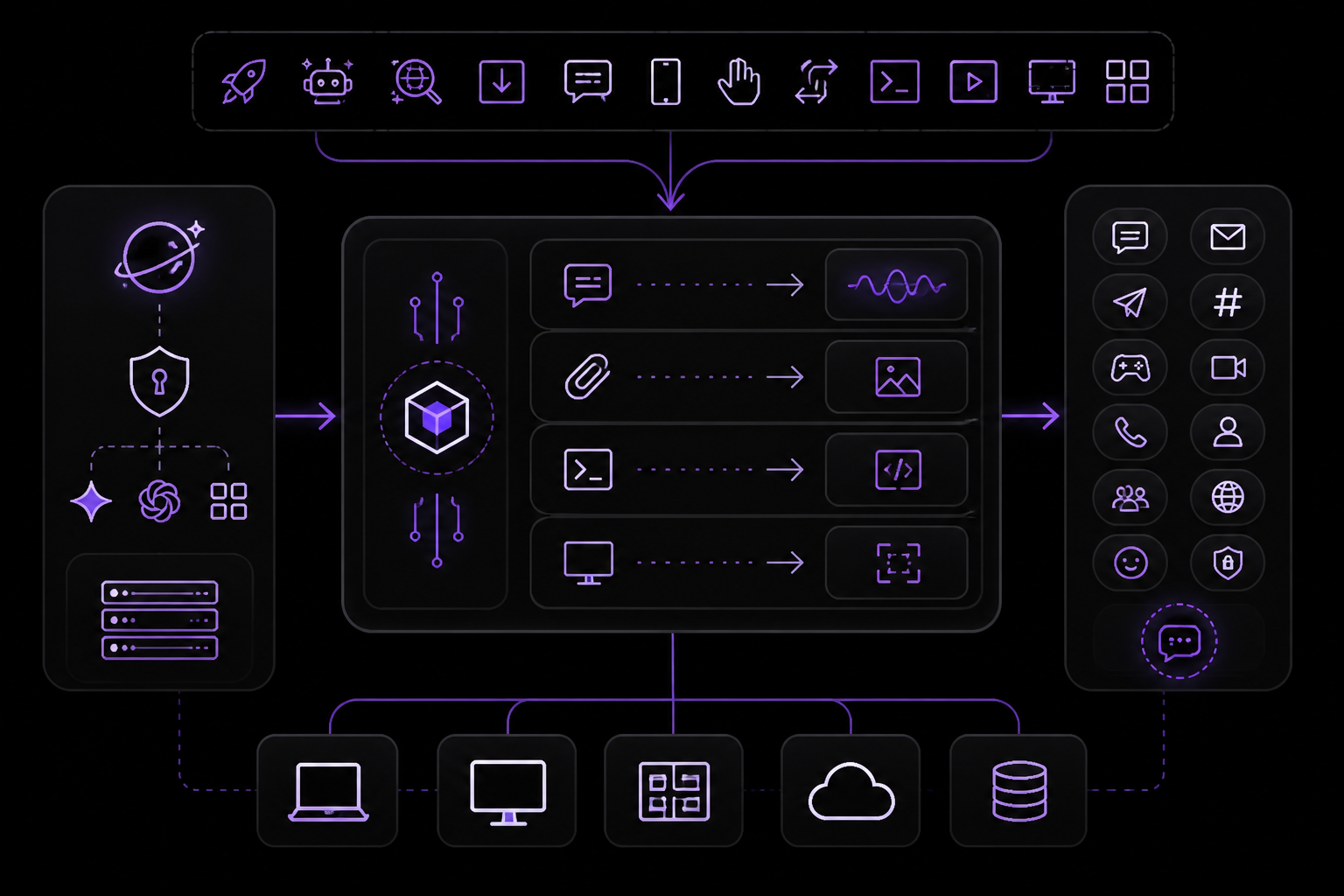
As of v0.14.0, Hermes supports 22 messaging platforms, including Telegram, Discord, Slack, WhatsApp, Signal, Google Chat, LINE, SimpleX Chat, and email. The gateway is a single process that routes messages from all platforms through the same conversation loop.
Cron (Scheduled Jobs)
Hermes has a built-in scheduler. Jobs survive restarts and live under ~/.hermes/cron/jobs.json, with outputs under ~/.hermes/cron/output/.
You can describe a schedule in plain English:
hermes -p researcher
Then in the session:
Every weekday at 8am PT, prepare a digest of what changed
in AI and machine learning over the last 24 hours. Cover GitHub repos,
lab announcements, research papers, and social discussions. Cite every
claim with a URL. Keep it under 800 words. Deliver to Telegram.
Set this up as a recurring cron job.
Verify jobs:
hermes -p researcher cron list
You can also use direct commands:
/cron add 30 m "Remind me to check the build"
/cron add "every 2h" "Check server status"
/cron add "0 9 * * 1-5" "Send the weekday product digest"
Attach a skill when the job needs a specific procedure:
/cron add "every 1h" "Summarize new feed items" --skill blogwatcher
Cron is where Hermes becomes more than a terminal assistant. It can monitor, summarize, draft, and alert without waiting for a manual prompt.
Your First Workflows
Don't try to build three things at once. Pick one of the following examples and ship it today.
Example 1: Coding Assistant on Your Laptop
cd ~/projects/my-repo
hermes
Then ask:
audit this repo for dead code, imports that aren't used, and commented-out blocks older than 6 months. Produce a markdown report.
What you will notice: Hermes reads files, runs greps, and writes the report to ./hermes-output/ by default. The second time you ask the same kind of question, it is faster because it wrote a skill called repo-audit on run one.
Example 2: Telegram Bot on a $5 VPS
On any cheap Linux VPS (Hetzner, Digital Ocean, a Raspberry Pi, whatever):
# install Hermes
curl -fsSL https://raw.githubusercontent.com/NousResearch/hermes-agent/main/scripts/install.sh | bash

# set up the Telegram gateway
hermes gateway setup
# paste your bot token from @BotFather
# paste your numeric Telegram user ID

# start the daemon
hermes daemon start
Message your bot. It responds. Now add a job:
> every morning at 8am, summarize my GitHub notifications and send them to me here
Hermes writes a cron entry, stores your preference in memory, and pings you at 8am tomorrow. Leave the VPS running.
Example 3: Daily Cron Briefing
No bot, no chat. Just a scheduled job that emails or DMs you one summary every morning.
hermes
Then:
every weekday at 7:30am, collect: (1) top 10 HN posts overnight, (2) my unread GitHub notifications, (3) weather in Seattle. Send as a plain-text email to me@example.com.
Hermes schedules the cron job, remembers your email and city, and starts running it.
Advanced Features (v0.14.0 through v0.19.0)
v0.14.0 (May 16, 2026)
- SuperGrok OAuth with grok-4.3 1M context
- OpenAI-compatible local proxy for OAuth providers (
hermes proxy) - First-class
x_search - Lazy dependency installs
- 22 messaging platforms with LINE and SimpleX Chat
/handoffcommand- LSP semantic diagnostics after writes
- Unified
video_generate computer_usevia cua-driver for non-Anthropic providers- Native Windows beta
v0.16.0 (June 5, 2026) - The Surface Release
- Native desktop app: Hermes Desktop (Electron) for macOS, Linux, and Windows with streaming chat, drag-and-drop files, clipboard image paste,
Cmd+Kpalette, session list with archive and search, and status-bar model picker. - Browser admin panel: Full administration panel with MCP catalog, credential management, webhook creation, memory configuration, gateway controls, and a System page with check-before-update plus one-click Debug Share.
- New CLI commands:
/undo [N],hermes portal,hermes prompt-size,hermes sessions optimize. - New models: deepseek-v4-flash, MiniMax-M3 (1M context), qwen3.7-plus, gemini-3.5-flash.
- Leaner skills: Redundant and dead skills removed;
environments:frontmatter relevance gate added.
v0.17.0 (June 19, 2026) - The Reach Release
- New messaging channels: iMessage without a Mac relay (via Photon Spectrum), WhatsApp Business Cloud API (official Meta adapter), SimpleX groups, Raft platform plugin.
- New models: z-ai/glm-5.2 (1M context), anthropic/claude-fable-5, laguna-m.1, nemotron-3-ultra, grok-composer-2.5-fast.
- Desktop enhancements: Background subagents with live watch-windows, Composer model selector, rebindable keyboard shortcuts, native OS notifications, per-thread composer drafts.
- Skills and tools:
image_generatecan edit and transform source images;memorytool gainedoperationsarray for atomic batch operations; newsimplify-codeskill. - Architecture: Background subagents return a handle immediately; cron becomes pluggable CronScheduler; new Managed scope (
/etc/hermes) for administrator-pinned config.
v0.18.0 (July 1, 2026) - The Judgment Release
- Mixture-of-Agents (MoA): First-class model with inspectable ensemble reasoning.
- Completion contracts for
/goal: Agent verifies its own work by running project checks before reporting a goal complete. /learncommand: Describe anything into a reusable skill./journeytimeline: Visual history of memory and skills over time.- Background subagent fan-out: Delegate multiple tasks that run concurrently.
- Desktop Projects: First-class coding Projects with project/repo/lane organization.
- Scale-to-zero gateway: Gateways can go dormant when idle.
- Google Vertex AI support: Gemini access through GCP service accounts.
/prompteditor command: Opens$EDITORfor composing multi-line prompts.
v0.19.0 (July 20, 2026) - The Quicksilver Release
- ~80% faster to first token: Cold submit-to-dispatch dropped from ~4.3s to ~0.9s across CLI, gateway, TUI, desktop, and cron.
- Desktop and TUI rendering waves: 14x less CPU in streaming-markdown splitter; virtualized review-pane diffs; snappy session switching.
- pip and Homebrew installs deprecated: Both paths now warn as unsupported legacy.
- Secrets from password manager: Pluggable
SecretSourceinterface for Bitwarden and 1Password. - Smart approvals as default: Independent LLM reviewer assesses flagged commands instead of prompting for every one.
- Terminal billing:
/subscriptionand/topupcommands. - Watch subagents work:
delegate_taskdispatches return live transcript files you cantail -f. - One gateway, many profiles: Single multiplexed gateway can route specific guilds, channels, or threads to different profiles.
- New providers: Fireworks AI, DeepInfra, Upstage Solar.
- Reasoning effort dial: New
maxandultraeffort tiers. - CLI enhancements:
hermes sessions export(Markdown, Quarto, HTML, prompt-only, Hugging Face trace formats);/model --once; slash-skill stacking;--safe-mode;hermes config get/unset.
Troubleshooting
Hermes Installs But Does Not Respond
Run hermes setup again and verify the selected provider, model name, and API key.
The Wrong Profile Is Answering
Run hermes profile list, then start the profile explicitly with hermes -p product.
Telegram Stops Receiving Messages
Check that no two profiles are using the same bot token. Telegram only allows one active connection per token.
Cron Did Not Run
Check hermes -p <profile> cron list, then inspect ~/.hermes/profiles/<profile>/cron/output/ and the gateway logs.
The Agent Keeps Rediscovering the Same Workflow
Turn the workflow into a skill or ask Hermes to create one after a successful run.
Skills Are Getting Noisy
Pin critical skills, archive narrow duplicates, and review agent-authored changes before they touch production workflows.
Provider Error: Invalid Key
The key you pasted has a trailing space or is for the wrong provider. Re-run hermes model and paste carefully.
Quality of Service Degradation
If vision, web summarization, compression, or memory flush stop working, your auxiliary model may not be configured. By default this is Gemini Flash via auto-detection. If none of those are configured, these features degrade silently until you point the auxiliary slots at your main provider.
Going Further
You now have the full Hermes foundation: install, model setup, identity, memory, skills, profiles, gateways, cron, and a practical path into product work.
Start Here
- Run the product profile in read-only mode for a week.
- Convert repeated prompts into skills.
- Move stable workflows into cron.
- Keep customer-facing writes behind approval.
- Review skill changes like code.
Three Paths Forward
Path 1: Deeper into agents
Build a multi-agent team. One orchestrator, one researcher, one writer, one debugger, each with their own memory and skills. Hermes's delegation system makes this surprisingly clean.
Path 2: Deeper into tooling
Build your own tools and skills. Learn the MCP protocol so your Hermes instance can talk to Notion, Linear, Figma, your internal APIs. This is where the Harness Engineering mental model really pays off.
Path 3: Deeper into infra
Run Hermes in production for a team. Docker, systemd, managed cloud templates, Kubernetes. The community has packaged most of it.
Reference Links
- Hermes Agent documentation - official setup and runtime docs
- Hermes Agent Masterclass - deeper walkthrough of architecture, memory, profiles, Curator, and GEPA
- Agent Skills ecosystem - reusable skill format and examples
- phuryn/pm-skills - PM skill patterns for discovery, strategy, execution, analytics, GTM, and growth
- mattpocock/skills - engineering skill patterns for plan clarification, PRDs, issues, TDD, diagnosis, and architecture review
- Hermes Atlas - community-maintained directory of tools, skills, and deployment options
- The Hermes Agent Memory Guidebook - deep dive into memory architecture and providers
The #1 AI Newsletter
The most important ai updates, guides, and fixes — one weekly email.
No spam, unsubscribe anytime. Privacy policy