
Hermes Agent Webhooks: Trigger Agent Runs from External Events
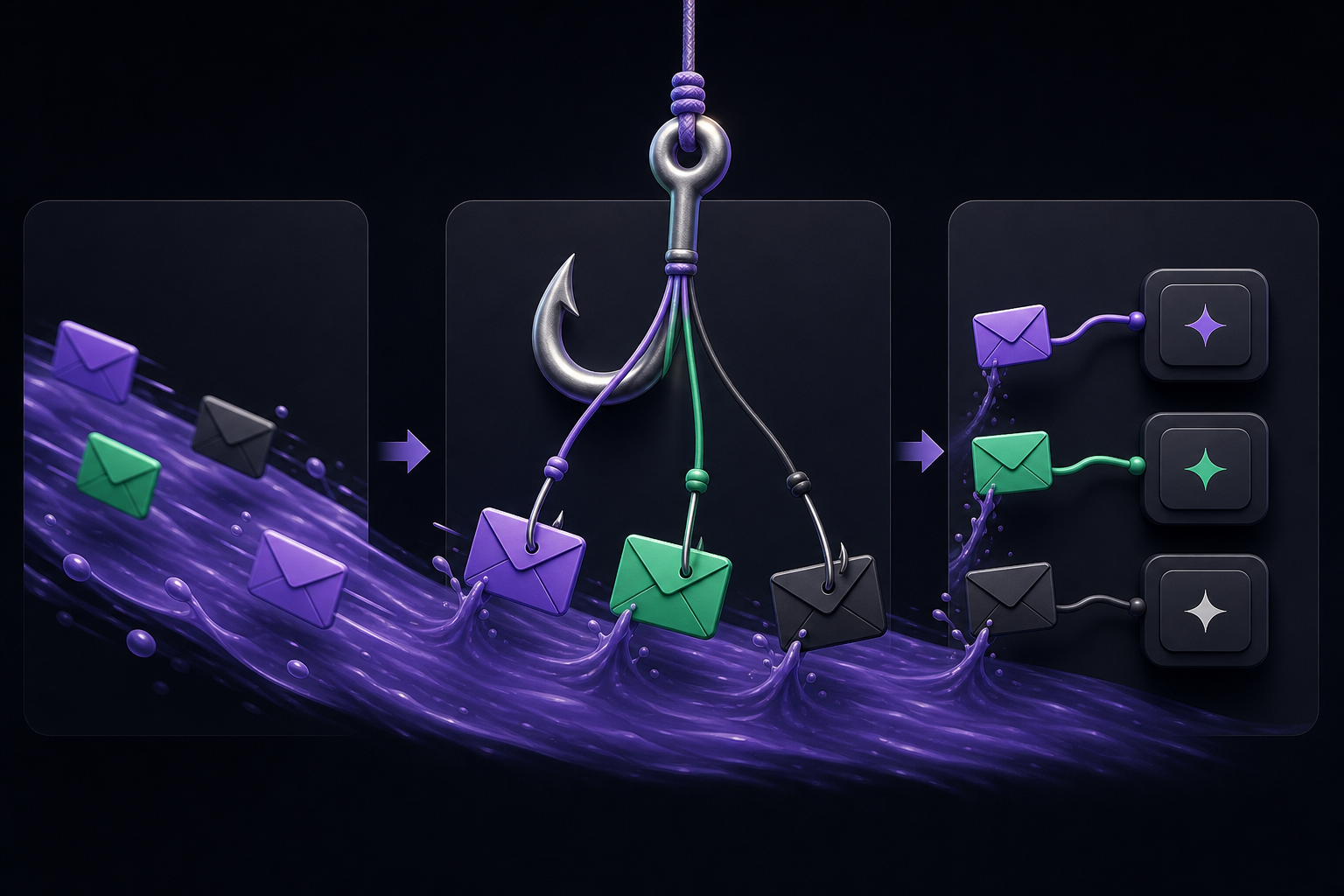
This guide covers how to configure Hermes Agent webhooks to receive events from external systems like GitHub, GitLab, Jira, and Stripe, validate their signatures, transform payloads, and route agent responses. It is intended for operators who want to move beyond chat-based demos and build practical, event-driven agent workflows.
What You Need
Before setting up webhooks, ensure you have the following:
- A running Hermes Agent instance (self-hosted or managed cloud). The webhook integration is part of the Hermes gateway, not a separate service.
- Access to the command line to run
hermescommands. - The ability to set environment variables or modify configuration files for the Hermes gateway.
- For production use, a publicly accessible HTTPS endpoint (or a tunnel like ngrok for local testing).
- An external system that can send HTTP POST requests (e.g., GitHub, GitLab, Jira, Stripe, or a custom script).
- Basic familiarity with HMAC signatures and JSON payloads.
How Hermes Webhooks Work
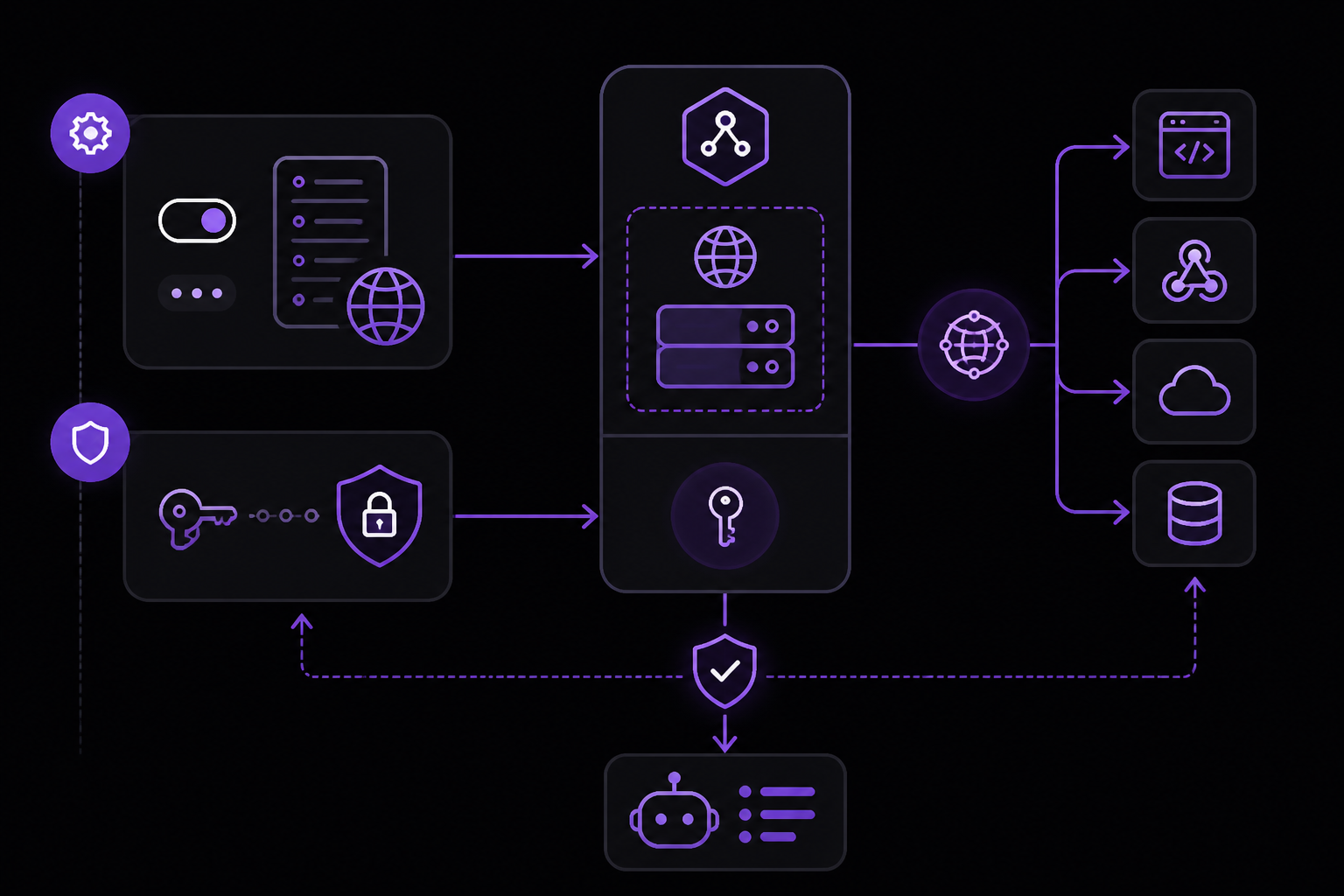
Hermes webhooks provide an HTTP server that listens for POST events on a configurable route. When an event arrives, Hermes validates the payload using an HMAC signature, transforms the payload into an agent task or notification, and then routes the agent's response back to a chat platform, log, comment thread, or follow-up tool.
The core flow is:
- An external system sends an HTTP POST to
https://your-host/webhooks/<route-name>. - Hermes validates the request using a shared secret (HMAC-SHA256 by default).
- If valid, Hermes applies any event filters and prompt templates associated with that route.
- The agent processes the payload and generates a response.
- The response is delivered according to the route's configured delivery path (e.g., Slack message, GitHub comment, email).
This is fundamentally different from cron-based scheduling. Cron is for periodic checks. Webhooks are for immediate, event-driven reactions. Use webhooks when a pull request opens, a payment fails, a support ticket changes, or an internal tool emits an event that should produce a focused agent run.
Setup Path
Step 1: Enable the Webhook Platform
The webhook server is part of the Hermes gateway. Enable it by running:
hermes gateway setup
Alternatively, set the environment variable:
export WEBHOOK_ENABLED=true
This starts the HTTP server on the default port 8644. You can change the port by setting WEBHOOK_PORT or using your configured gateway value if you changed it.
Step 2: Set a Strong Webhook Secret
Security is critical. Set a strong, random HMAC secret:
export WEBHOOK_SECRET=your-strong-random-secret-here
This secret is used to sign and verify all incoming webhook payloads. Without it, anyone who knows your webhook URL could send arbitrary events to your agent. The official documentation warns: "Avoid unauthenticated routes outside local testing."
You can also set per-route secrets for different trust levels. For example, a GitHub webhook might use one secret while a Stripe webhook uses another. This is configured in the route definition.
Step 3: Create a Named Route
Routes are the core of webhook configuration. Each route has a name, a prompt template, optional event filters, and a delivery path. Create a route using the CLI:
hermes webhook subscribe <route-name> --prompt "Your prompt template here"
For example, to create a route for GitHub pull requests:
hermes webhook subscribe github-prs --prompt "Summarize the risk of this pull request and assign review steps."
Routes can also be defined in a configuration file (e.g., YAML or JSON). The exact file format depends on your Hermes version, but the structure typically includes:
name: The route identifier.prompt: The instruction template for the agent.event_filter: Optional criteria to match specific event types or payload fields.secret: Optional per-route HMAC secret.delivery: Where to send the agent's response (e.g., Slack channel, GitHub issue comment, email).
Step 4: Verify the Server
Before pointing external services at your webhook, verify the server is running:
curl http://localhost:8644/health
A successful response indicates the gateway is up and the webhook server is listening. If you get a connection refused error, check that the gateway process is running and that the port is not blocked by a firewall.
Step 5: Point the External Service at Your Webhook
Configure your external system to send POST requests to:
https://your-host/webhooks/<route-name>
Replace your-host with your actual domain or IP address. For local testing, use a tool like ngrok to expose your local server:
ngrok http 8644
Then use the ngrok URL (e.g., https://abc123.ngrok.io/webhooks/github-prs) in your external service's webhook settings.
Step 6: Send a Test Payload
Send a test payload to confirm the integration works. For a route named test-route:
curl -X POST https://your-host/webhooks/test-route \
  -H "Content-Type: application/json" \
  -H "X-Hub-Signature-256: sha256=<computed-signature>" \
  -d '{"event": "test", "data": {"key": "value"}}'
You need to compute the HMAC signature using your secret. For example, in Python:
import hmac
import hashlib

secret = b"your-strong-random-secret-here"
payload = b'{"event": "test", "data": {"key": "value"}}'
signature = hmac.new(secret, payload, hashlib.sha256).hexdigest()
print(f"sha256={signature}")
Once sent, check the Hermes logs to confirm the payload was received, validated, and transformed into an agent task.
Route Design Best Practices
The official documentation emphasizes: "Do not send every event to one giant prompt." Instead, create small, named routes with specific event filters and specific instructions. This keeps the agent grounded and makes failures easier to debug.
Separate Routes for Different Event Types
Create distinct routes for different event sources:
github-prs: For pull request events.billing-events: For Stripe disputes or payment failures.customer-forms: For internal form submissions.alerts: For monitoring alerts from tools like PagerDuty.
Each route should have a focused prompt that tells the agent exactly what to do with that specific type of event.
Per-Route Secrets
When different systems have different trust levels, use per-route secrets. This limits the blast radius if one secret is compromised. Configure the secret in the route definition:
routes:
  - name: github-prs
    secret: github-specific-secret
    prompt: "Summarize the risk of this pull request and assign review steps."
  - name: stripe-disputes
    secret: stripe-specific-secret
    prompt: "Notify the team and draft a dispute response checklist."
Log Payload Shape During Testing
During initial setup, log the full payload shape to understand what data the agent will receive. Once the route is stable, remove noisy debugging to keep logs clean. You can do this by setting a debug: true flag on the route during testing, then removing it.
Advanced Configuration
Event Filters
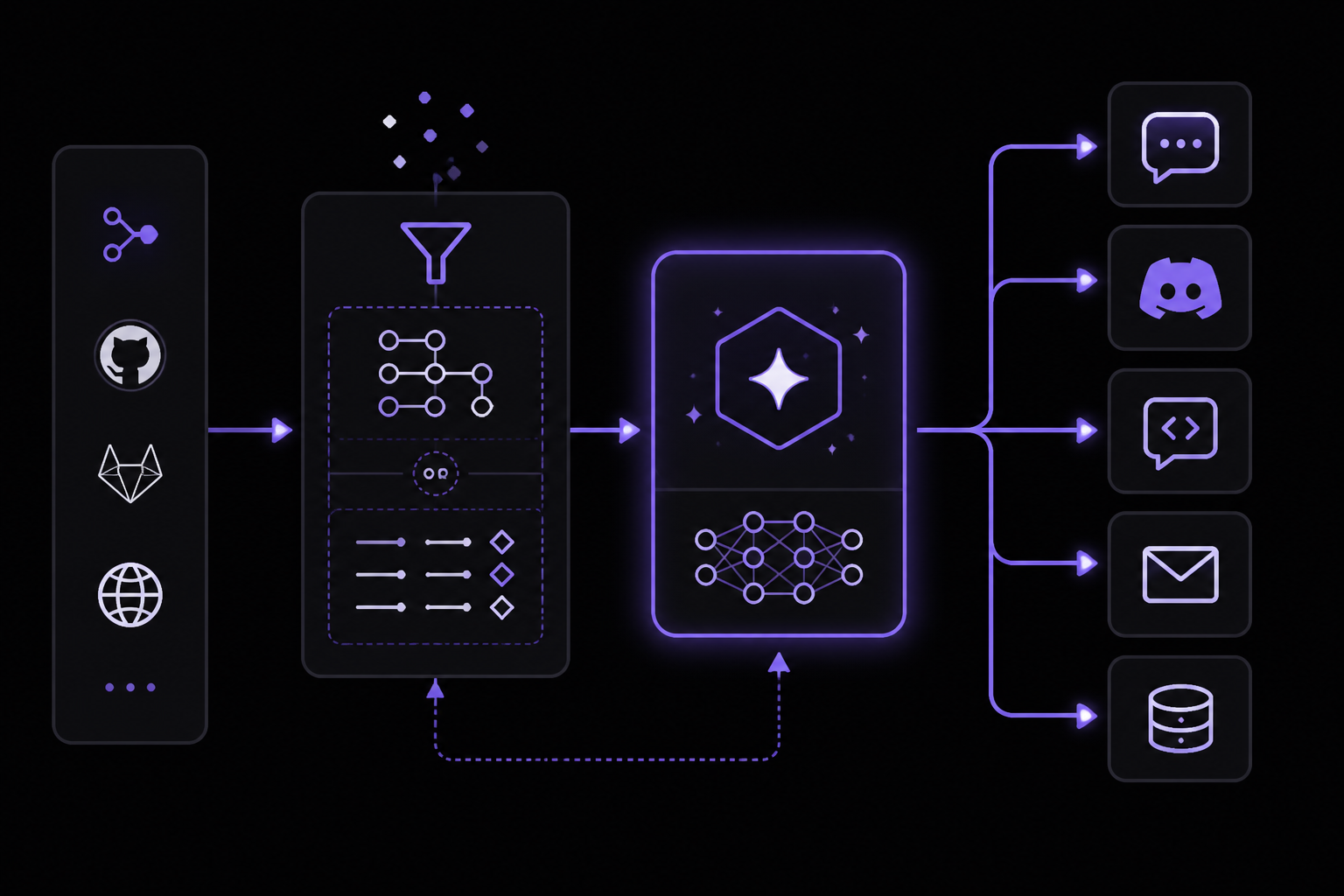
Event filters allow you to process only certain events from a source. For example, from GitHub you might only want to handle pull_request events with action: opened. Filters are defined as JSONPath or simple key-value matches in the route configuration.
Delivery Paths
The agent's response can be delivered to multiple destinations. The official documentation mentions: "Responses can be routed back to chat platforms, comments, logs, or follow-up tools." Common delivery paths include:
- Slack or Discord channels.
- GitHub or GitLab issue/PR comments.
- Email via SMTP.
- A log file or database.
- Another webhook endpoint.
Configure the delivery path in the route definition. For example:
routes:
  - name: github-prs
    delivery:
      type: slack
      channel: "#pr-reviews"
HMAC Signature Validation
Hermes validates incoming webhooks using HMAC-SHA256 by default. The signature is expected in the X-Hub-Signature-256 header (for GitHub compatibility) or a custom header. If the signature does not match, Hermes rejects the request with a 401 status.
For services that don't support HMAC signing (e.g., custom scripts), you can use the INSECURE_NO_AUTH option, but only for temporary local testing. The official documentation states: "Only for temporary local testing. Public webhook routes should validate signatures."
Common Setup Issues
The Integration Appears Enabled but Nothing Happens
If you've enabled the webhook platform and created a route, but events are not triggering agent runs, restart the Hermes gateway or start a fresh Hermes session after config changes. The gateway may be caching an old configuration.
hermes gateway restart
Credentials Work in One Shell but Not in the Gateway
This is a common issue. Check the active Hermes profile and where the gateway process reads its environment. The gateway may be running under a different user or systemd service that doesn't inherit your shell's environment variables. Ensure the WEBHOOK_SECRET and other variables are set in the gateway's environment (e.g., in a .env file or systemd unit file).
The Workflow Is Too Broad
If the agent is producing irrelevant or overly generic responses, your route prompt is too broad. Split it into smaller routes, skills, or prompts with one expected outcome each. For example, instead of one route for all GitHub events, create separate routes for issues, pull requests, and pushes.
Troubleshooting
Health Check Fails
If curl http://localhost:8644/health fails, check:
- The gateway process is running:
ps aux | grep hermes. - The port is not in use by another service:
netstat -tulpn | grep 8644. - Firewall rules are not blocking the port.
Signature Validation Errors
If you see 401 responses in the logs, the HMAC signature is incorrect. Verify:
- The secret matches on both sides.
- The payload body is exactly as sent (no extra whitespace or encoding differences).
- The signature header name matches what Hermes expects (
X-Hub-Signature-256by default).
Payload Not Transformed Correctly
If the agent receives unexpected data, check the route's event filter and prompt template. Log the raw payload during testing to understand its structure, then adjust the prompt accordingly.
Going Further
Once webhooks are working, explore these related topics:
- Add tools to Hermes: Understand how tools and MCP servers become available to the agent, enabling it to take actions beyond generating text.
- GitHub integration: Connect automation outcomes to code, pull requests, and repository reports.
- Background monitoring: Use Hermes for continuous monitoring tasks that don't require a user to be present.
- Schedule tasks with Hermes: Combine webhooks with cron-based scheduling for hybrid workflows.
- Pricing and FlyHermes: Compare self-hosting with the managed cloud option when uptime and maintenance matter.
The official documentation also lists integrations with Telegram, Discord, Slack, WhatsApp, and Signal, which can serve as delivery paths for webhook-triggered agent responses.
The #1 AI Newsletter
The most important ai updates, guides, and fixes — one weekly email.
No spam, unsubscribe anytime. Privacy policy