
Hermes Agent Signal Setup: Private AI Agent Gateway Guide
This guide covers the complete setup of Hermes Agent with Signal, using signal-cli as a local daemon to create a private AI agent gateway. It is written for solo operators and security-conscious teams who want a private phone interface for approvals, incident summaries, cron reports, and operational requests through Signal's encrypted transport.
What You Need
Before starting, ensure you have the following prerequisites in place:
- Java 17 or later installed on the machine where signal-cli will run. This is a hard requirement from signal-cli itself. On macOS, you can install it via Homebrew with
brew install openjdk@17. On Linux, use your distribution's package manager (e.g.,apt install openjdk-17-jreon Debian/Ubuntu). - signal-cli installed. On macOS, run
brew install signal-cli. On Linux, install the current signal-cli release from the official GitHub releases page rather than expecting an apt or snap package, as those may be outdated. - A Signal account on your phone. This is your primary device. signal-cli will link to it as a secondary device.
- Hermes Agent already installed and configured. If you haven't set up Hermes yet, do that first. This guide assumes you have a working Hermes installation.
- A Hermes profile (optional but recommended for isolation). You can create one with
hermes profile createif you want to keep Signal credentials, tools, skills, memory, and sessions separate from other agents.
How the Hermes Signal Gateway Actually Works
Signal is not a hosted bot API inside Hermes. A separate signal-cli process links to your Signal account and exposes a local HTTP daemon. Hermes keeps a Server-Sent Events (SSE) connection open for incoming messages and uses JSON-RPC for replies. This product boundary matters: Hermes can be healthy while signal-cli is stopped, unlinked, or running under a different account.
Key architectural points:
- Your Signal phone app remains the primary device. signal-cli is a linked secondary device, not a replacement.
- The normal local endpoint is
http://127.0.0.1:8080, not a public internet port. Keep it bound to loopback unless you have a deliberate private-network design. - Hermes needs two environment variables to connect:
SIGNAL_HTTP_URLandSIGNAL_ACCOUNT. signal-cli owns the linked-device session and credentials.
Setup Path
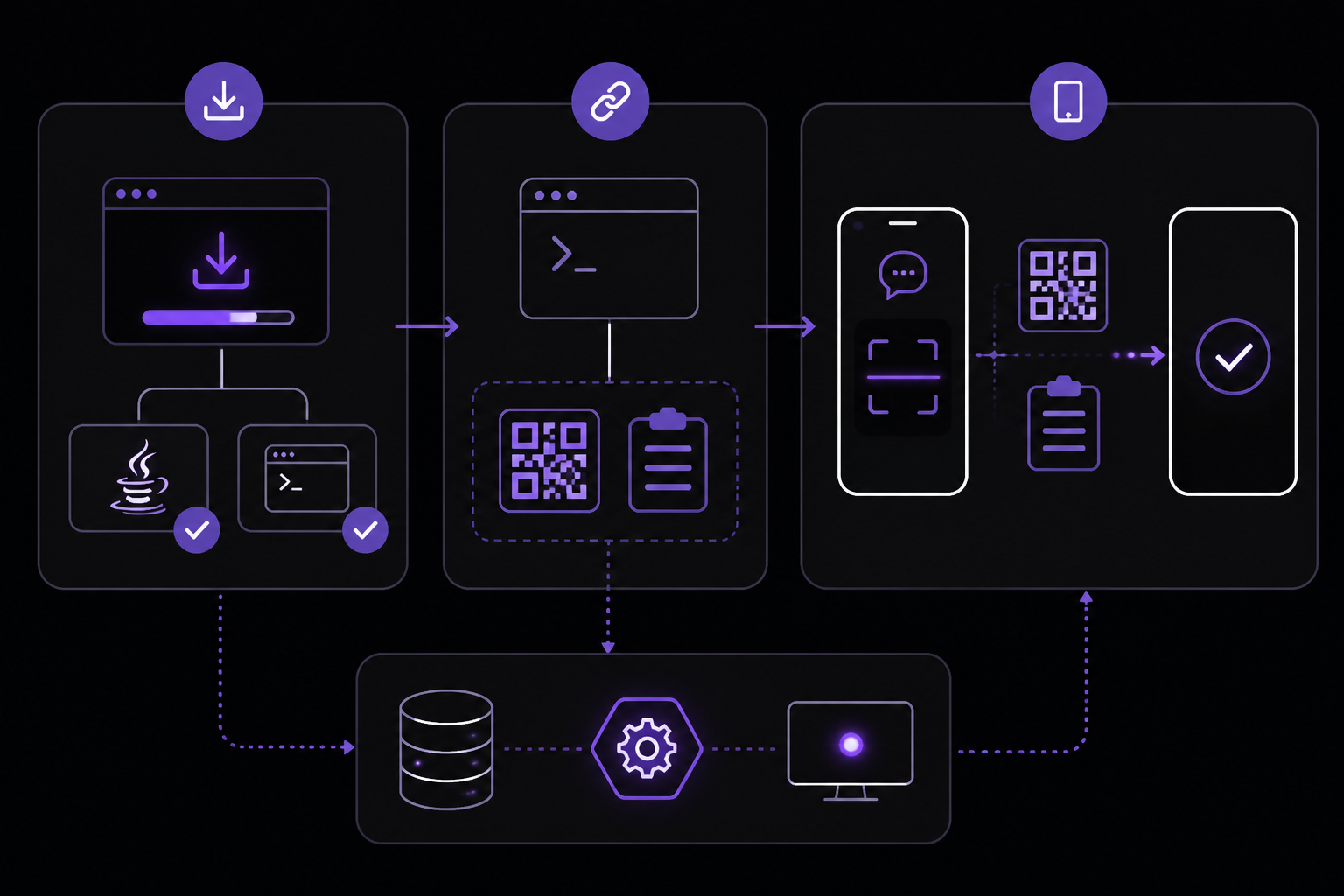
Step 1: Install Java 17+ and signal-cli
Install Java 17 or later if you don't have it. Then install signal-cli:
macOS:
brew install signal-cli
Linux: Download the latest release from the signal-cli GitHub releases page. For example:
wget https://github.com/AsamK/signal-cli/releases/download/v0.12.5/signal-cli-0.12.5.tar.gz
tar -xzf signal-cli-0.12.5.tar.gz
sudo mv signal-cli-0.12.5 /opt/signal-cli
sudo ln -s /opt/signal-cli/bin/signal-cli /usr/local/bin/signal-cli
Adjust the version number to the current release.
Step 2: Link the Daemon as a Secondary Signal Device
Run the link command to generate a QR code or a device link URI:
signal-cli link -n "HermesAgent"
This outputs a link URI like tsdevice:/?uuid=.... Open Signal on your phone, go to Settings > Linked Devices, tap the plus icon, and scan the QR code or paste the URI. Approve the link on your phone.
After linking, signal-cli stores account credentials in ~/.local/share/signal-cli/. Protect this directory because it contains your Signal session credentials. If it is lost or compromised, you will need to re-link.
Step 3: Start the Local Daemon
Start the signal-cli daemon in HTTP mode, bound to loopback:
signal-cli --account +YOUR_NUMBER daemon --http 127.0.0.1:8080
Replace +YOUR_NUMBER with your full E.164 phone number, including the country code (e.g., +15551234567). Keep this terminal open or run it as a systemd service for persistence.
Step 4: Verify signal-cli Before Involving Hermes
Test that the daemon is running and reachable:
curl http://127.0.0.1:8080/api/v1/check
You should receive a JSON response with version information, something like:
{"version":"0.12.5"}
If this fails, check that Java 17+ is installed, that signal-cli is on your PATH, and that the daemon is running on the correct port.
Step 5: Run Hermes Gateway Setup
With signal-cli running, configure Hermes to use Signal as a gateway:
hermes gateway setup
The interactive setup will:
- Prompt you to choose a gateway type. Select Signal.
- Ask for the HTTP URL. Accept the default
http://127.0.0.1:8080if signal-cli is local. - Ask for the linked E.164 account number. Enter the same number you used in Step 3.
- Prompt you to configure allowed users. You can enter one or more E.164 numbers now, or leave it empty to configure via environment variables later.
Alternatively, you can set environment variables directly in your Hermes profile or shell:
export SIGNAL_HTTP_URL=http://127.0.0.1:8080
export SIGNAL_ACCOUNT=+15551234567
export SIGNAL_ALLOWED_USERS=+15551234567,+15559876543
Step 6: Start or Restart the Gateway
After setup, start or restart the Hermes gateway:
hermes gateway restart
Then inspect the status and logs:
hermes gateway status
cat ~/.hermes/logs/agent.log | tail -50
Look for messages indicating that the Signal gateway connected successfully and is listening for incoming messages.
Step 7: Send a Test Message
Send one harmless DM from an allowlisted number. The simplest test is to use Note to Self if SIGNAL_ACCOUNT is your own linked number. Open Signal on your phone, go to Note to Self, and send a message like "hello".
Count the setup as working only after Signal receives the reply. If you don't get a reply within a few seconds, check the logs and troubleshoot.
Step 8: Configure Advanced Features (After Smoke Test)
Only after the private smoke test passes should you add:
SIGNAL_HOME_CHANNELfor scheduled delivery of cron reports.SIGNAL_GROUP_ALLOWED_USERSfor specific groups.
DM Pairing, Allowlists, and Group Access
Treat a Signal chat as an input surface to a tool-using agent, not as an ordinary chatbot. Access control is critical.
DM Allowlists
Set SIGNAL_ALLOWED_USERS for known E.164 numbers or UUIDs:
export SIGNAL_ALLOWED_USERS=+15551234567,+15559876543
This creates a narrow DM allowlist. Only these numbers can send DMs to the agent.
Pairing Codes for Unknown Users
If no DM allowlist is set, Hermes uses pairing. Unknown DM users receive a pairing code that you approve with:
hermes pairing approve signal CODE
This is useful for temporary access or onboarding new users without pre-configuring their numbers.
Broad Allowlist (Use Cautiously)
SIGNAL_ALLOW_ALL_USERS=true allows any Signal user who finds your number to DM the agent. This is broader and should be used cautiously, especially if your agent has access to sensitive tools or data.
Group Access
Group messages are ignored by default. This is the safe default. To allow specific groups, set SIGNAL_GROUP_ALLOWED_USERS with exact group IDs:
export SIGNAL_GROUP_ALLOWED_USERS=group_id_1,group_id_2
You can find group IDs by inspecting signal-cli logs or using signal-cli listGroups. Setting SIGNAL_GROUP_ALLOWED_USERS=* allows every group the linked number is a member of, which is rarely the right first setup.
Signal Limitations to Know Before Choosing It
Signal is strong for private final answers, approvals, alerts, and file delivery, but it has limitations:
- No message editing: Signal cannot edit a sent message. Hermes therefore suppresses live tool-progress bubbles and progressive streaming on Signal. Use the CLI or an editing-capable gateway (like Telegram or Discord) when watching each tool call matters. Use Signal when a concise final answer and privacy-focused transport matter more.
- Typing indicators work: Hermes sends typing indicators while processing, but per-tool progress bubbles do not appear.
- No thread primitive for cron handoffs: Signal has no thread primitive for continuable cron handoffs, so Hermes falls back to the origin DM pattern for follow-ups.
- Formatting depends on signal-cli version: Native formatting and quoted replies depend on a current signal-cli build. Older versions can fall back to plaintext.
Note to Self Versus a Dedicated Bot Number
For a solo setup, signal-cli can link to your own Signal number and Hermes can answer inside Note to Self. That is the fastest private test because no second account is required.
A dedicated number is cleaner for teams or long-running operations because the bot identity, linked-device session, allowlists, and incident recovery stay separate from a personal account.
- Solo test: Link your own number and send a Note to Self message.
- Team operation: Prefer a dedicated Signal identity and a dedicated Hermes profile.
- In both cases, protect
~/.local/share/signal-cli/because it contains account credentials.
Cron Reports and Always-On Operation
Set SIGNAL_HOME_CHANNEL only after ordinary replies work. A successful cron execution is not delivery proof: verify the configured target, the running gateway, the signal-cli daemon, and the actual message in Signal.
Use these commands to confirm:
hermes cron list
hermes gateway status
If a daily job missed its intended delivery window, send one manual catch-up report after repairing the issue.
Self-hosters own:
- Java and signal-cli updates
- Linked-device health
- Daemon supervision (consider systemd or a process manager)
- Hermes gateway uptime
- Provider credits
- Logs
- Backups
Choose FlyHermes when the business requirement is managed uptime rather than maintaining this service chain.
Environment Variables Reference
| Variable | Required | Description |
|---|---|---|
SIGNAL_HTTP_URL | Yes | URL of the signal-cli HTTP daemon, typically http://127.0.0.1:8080 |
SIGNAL_ACCOUNT | Yes | The E.164 phone number of the linked Signal account |
SIGNAL_ALLOWED_USERS | No | Comma-separated list of E.164 numbers allowed to DM the agent |
SIGNAL_GROUP_ALLOWED_USERS | No | Comma-separated list of group IDs allowed to interact with the agent. * allows all groups |
SIGNAL_ALLOW_ALL_USERS | No | Set to true to allow any Signal user to DM the agent (use cautiously) |
SIGNAL_HOME_CHANNEL | No | Target for scheduled cron delivery (e.g., a specific number or group) |
Troubleshooting
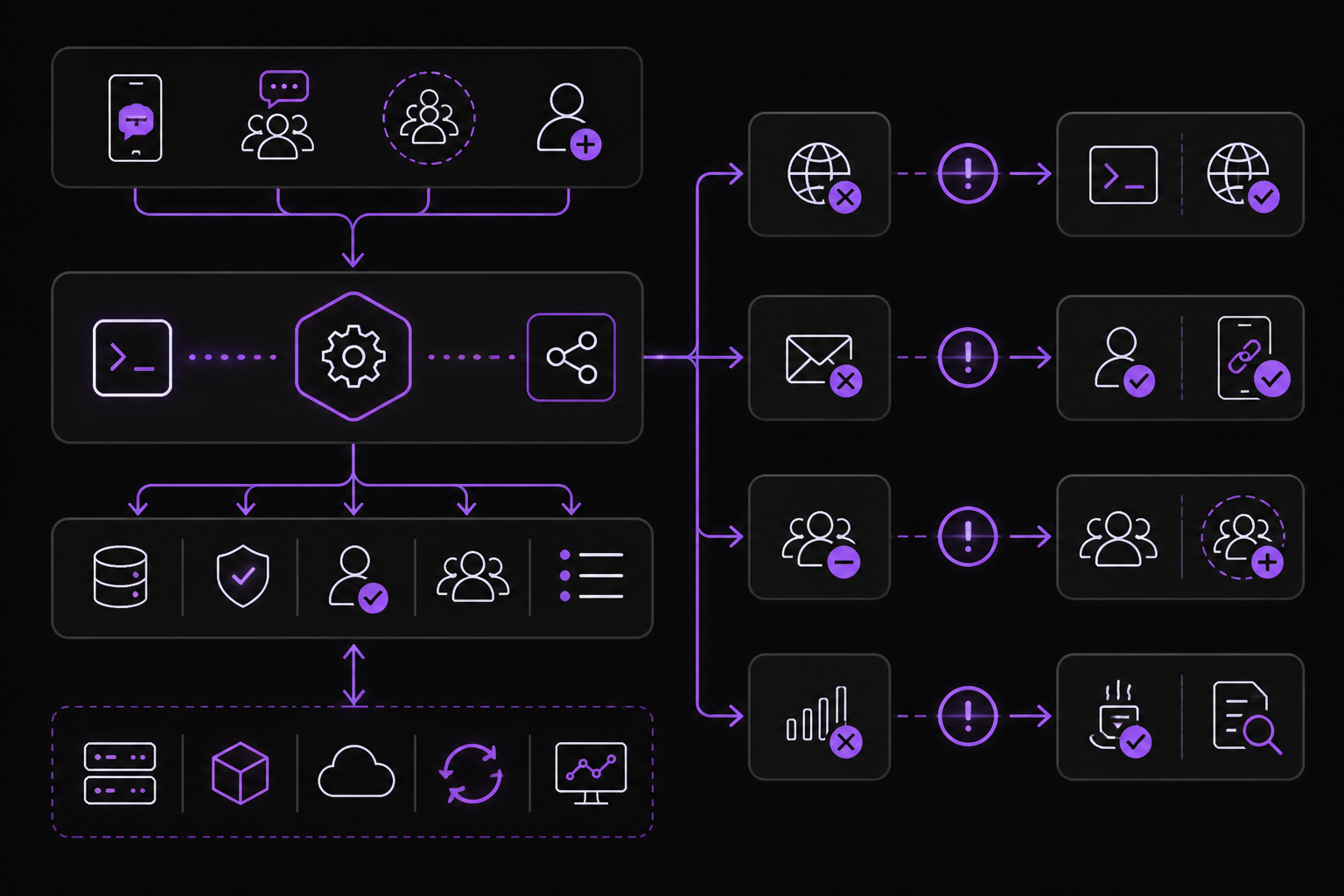
Cannot reach signal-cli
Start the daemon explicitly:
signal-cli --account +YOUR_NUMBER daemon --http 127.0.0.1:8080
Then verify with curl http://127.0.0.1:8080/api/v1/check before restarting Hermes.
Messages are not received
Confirm the sender is in SIGNAL_ALLOWED_USERS using E.164 format (e.g., +15551234567). If using pairing, complete the pairing process. The device link alone does not grant access.
Group messages are ignored
This is the safe default. Add exact group IDs to SIGNAL_GROUP_ALLOWED_USERS only when group access is intended.
The connection keeps dropping
Verify Java 17+ is installed. Inspect signal-cli logs for errors. Make sure the linked device is still valid in your Signal app. Hermes retries the SSE connection with backoff but cannot repair an unlinked account.
Duplicate messages appear
Ensure only one signal-cli daemon and one Hermes gateway instance are handling the linked number. Running multiple instances can cause duplicate processing.
No live tool progress appears
Signal cannot edit sent messages, so Hermes intentionally delivers typing indicators and the final response without progress bubbles. This is expected behavior.
Cron runs but Signal gets nothing
Verify:
SIGNAL_HOME_CHANNELis set correctly- Gateway is running (
hermes gateway status) - The active profile is correct
- Provider health (e.g., OpenAI API key is valid)
- Send one real manual message to the same target to confirm the channel works
Going Further
Once your Signal gateway is working, explore these next steps:
- Hermes gateway troubleshooting: Debug a connected gateway that still does not receive or deliver real messages.
- Hermes cron scheduling: Schedule reports, target a delivery channel, and verify that the message actually arrived.
- Hermes profiles for isolated bots: Separate Signal credentials, tools, skills, memory, and sessions from other agents.
- Run Hermes from your phone: Compare Signal, Telegram, Discord, browser access, and managed mobile operation.
- Pricing and managed cloud: Compare self-hosted daemon and gateway maintenance with the managed FlyHermes path.
Related setup guides for other platforms: Telegram, WhatsApp, Matrix, and multi-platform Hermes Signal bridge.
The #1 AI Newsletter
The most important ai updates, guides, and fixes — one weekly email.
No spam, unsubscribe anytime. Privacy policy