Communication Workflows
Messaging and collaboration tools
Automate Personalized WhatsApp Campaigns Triggered by KlickTipp
Streamline your marketing efforts by automating the delivery of personalized WhatsApp messages using pre-approved templates, triggered by events in KlickTipp.
n8n$9.99Automate Twilio Call and SMS Operations with MCP Server
Deploy a complete MCP server to automate Twilio call and SMS operations, enabling seamless integration with AI agents and workflows.
n8n$4.99SMS Messaging API Integration for AI Agents with BulkSMS
Complete MCP server exposing 15 BulkSMS JSON REST API operations to AI agents. ## Quick Setup Need help? Want access to more workflows and even live Q&A sessions with a top verified n8n creator? All 100% free? [Join the community](https://www.skool.com/n8n-nodes-automation-lab-1570/about) 1. **Import** this workflow into your n8n instance. 2. **Credentials** Add BulkSMS JSON REST API credentials. 3. **Activate** the workflow to start your MCP server. 4. **Copy** the webhook URL from the MCP trigger node. 5. **Connect** AI agents using the MCP URL. ## How it Works This workflow converts the BulkSMS JSON REST API into an MCP-compatible interface for AI agents. - **MCP Trigger**: Serves as your server endpoint for AI agent requests. - **HTTP Request Nodes**: Handle API calls to https://api.bulksms.com/v1. - **AI Expressions**: Automatically populate parameters via `$fromAI()` placeholders. - **Native Integration**: Returns responses directly to the AI agent. ## Available Operations (15 total) ### Blocked-Numbers (2 endpoints) - **GET /blocked-numbers**: Block Phone Number. - **POST /blocked-numbers**: Create a blocked number. ### Credit (1 endpoint) - **POST /credit/transfer**: Transfer Account Credits. ### Messages (5 endpoints) - **GET /messages**: List Related Messages. - **POST /messages**: Send Messages. - **GET /messages/send**: Send message by simple GET or POST. - **GET /messages/{id}**: Show Message. - **GET /messages/{id}/relatedReceivedMessages**: List Related Messages. ### Profile (1 endpoint) - **GET /profile**: Retrieve User Profile. ### Rmm (1 endpoint) - **POST /rmm/pre-sign-attachment**: Generate Attachment Upload URL. ### Webhooks (5 endpoints) - **GET /webhooks**: Update Webhook Settings. - **POST /webhooks**: Create a webhook. - **DELETE /webhooks/{id}**: Delete a webhook. - **GET /webhooks/{id}**: Read a webhook. - **POST /webhooks/{id}**: Update a webhook. ## AI Integration **Parameter Handling**: AI agents automatically provide values for: - Path parameters and identifiers. - Query parameters and filters. - Request body data. - Headers and authentication. **Response Format**: Native BulkSMS JSON REST API responses with full data structure. **Error Handling**: Built-in n8n HTTP request error management. ## Usage Examples Connect this MCP server to any AI agent or workflow: - **Claude Desktop**: Add MCP server URL to configuration. - **Cursor**: Add MCP server SSE URL to configuration. - **Custom AI Apps**: Use MCP URL as tool endpoint. - **API Integration**: Direct HTTP calls to MCP endpoints. ## Benefits - **Zero Setup**: No parameter mapping or configuration needed. - **AI-Ready**: Built-in `$fromAI()` expressions for all parameters. - **Production Ready**: Native n8n HTTP request handling and logging. - **Extensible**: Easily modify or add custom logic. > **[Free for community use](https://github.com/Cfomodz/community-use)!** Ready to deploy in under 2 minutes.
n8n$14.99WhatsApp Outbound Messaging with Baserow & Wasender API
## Master Outbound WhatsApp: Baserow & WasenderAPI This workflow integrates with your Baserow Messages table, triggering on Sent status. Messages fire via WasenderAPI, rigorously logged as Outbound in Baserow. Gain total control; drive results. ## How it works - Monitors Baserow Messages table for Sent status. - Sends messages via WasenderAPI. - Logs outbound details in Baserow. ## Who's it for For teams dominating outbound WhatsApp and centralizing Baserow logging. Demand communication efficiency? This is your solution. ## Setup Steps Rapid implementation. Action plan: 1. Activate all critical workflow nodes. 2. Copy `Sent_whatsapp` webhook URL. Configure Baserow automation (on Sent status) to trigger webhook. 3. Ensure Baserow Messages table includes Status (Sent option), linked WhatsApp Number, and Message Content fields. (Optional: [Baserow Message Form](https://baserow.io/form/B2UPV0S_Fx3PKyNiKOQR4YAdo77RnvAxZyMw8jN7Uc) for input). 4. Embed WasenderAPI and Baserow API tokens in n8n Credentials. Security is non-negotiable. ## Requirements - Active n8n instance (self-hosted/cloud). - WasenderAPI.com trial/subscription. - Baserow account with pre-configured Contacts ([link](https://baserow.io/public/grid/a5iWkAQpu8QljUlgwgm_pour_Au5BKd3mtkfu-B6N7Y)) and Messages ([link](https://baserow.io/public/grid/0H22XZitFDWnrVNnKwBfiI7M6XX5CugHrXHEzdCY4xY)) tables.
n8n$4.99Auto-Label Gmail Messages with Custom Categories Using GPT-4 Mini
**Why settle for Gmail's default tabs when AI can sort your inbox your way?** ### Who is this for? Job seekers, freelancers, and students who receive job-related emails and want them auto-sorted into labels. ### Use case - **Problem**: Job emails get buried. Manually reading, labeling, and tracking them in a sheet is error-prone and time-consuming. - **Use Case**: An n8n workflow that fetches new Gmail messages on a schedule, classifies them with OpenAI, and adds customized Gmail labels defined by the user. ### What this workflow does? 1. Runs on a **schedule (Cron)** to fetch new Gmail messages. 2. Uses OpenAI to classify each email into: **Job Opportunity, Application Status, Enquiries, or Others** (you can edit categories). 3. **Adds Gmail labels** accordingly (auto-creates them if missing). ### Prerequisites - n8n (Cloud or self-hosted). - Credentials set up in n8n: - Gmail OAuth - OpenAI (API key) ### Setup - Import the **JSON** (below) into n8n. - Open **Credentials** for Gmail, OpenAI. - In the **OpenAI node**, pick your model (e.g., gpt-4o-mini or any GPT-4 class model). - In the Gmail Add Labels nodes, confirm/adjust label names: - **Job Opportunity**, **Application Status, Enquiries, Others** ### How to customize it for your needs - Add a Follow-Up Date parser (e.g., “We'll get back in 2 weeks”) — push to Calendar. - Extend categories (e.g., **Interview Invite, Offer, Rejection, HR Enquiry**). - Threaded Gmail Draft Reply for Enquiries using a template. ### Troubleshooting - **No items flowing?** Check Gmail scope/label filters and Cron timing. - **Labels not created?** The Gmail node can create them; ensure the label names match exactly. ### Why Use This Template? Gmail can classify messages into Spam, Promotions, or Social, but have you ever wished you could sort emails **your own way**? With this AI-powered workflow, you can create **custom categories** that fit your needs - like **Job Opportunity, Application Status, or Enquiries** - so you never lose track of what matters. ### Need Assistance? For setup guidance, customization, or business inquiries, email: phoenixaiagentsolutions@gmail.com
n8n$4.99Automate Gmail with AI-Powered Email Management via MCP
Leverage AI to manage Gmail efficiently with natural language commands using the Model Context Protocol (MCP). This workflow allows you to send, read, and organize emails seamlessly.
n8n$9.99Automate Website Lead Management with Real-Time Slack Alerts and Email Responses
Streamline your lead management process by automatically capturing website form submissions, notifying your sales team via Slack, archiving data in Google Sheets, and sending confirmation emails through Gmail.
n8n$4.99Automate WhatsApp Group Engagement Tracking with Airtable
This n8n workflow automates the tracking of user engagement in a specific WhatsApp group by capturing and categorizing messages. It updates an Airtable database with user activity, supporting initiatives like raffles or rewards.
n8n$9.99Automate Discord Server Management with Natural Language Commands via GPT-4o
Streamline your Discord server management by using natural language commands processed through GPT-4o and executed via a customizable MCP Client. This workflow allows you to control your server effortlessly from any location.
n8n$4.99Automate Email Sending with AI via Telegram and Gmail
Transform your Telegram bot into an AI-powered email assistant that generates and sends emails through Gmail based on user messages.
n8n$9.99Automated AI Email Response System with Brand Consistency
This workflow automates intelligent email responses using AI, ensuring replies are brand-aligned and data-driven. It integrates with Gmail, Pinecone, and OpenAI to generate professional email replies based on internal company data and brand voice.
n8n$24.99Telegram - Airtable Order Tracking Bot
This Telegram bot offers a streamlined experience for users seeking to connect with a business and access their contact information efficiently. Features: When a user input contact, the bot promptly responds with a message providing the business contact info. For queries other than contact the bot connects to the Airtable database to perform a search. If a matching entry is found, the bot displays the information on Telegram, providing users with the desired result. If the user sends something other than contact the bot expects the message to be an order ID, which the bot looks up in an Airtable database, responding to the user with the order info it found. However, if no order is found, the bot sends a message stating Nothing found, ensuring the user is promptly informed of the search outcome. The Airtable database has these fields: 1.Name 2.Notes 3.Status 4.OrderID Created by: [G_M](https://community.activepieces.com/u/g_m/summary)
Activepieces$2.99Notify the person on Slack when they have been assigned to an Airtable task
When a person gets assigned/added as a collaborator on an Airtable record, a Slack notification is sent to the person as a direct message. This automation uses this [Airtable template](https://airtable.com/shrs46DK9JyokJd67/tblRYeKsqfzG73eIj/viwuySBcMcbXWtmyX?blocks=hide). You can adjust the table as you need and replace the example names with the actually names.
Make$2.99Answer Code of Conduct Questions in Slack with GPT-4 & RAGE Technology
# Code of Conduct Q&A Slack Chatbot with RAG Powered [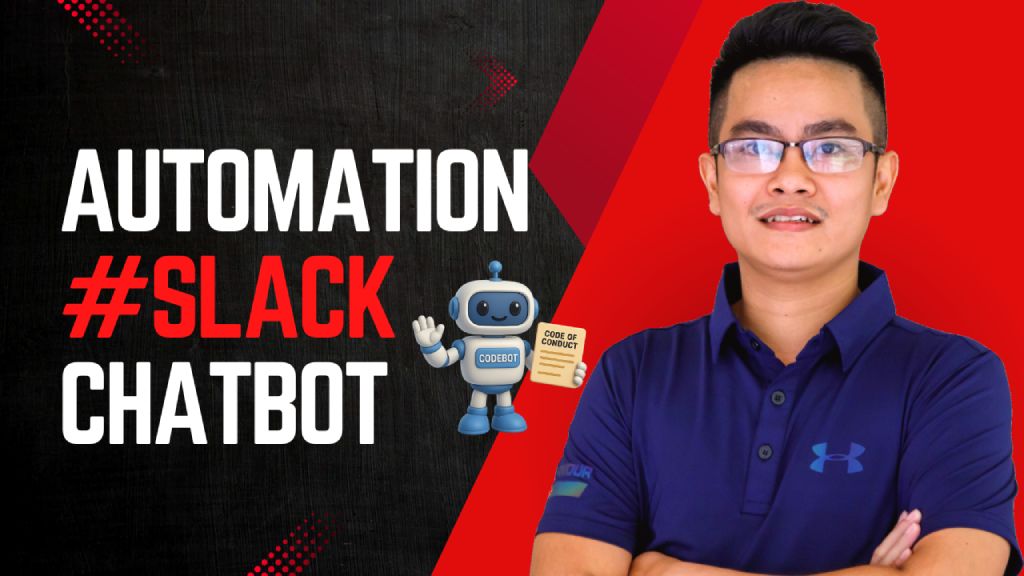](https://www.youtube.com/watch?v=2EWgC5UKiBQ) > Empower employees to instantly access and understand the company's Code of Conduct via a Slack chatbot, powered by Retrieval-Augmented Generation (RAG) and LLMs. ## Who's it for This workflow is designed for: - **HR and compliance teams** to automate policy-related inquiries - **Employees** who want quick answers to Code of Conduct questions directly inside Slack - **Startups or enterprises** that need internal compliance self-service tools powered by AI ## How it works / What it does This RAG-powered Slack chatbot answers user questions based on your uploaded **Code of Conduct PDF** using GPT-4 and embedded document chunks. Here's the flow: 1. **Receive Message from Slack:** A webhook triggers when a message is posted in Slack. 2. **Check if it's a valid query:** Filters out non-user messages (e.g., bot mentions). 3. **Run Agent with RAG:** - Uses GPT-4 with `Query Data Tool` to retrieve relevant document chunks. - Returns a well-formatted, context-aware answer. 4. **Send Response to Slack:** Fetches user info and posts the answer back in the same channel. 5. **Document Upload Flow:** - HR can upload the PDF Code of Conduct file. - It's parsed, chunked, embedded using OpenAI, and stored for future query retrieval. - A backup copy is saved to Google Drive. ## How to set up 1. **Prepare your environment:** - Slack Bot token & webhook configured (Sample slack app manifest: https://wisestackai.s3.ap-southeast-1.amazonaws.com/slack_bot_manifest.json) - OpenAI API key (for GPT-4 & embedding) - Google Drive credentials (optional for backup) 2. **Upload the Code of Conduct PDF:** - Use the designated node to upload your document (Sample file: https://wisestackai.s3.ap-southeast-1.amazonaws.com/20220419-ingrs-code-of-conduct-policy-en.pdf) - This triggers chunking, embedding, and data store. 3. **Deploy the chatbot:** - Host the webhook and connect it to your Slack app. - Share the command format with employees (e.g., `@CodeBot Can I accept gifts from partners?`) 4. **Monitor and iterate:** - Improve chunk size or embed model if queries aren't accurate. - Review unanswered queries to enhance coverage. ## Requirements - n8n (Self-hosted or Cloud) - Slack App (with `chat:write`, `users:read`, `commands`) - OpenAI account (embedding + GPT-4 access) - Google Drive integration (for backups) - Uploaded Code of Conduct in PDF format ## How to customize the workflow | What to Customize | How to Do It | |-------------------------|--------------------------------------------------------------------------------| | **Prompt style** | Edit the System & User prompts inside the `Code Of Conduct Agent` node | | **Document types** | Upload additional policy PDFs and tag them differently in metadata | | **Agent behavior** | Tune GPT temperature or replace with different LLM | | **Slack interaction** | Customize message formats or trigger phrases | | **Data Store engine** | Swap to Pinecone, Weaviate, Supabase, etc. depending on use case | | **Multilingual support**| Preprocess text and support locale detection via Slack metadata |
n8n$14.99Send SMS or WhatsApp Messages via Twilio on Manual Trigger
This workflow allows you to send SMS or WhatsApp messages using Twilio whenever you manually trigger the workflow in n8n.
n8nFreeSync New Acuity Appointments with SendGrid Contacts
Automatically update your SendGrid contact list with new appointments from Acuity Scheduling, ensuring your email marketing is always up-to-date.
Make$3.99Send new leads from Facebook Lead Ads to Slack as messages via HTTP
Automatically send new Facebook Lead Ads leads to Slack as messages using HP, ensuring your team stays updated and can respond promptly to potential customers.
Make$3.99When Snowflake tasks fail, ask ChatGPT why, send to Slack
When Snowflake tasks fail, its not always clear why, and the errors are often not very human friendly, so this workflow helps make sense of them and alerts the team in Slack.
Pipedream$2.99Automatically Forward Google Emails and Attachments to a Specified Recipient
This workflow automatically forwards new emails and their attachments from your Google Email account to a specified recipient, ensuring you never miss important communications or files.
Make$3.99Italian Locale Translations for CLI Tools in Team Chat
Provides Italian language translations for yargs CLI commands, options, and error messages, enabling multilingual support in team chat automations.
n8n$4.99Store WhatsApp/Slack Chat Data in Supabase PostgreSQL
Captures user chat data from WhatsApp or Slack and stores it securely in Supabase PostgreSQL. Perfect for chatbots requiring persistent data storage with easy setup guide.
n8n$12.99Daily SMS Weather Alerts: Wear a Sweater if Chilly
Automated daily SMS updates for Berlin weather, notifying you via Twilio to wear a sweater if feels-like temperature is below 18°C.
n8n$9.99Track US Fintech & Healthtech Funding: Crunchbase to Google Sheets
Automatically monitors US Fintech and Healthtech funding rounds daily via Crunchbase API, filtering and enriching data before pushing to Google Sheets for analysis.
n8n$17.99Automate Slack Notifications for New HubSpot CRM Tickets
Automatically notify your team on Slack whenever a new ticket is created in HubSpot CRM. This workflow ensures timely communication and efficient ticket management.
Make$2.99
Related categories
Custom AI Systems & Services
Our team of experienced AI builders will help build custom AI systems, workflows, and solutions.
Request Custom Work