Development & IT Workflows
Software development and IT operations
Deploy Site When New Content Gets Added
This workflow demonstrates how to create a new deployment when new content gets added to the database. This example workflow can be used when building a JAMstack site.  **Webhook node:** This node triggers the workflow when new content gets added. For this example, we have configured the webhook in GraphCMS. **Netlify node:** This node will start the build process and deploy the website. You will have to select your site from the **Site ID** dropdown list. To identify the deployment, we are passing a title.
n8n$2.99PDF RAG System: OpenAI, Pinecone & Cohere Reranking
Build a complete RAG chatbot for PDF documents using OpenAI embeddings, Pinecone vector store, and Cohere reranking for accurate Q&A.
n8n$24.99Deploy Docker, InfluxDB, and API Backend for WHMCS/WISECP
## Overview The **Docker InfluxDB WHMCS module** uses a specially designed workflow for **n8n** to automate deployment processes. The workflow provides an API interface for the module, receives specific commands, and connects via SSH to a server with Docker installed to perform predefined actions. ## Prerequisites - You must have your own **n8n** server. - Alternatively, you can use the official **n8n** cloud installations available at: [n8n Official Site](https://n8n.partnerlinks.io/o692v7cg297k) ## Installation Steps ### Install the Required Workflow on n8n You have two options: #### **Option 1: Use the Latest Version from the n8n Marketplace** - The latest workflow templates for our modules are available on the official n8n marketplace. - Visit our profile: [PUQcloud on n8n](https://n8n.io/creators/puqcloud/) #### **Option 2: Manual Installation** - Each module version comes with a workflow template file. 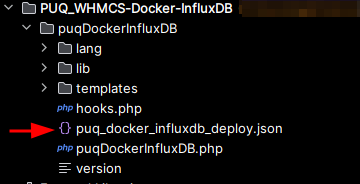 - You need to manually import this template into your n8n server. 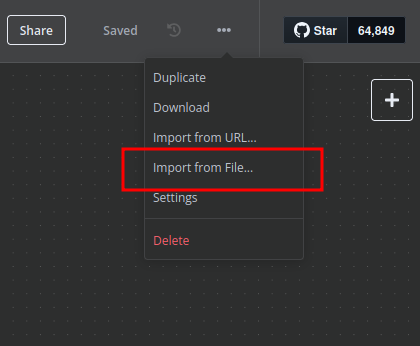 ## n8n Workflow API Backend Setup for WHMCS/WISECP ### 1. Configure API Webhook and SSH Access - Create a **Basic Auth Credential** for the Webhook API block in n8n. 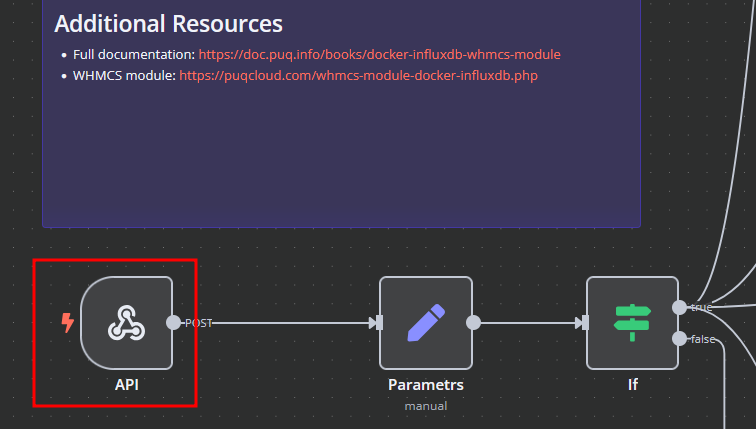 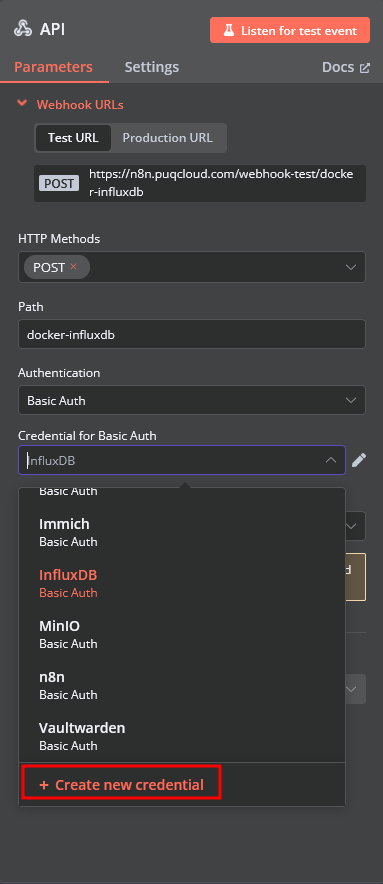 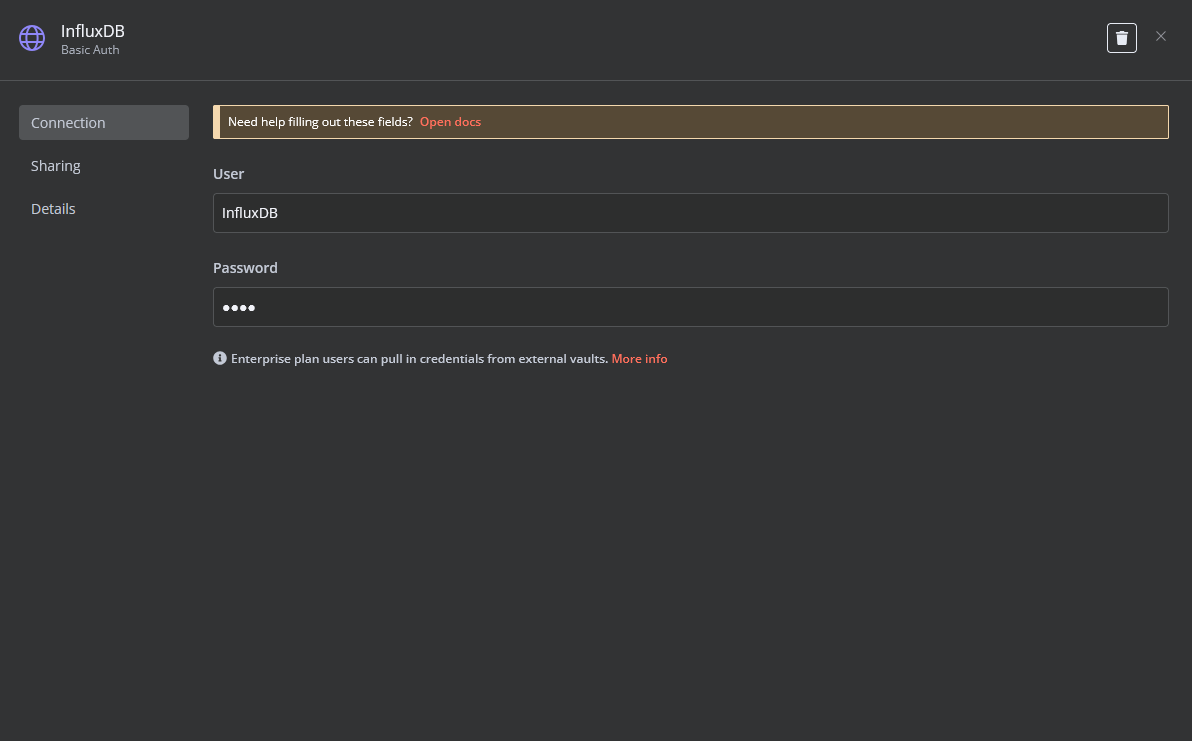 - Create an **SSH Credential** for accessing a server with Docker installed. 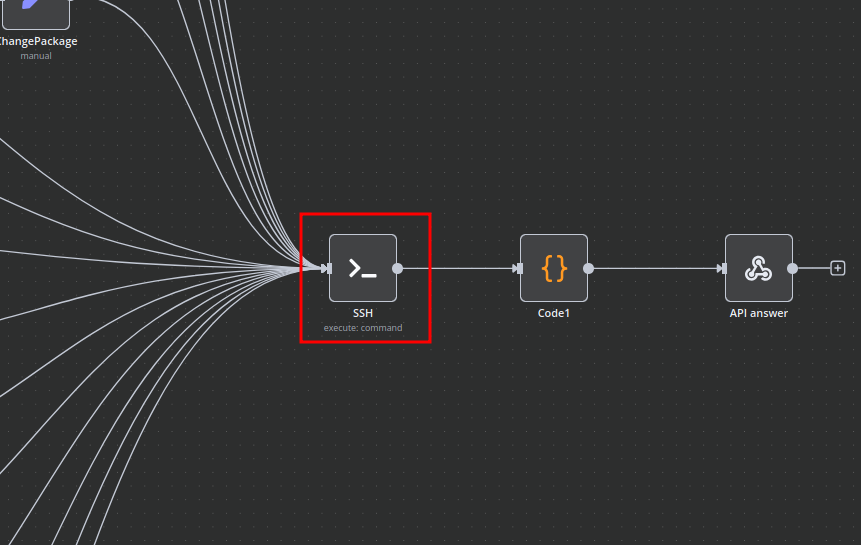 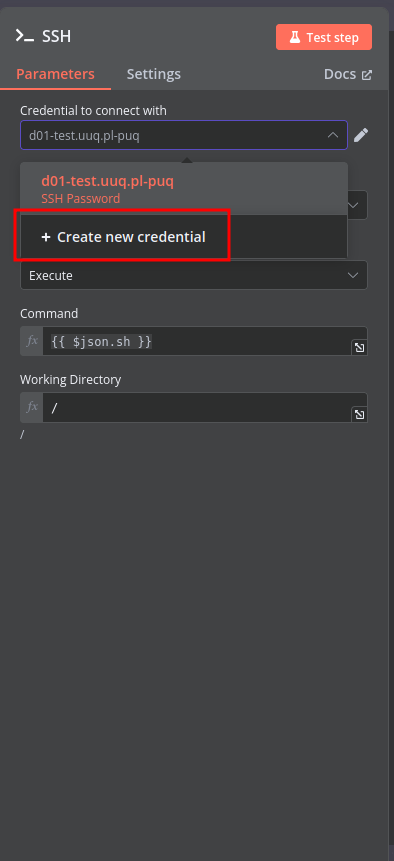 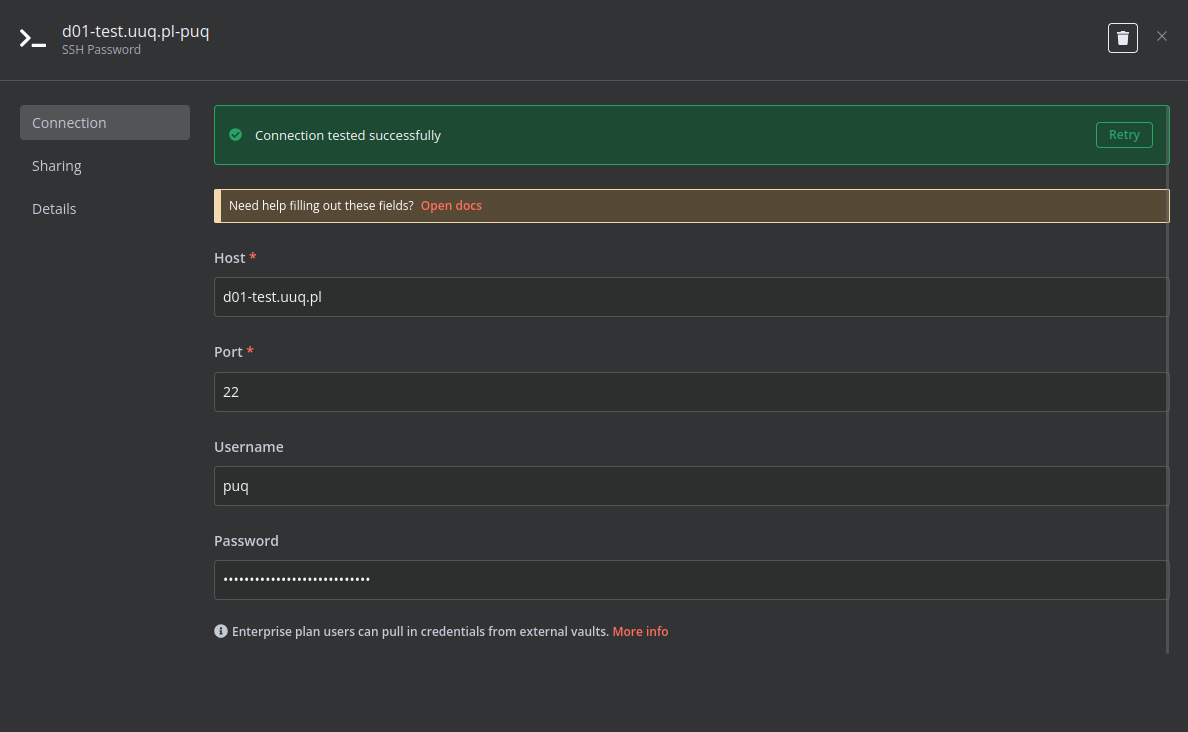 ### 2. Modify Template Parameters In the **Parameters** block of the template, update the following settings: 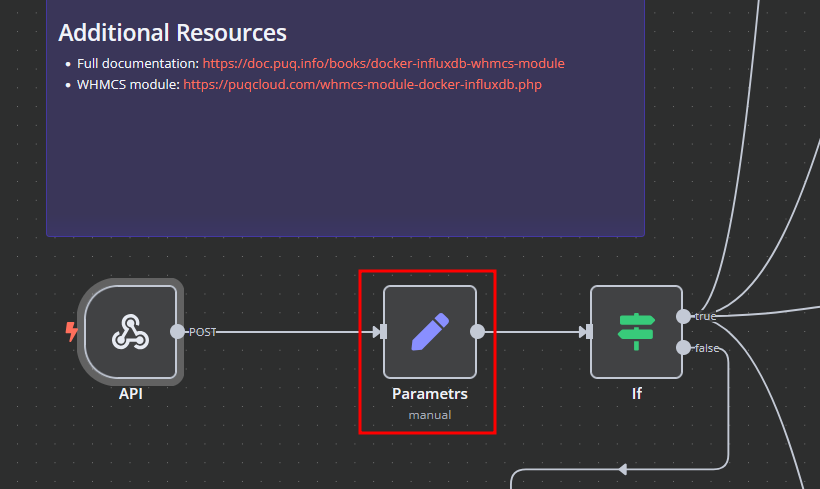 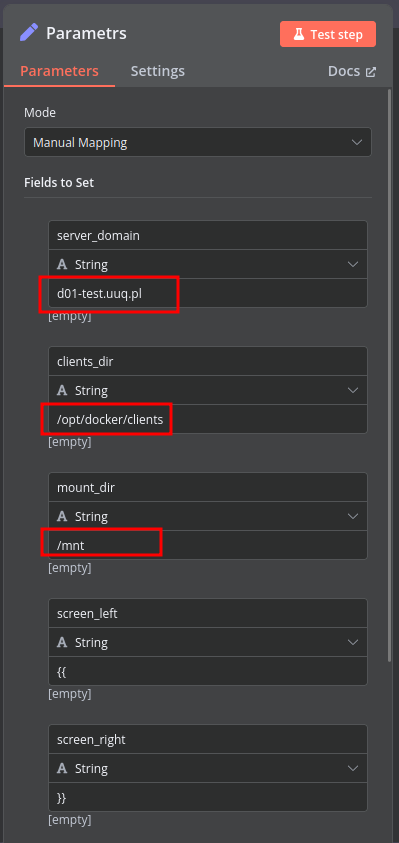 - `server_domain` - Must match the domain of the WHMCS/WISECP Docker server. - `clients_dir` - Directory where user data related to Docker and disks will be stored. - `mount_dir` - Default mount point for the container disk (recommended not to change). **Do not modify** the following technical parameters: - `screen_left` - `screen_right` ### **Deploy-docker-compose** In the **Deploy-docker-compose** element, you can modify the Docker Compose configuration. This is generated in the following scenarios: - When the service is created - When the service is unlocked - When the service is updated 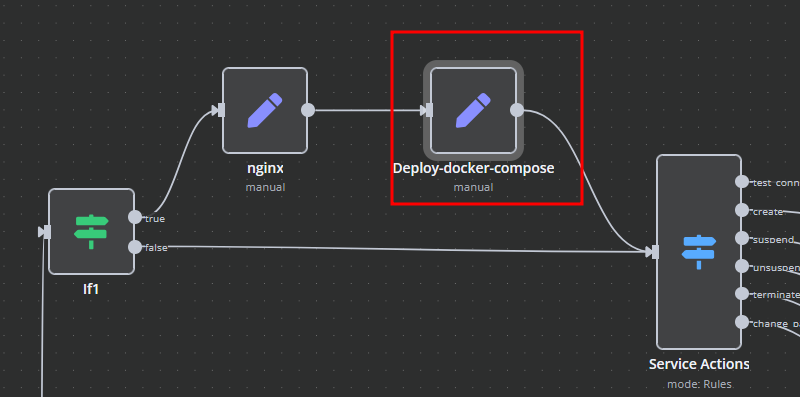 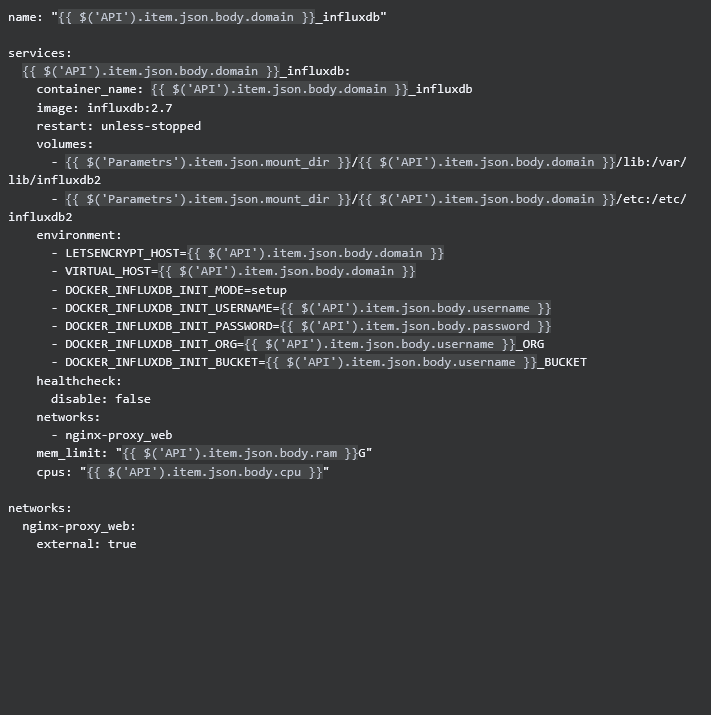 ### **nginx** In the **nginx** element, you can modify configuration parameters of the web interface proxy server. - The **main** section allows you to add custom parameters to the `server` block in the proxy server configuration file. - The **main_location** section contains settings that will be added to the `location /` block of the configuration. Here, you can define custom headers and parameters. 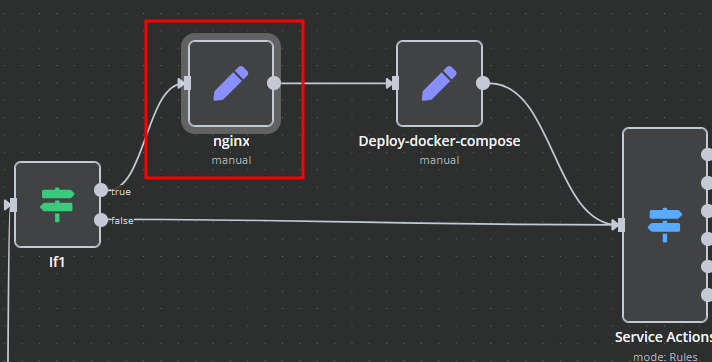 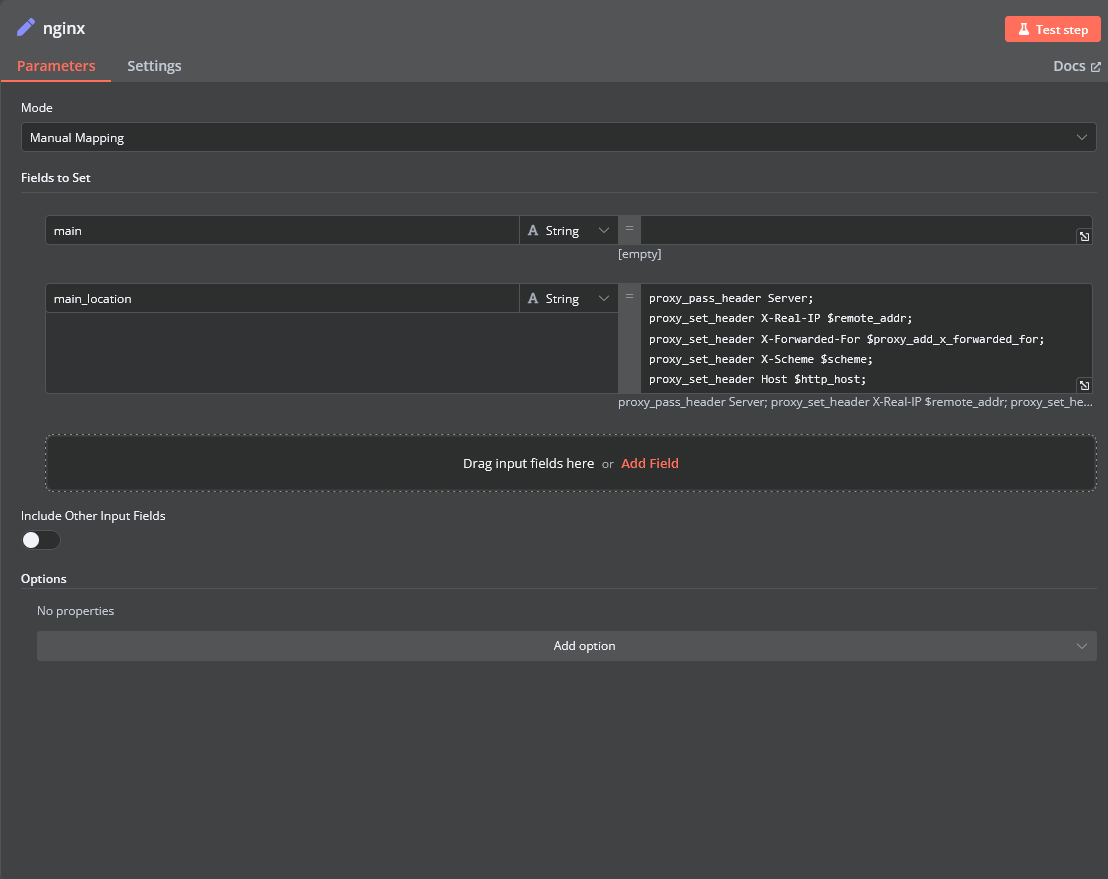 ### **Bash Scripts** Management of Docker containers and related procedures is done by executing Bash scripts generated in **n8n**. These scripts return either JSON or plain strings. - All scripts are located in elements directly connected to the **SSH** element. - You have full control over any script and can modify or execute it as needed. 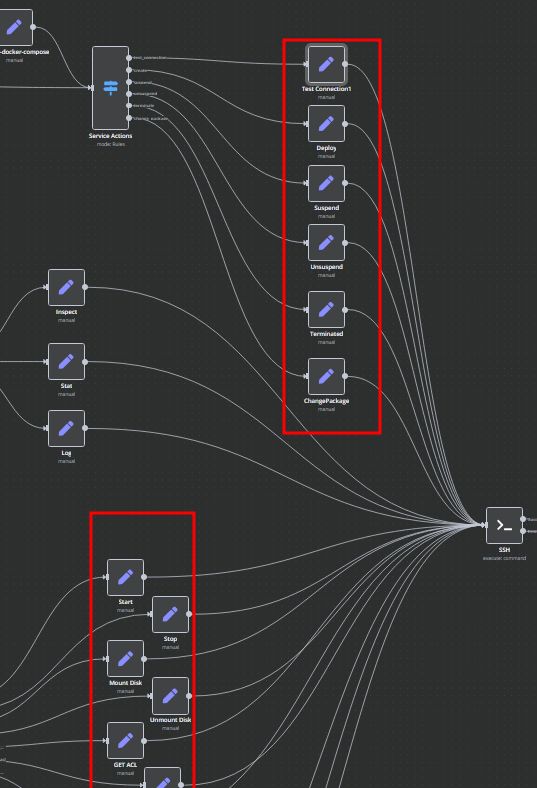
n8n$24.99fd-slicer: Safe Multi-Stream File Monitoring Workflow
Leverages fd-slicer to create multiple Read/WriteStreams from one file descriptor for safe, concurrent file access and monitoring in Node.js environments.
n8n$6.99Extract an item and/or its value from an array of collections
From an Array of Collections (Names, Emails, IDs), you can extract an item (Email) and/or extract the value of an item (a specific email) using functions.
Make$3.99Backup your Firestore database to Google Cloud Storage
This Template helps you backup your Firestore project at regular intervals. Make will automatically backup your data periodically (every hour, day, week, or month). hen, a log message is sent via Gmail.
Make$2.99RSS Feed to Webhook: Filter, Dedupe & Notify
Automates RSS feed monitoring: filters by keywords, deduplicates via MongoDB links, and sends unique articles to webhooks hourly.
n8n$14.99Automated Video Translation & Distribution with DubLab
Automates video dubbing/translation via DubLab and distributes to YouTube, Telegram, Box, Dropbox, Postiz (FB/IG/TikTok/Reddit). Receives files via form, processes languages, uploads on completion.
n8n$24.99Deploy and Manage Netlify Sites with AI-Driven MCP Server
Automate and manage all Netlify operations using an AI-driven MCP server with zero configuration. This workflow supports AI agents to handle deployments and site management efficiently.
n8n$9.99AI-Powered Sustainability Newsletter with GPT-4o, Gmail & Sheets
Automates daily curation of EU sustainability news using web scraping and GPT-4o, stores in Google Sheets, and sends HTML newsletters via Gmail for marketing.
n8n$19.99XOR Encryption and Decryption with Base64 Encoding for Workflow Data
This workflow performs basic XOR-based encryption and decryption using a custom password. It is intended to be triggered by another workflow and processes structured input in JSON format. ### Input Structure The workflow expects a single array of objects with the following fields: - `action-type`: either `encrypt` or `decrypt` - `key`: the password used for encryption and decryption - `data`: the content to encrypt or decrypt ### Example: Encryption Input ```json [ { "action-type": "encrypt", "key": "Password", "data": "Hello, this is a secret message" } ] ``` ### Example: Decryption Input ```json [ { "action-type": "decrypt", "key": "Password", "data": "ChwGAQceF15eE2QXFRcUagxGVgV8BoNBA4VQVoQZkwVUhImU1FEg==" } ] ``` ### Output The output returns an array of results, each containing either the encrypted string (base64 format) or the decrypted plain text. ### Use Case This workflow is useful for simple internal message encoding, data obfuscation, or testing purposes. It is not recommended for securing sensitive or personal data, as XOR encryption is not cryptographically secure. The workflow logic is written in JavaScript using n8n Function nodes, without any external dependencies.
n8n$4.99Auto-Generate Meeting Minutes from Google Drive to Slack with GPT
Automatically generates structured meeting minutes from transcripts in Google Drive using GPT and shares them in Slack.
n8n$14.99Simple Bluesky Multi-Image Post via Native API
Automates posting 1-4 images with captions to Bluesky using the native API. Ideal for streamlining social media content publishing and saving time for creators and businesses.
n8n$12.99Webhook Returning XML
1. Receives data from an incoming HTTP Request (set up to use respond to webhook node) 2. Create dummy data 3. Convert JSON to XML which gets returned 4. Respond to Webhook which returns the data and the content type of the data
n8n$4.99Automate Phone Number Verification from Google Sheets Entries
Automatically verify phone numbers from new rows added to a Google Sheets spreadsheet and update the sheet with verification results.
Make$3.99Convert PPTX to PDF using ConvertAPI
Automates downloading PPTX files from the web, converting them to PDF with ConvertAPI, and saving the output locally.
n8n$9.99Estimate Driving Time & Distance for Logistics with OpenRouteService
Automates truck route calculations from Google Sheets using OpenRouteService API, fetching distance, duration, and steps for logistics optimization.
n8n$12.99Automate Sales Call Research & Follow-Ups with GPT-4, Tavily, Sheets
Automates prospect research with Tavily and GPT-4 for company info, tech stack, and updates; generates personalized email subjects, follow-ups, and SMS; saves everything to Google Sheets.
n8n$24.99Execute an SQL Query in Microsoft SQL Server
Unfortunately, I can't view images or files, so I'm unable to directly correct the description from the screenshot you mentioned. However, if you can provide the text from the description, I'd be happy to help correct it!
n8n$2.99Get real-time Podio updates to your webhook
This Zap automates the process of sending data from Webhooks by Zapier to Podio, allowing you to create or update items in Podio seamlessly whenever a webhook is triggered. This integration helps streamline your workflow by ensuring that important data is captured and organized in Podio without manual intervention, saving you time and reducing the risk of errors.
Zapier$2.99Convert Airtable Rich Text Markdown Field to HTML
Sometimes you need the rich text field to be in HTML instead of Markdown. This template either syncs a single record or all records at once. [YouTube tutorial](https://www.youtube.com/watch?v=PAoxZjICd7o)
n8n$9.99Automate Data Transmission to Web Services with JSON and Basic Authentication
Streamline your workflow by automatically sending data to a web service using JSON format and basic authentication. This integration leverages a Custom WebHook, JSON creation, and HTTP Basic Auth for efficient data delivery.
Make$3.99Enhanced OAuth2.0 Token Refresh for Pipedrive CRM with Supabase
Robust OAuth 2.0 workflow for Pipedrive CRM that automates token refresh and storage in Supabase, offering superior control over n8n's built-in OAuth.
n8n$24.99Save Amazon Lambda function response for new Google Sheets row
Every time a new row is added to your Google Sheets spreadsheet, Make will automatically invoke a function in Amazon Lambda and update a row with data from the response.
Make$3.99
Related categories
Custom AI Systems & Services
Our team of experienced AI builders will help build custom AI systems, workflows, and solutions.
Request Custom Work