Development & IT Workflows
Software development and IT operations
Secure Data Transfer with Custom Webhooks and HTTP Actions
Facilitate secure data transmission by utilizing custom webhooks and HTTP actions with basic authentication. This workflow ensures data is sent securely and efficiently.
Make$3.99Search Airtable records and send data to Zapier for automation
A ready-to-use Make workflow that connects Airtable, Zapier. Search Airtable records and send data to Zapier for automation. Customize and deploy in minutes.
Make$2.99Automate n8n Workflow Backups to NextCloud with Versioning
This workflow automates the backup of n8n workflows to NextCloud, ensuring file versioning and regular updates using the RES API.
n8n$9.99Automate Phone Number Verification from Google Sheets Entries
Automatically verify phone numbers from new rows added to a Google Sheets spreadsheet and update the sheet with verification results.
Make$3.99Manually Trigger and Execute a Rundeck Job
This workflow allows you to manually trigger and execute a specific job on Rundeck, providing a seamless way to manage automated tasks.
n8nFreeGet Telegram alerts for Better Stack incident changes
This Zap automates the process of sending instant notifications to your Telegram channel whenever there is a change in incidents reported in Better Stack. This ensures that your team stays updated in real-time, allowing for quicker responses and better incident management.
Zapier$2.99Launch Phantombuster phantoms from Airtable
Use this template to automatically launch a Phantombuster phantom when an Airtable record is modified. The Airtable record will also be updated with the phantom's Container ID so you can find this record and add result data to it using this [scenario](https://www.integromat.com/en/integration/6305-update-airtable-records-with-phantombuster-phantom-output-data-including-csv-result-file). Your Airtable table has to include a field of type 'Last modified time'. We recommend setting it up the way that it changes when a specified field (a trigger - you can name it 'Launch phantom' and it can be of type 'Checkbox' for example) is updated.
Make$3.99Build a REST API with Google Sheets as a Database
Create a fully functional REST API using n8n and Google Sheets to manage CRUD operations without writing any code.
n8n$14.99PDF RAG System: OpenAI, Pinecone & Cohere Reranking
Build a complete RAG chatbot for PDF documents using OpenAI embeddings, Pinecone vector store, and Cohere reranking for accurate Q&A.
n8n$24.99AI-Powered LinkedIn Profile vs Job Description Matcher
Automates comparison of LinkedIn profiles/CVs against job descriptions using GhostGenius scraping and Groq AI for recruiter insights, strengths, gaps, and optimization tips.
n8n$22.99AI-Powered Short-Form Video Generator with OpenAI, Flux, Kling
Automates short-form video creation from Google Sheets ideas using AI for captions, images, Kling video gen, ElevenLabs voice-overs, and Creatomate finishing.
n8n$24.99Create a Multi-Method CRUD API Endpoint with n8n and Airtable
This n8n workflow sets up a versatile CRUD API endpoint using multiple HTTP methods to interact with Airtable. It allows you to create, read, update, and delete records efficiently.
n8n$14.99Automate Slack Alerts for AWS IAM Access Keys Older Than 365 Days
This workflow automates the process of identifying and alerting about AWS IAM access keys that are older than 365 days via Slack, ensuring compliance with security policies.
n8n$9.99Track OpenAI Token Usage & AI Agent Metrics with Google Sheets
Monitors OpenAI LLM token usage, costs, and tool calls from AI agents, logging everything to Google Sheets for easy observability and billing transparency.
n8n$22.99Execute Multiple Command Lines Based on External File Inputs
This workflow takes a text file as input. It pulls the information from the text file and uses it as a parameter to execute a command for each text line. This workflow references a file `/home/n8n/filelist.txt` in the *Read Binary File* node which will need to be changed to work properly. You can also edit the *Execute Command* node to modify what happens for each of these lines of text.  **Note:** This workflow requires the Execute Command node which is only available on the on-premise version of n8n.
n8n$4.99Suspicious Login Detection
This n8n workflow is designed for security monitoring and incident response when suspicious login events are detected. It can be initiated either manually from within the n8n UI for testing or automatically triggered by a webhook when a new login event occurs. The workflow first extracts relevant data from the incoming webhook payload, including the IP address, user agent, timestamp, URL, and user ID. It then splits into three parallel processing paths. In the first path, it queries GreyNoise's Community API to retrieve information about the investigated IP address. Depending on the classification and trust level received from GreyNoise, the alert is given a High, Medium, or Low priority. This priority is assigned based on the best practices documentation from GreyNoise on how to apply their data to analysis. Once a priority is assigned, a message is sent to a Slack channel to notify users about the alert. The second path involves fetching geolocation data about the IP address using IP-API's Geolocation API and merging it with data from the UserParser node. This data is then combined with the data obtained from GreyNoise. In the third path, the UserParser node queries the Userparser IP address and user agent lookup API to obtain information about the user's IP and user agent. This data is merged with the IP-API data and GreyNoise data. The workflow then checks if the IP address is considered an unknown threat by examining both the noise and riot fields from GreyNoise. If it is considered an unknown threat, the workflow proceeds to retrieve the last 10 login records for the same user from a Postgres database. If there are any discrepancies in the login information, indicating a new location or device/browser, the user is informed via email. Potential issues when setting up this workflow include ensuring that credentials are correctly entered for GreyNoise and UserParser nodes, and addressing any discrepancies in the data sources that could lead to false positives or negatives in threat detection. Additionally, the usage of hardcoded API keys should be replaced with credentials for security and flexibility. Thorough testing and validation with sample data are crucial to ensure the workflow performs as expected and aligns with security incident response procedures.
n8n$24.99Send form data to HTTP endpoint for every new Web Data Forms form submission
Take your Web Data Forms form data beyond standard integrations. This template uses an HTTP request to push new submissions directly to any external endpoint, from niche CRMs to your own custom-built apps. Pro Tip: Run a test submission to enable easy field mapping. This template was created by Web Data Forms.
Make$3.99Deploy Docker, InfluxDB, and API Backend for WHMCS/WISECP
## Overview The **Docker InfluxDB WHMCS module** uses a specially designed workflow for **n8n** to automate deployment processes. The workflow provides an API interface for the module, receives specific commands, and connects via SSH to a server with Docker installed to perform predefined actions. ## Prerequisites - You must have your own **n8n** server. - Alternatively, you can use the official **n8n** cloud installations available at: [n8n Official Site](https://n8n.partnerlinks.io/o692v7cg297k) ## Installation Steps ### Install the Required Workflow on n8n You have two options: #### **Option 1: Use the Latest Version from the n8n Marketplace** - The latest workflow templates for our modules are available on the official n8n marketplace. - Visit our profile: [PUQcloud on n8n](https://n8n.io/creators/puqcloud/) #### **Option 2: Manual Installation** - Each module version comes with a workflow template file. 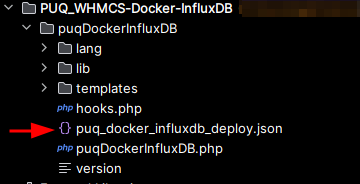 - You need to manually import this template into your n8n server. 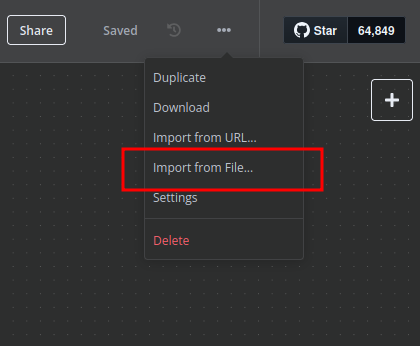 ## n8n Workflow API Backend Setup for WHMCS/WISECP ### 1. Configure API Webhook and SSH Access - Create a **Basic Auth Credential** for the Webhook API block in n8n. 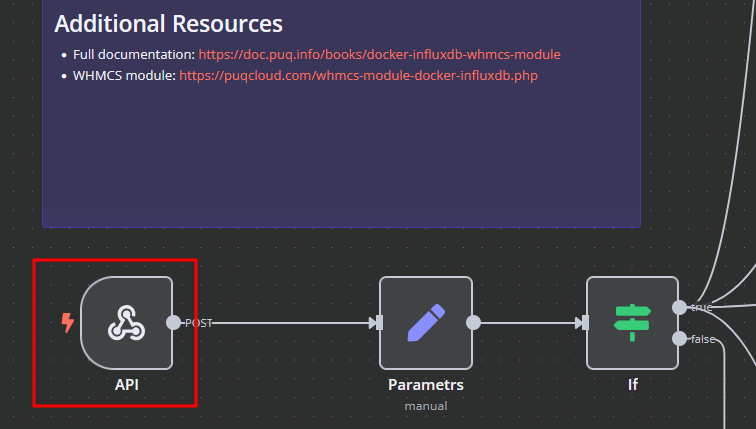 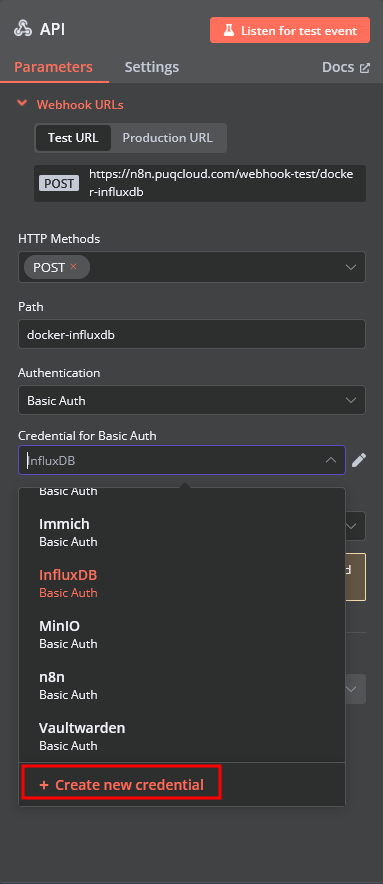 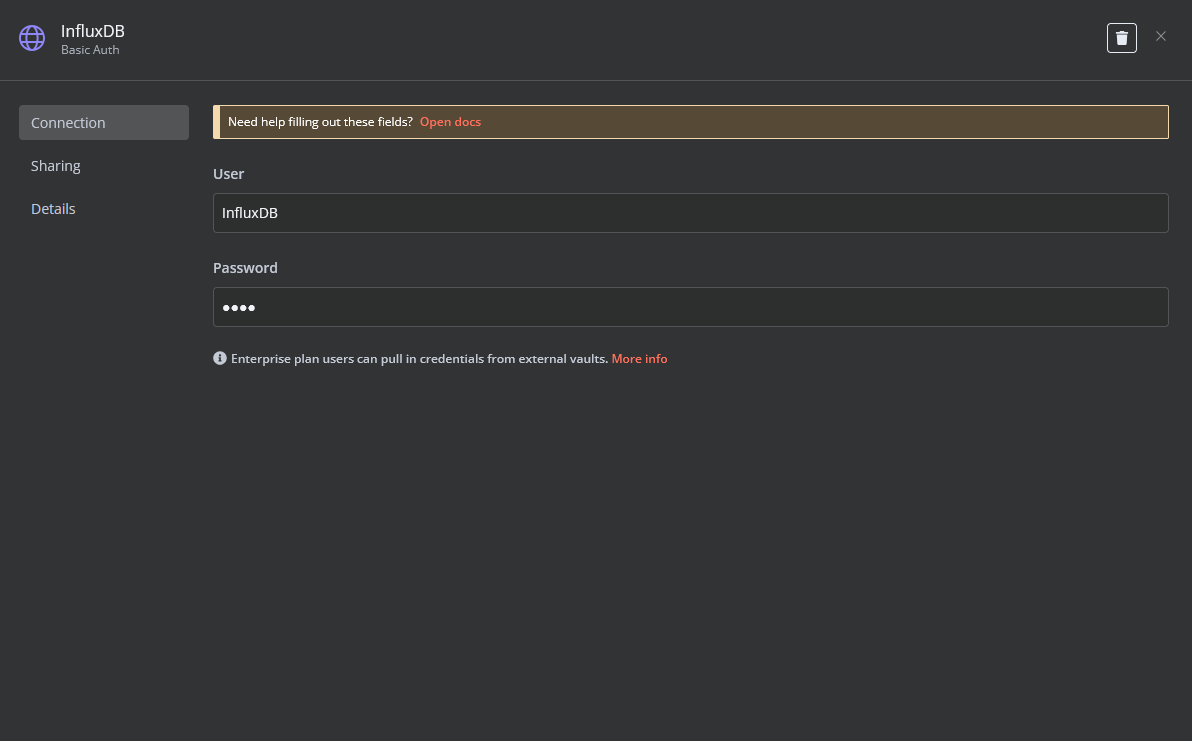 - Create an **SSH Credential** for accessing a server with Docker installed. 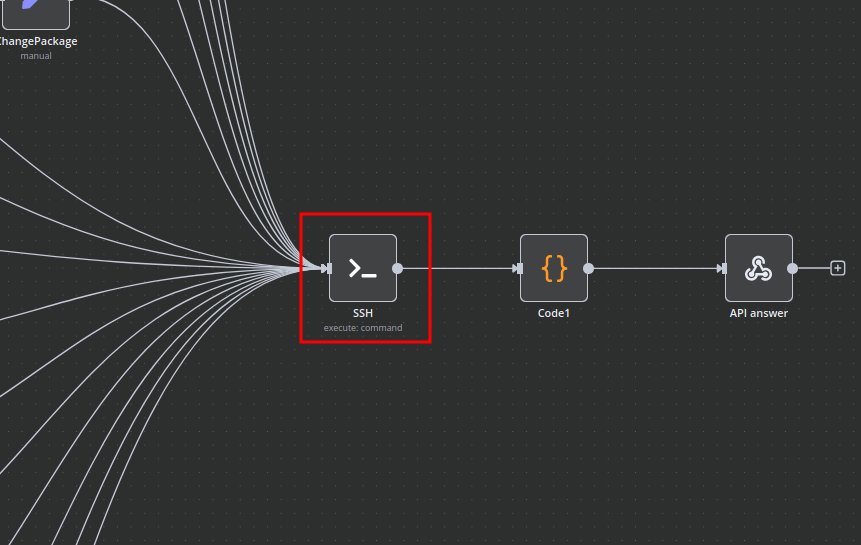 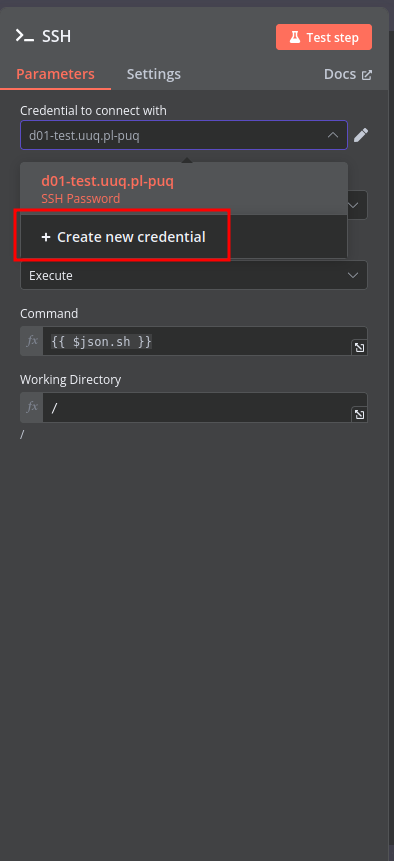 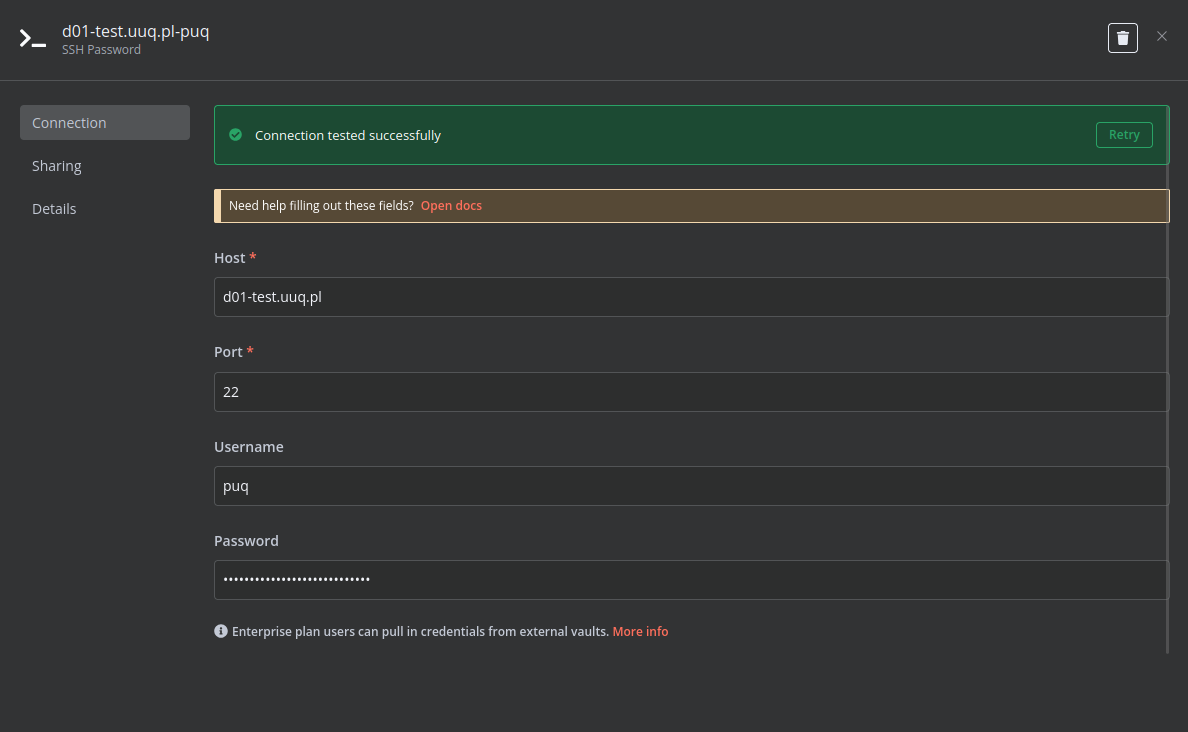 ### 2. Modify Template Parameters In the **Parameters** block of the template, update the following settings: 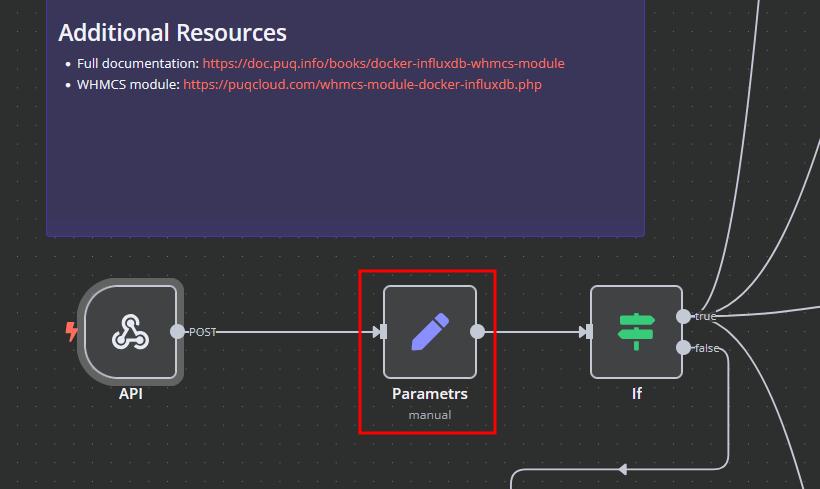 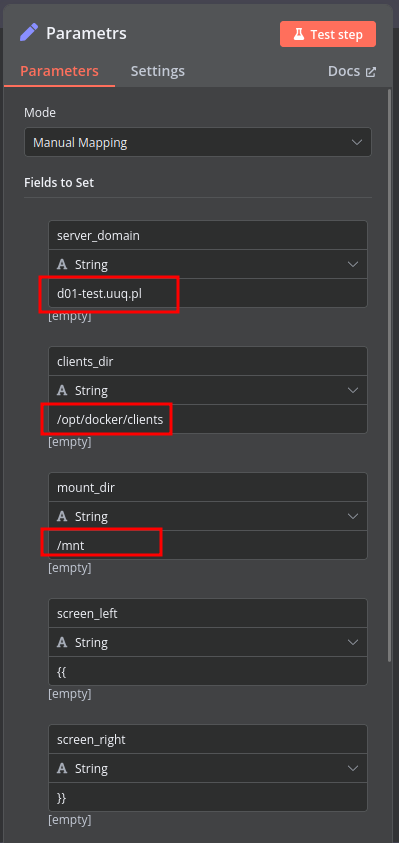 - `server_domain` - Must match the domain of the WHMCS/WISECP Docker server. - `clients_dir` - Directory where user data related to Docker and disks will be stored. - `mount_dir` - Default mount point for the container disk (recommended not to change). **Do not modify** the following technical parameters: - `screen_left` - `screen_right` ### **Deploy-docker-compose** In the **Deploy-docker-compose** element, you can modify the Docker Compose configuration. This is generated in the following scenarios: - When the service is created - When the service is unlocked - When the service is updated 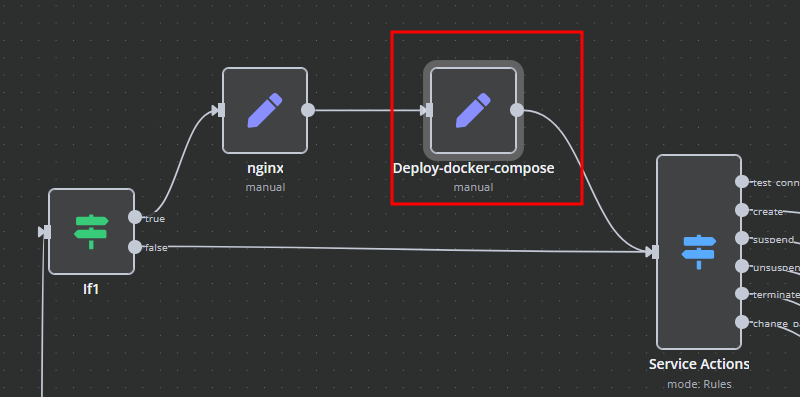 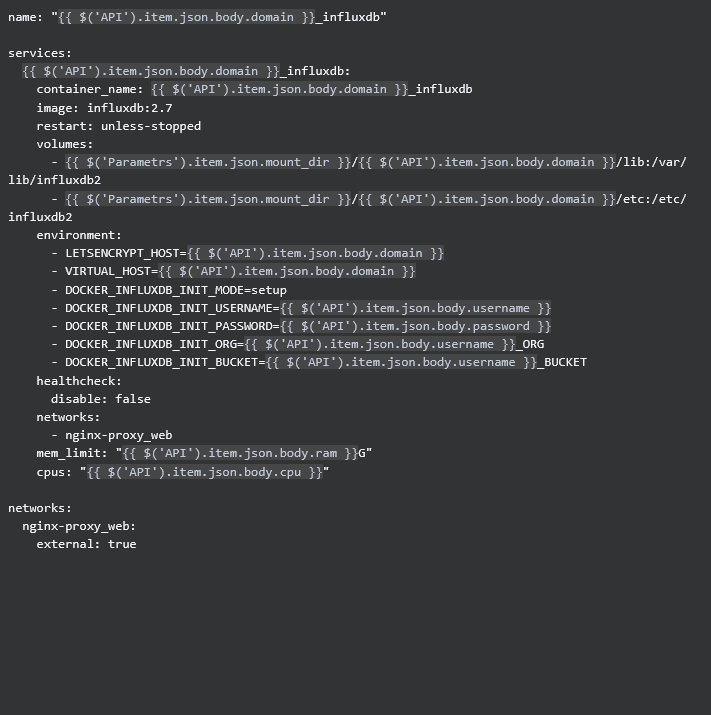 ### **nginx** In the **nginx** element, you can modify configuration parameters of the web interface proxy server. - The **main** section allows you to add custom parameters to the `server` block in the proxy server configuration file. - The **main_location** section contains settings that will be added to the `location /` block of the configuration. Here, you can define custom headers and parameters. 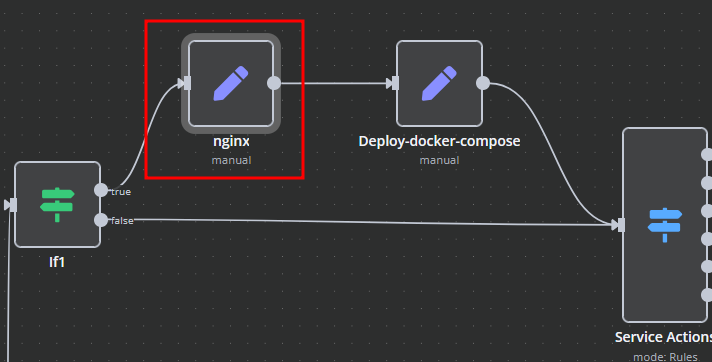 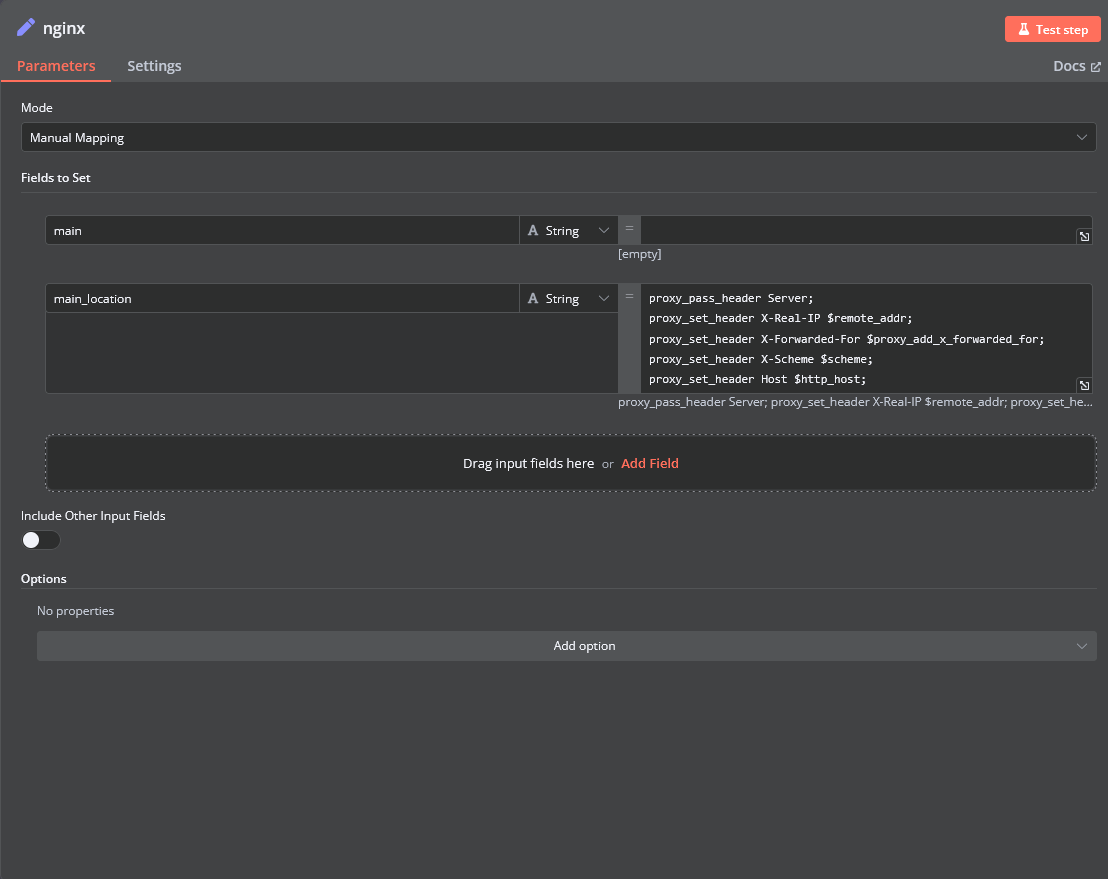 ### **Bash Scripts** Management of Docker containers and related procedures is done by executing Bash scripts generated in **n8n**. These scripts return either JSON or plain strings. - All scripts are located in elements directly connected to the **SSH** element. - You have full control over any script and can modify or execute it as needed. 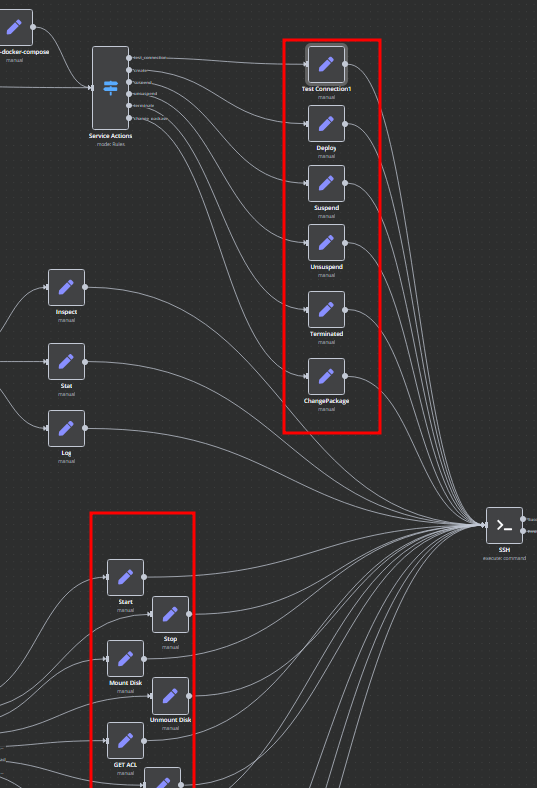
n8n$24.99Automate Data Retrieval and Transformation for FlutterFlow API
This workflow automates the process of retrieving data from a customer datastore, transforming it, and responding to API calls from FlutterFlow. It streamlines data handling for seamless integration with FlutterFlow applications.
n8n$9.99Automated URL and IP Threat Analysis with GreyNoise and VirusTotal
This n8n workflow automates the process of analyzing URLs and IP addresses for potential threats using GreyNoise and VirusTotal. It provides a comprehensive threat intelligence report via email or Slack.
n8n$14.99Backup your Firestore database to Google Cloud Storage
This Template helps you backup your Firestore project at regular intervals. Make will automatically backup your data periodically (every hour, day, week, or month). hen, a log message is sent via Gmail.
Make$2.99Webhook Returning XML
1. Receives data from an incoming HTTP Request (set up to use respond to webhook node) 2. Create dummy data 3. Convert JSON to XML which gets returned 4. Respond to Webhook which returns the data and the content type of the data
n8n$4.99Trigger and Execute Custom Scenarios with Webhook Responses in Make
Automate the execution of custom scenarios in Make by triggering them with specific inputs via a webhook and responding instantly.
Make$3.99Automate Email Verification in Airtable with Kickbox
Automatically verify email addresses in Airtable using Kickbox when a new form is submitted, ensuring data accuracy and reducing bounce rates.
Make$3.99
Related categories
Custom AI Systems & Services
Our team of experienced AI builders will help build custom AI systems, workflows, and solutions.
Request Custom Work