APIConnectionError: Fix OpenAI API Connection Issues
Error message
APIConnectionError when trying to use OpenAI API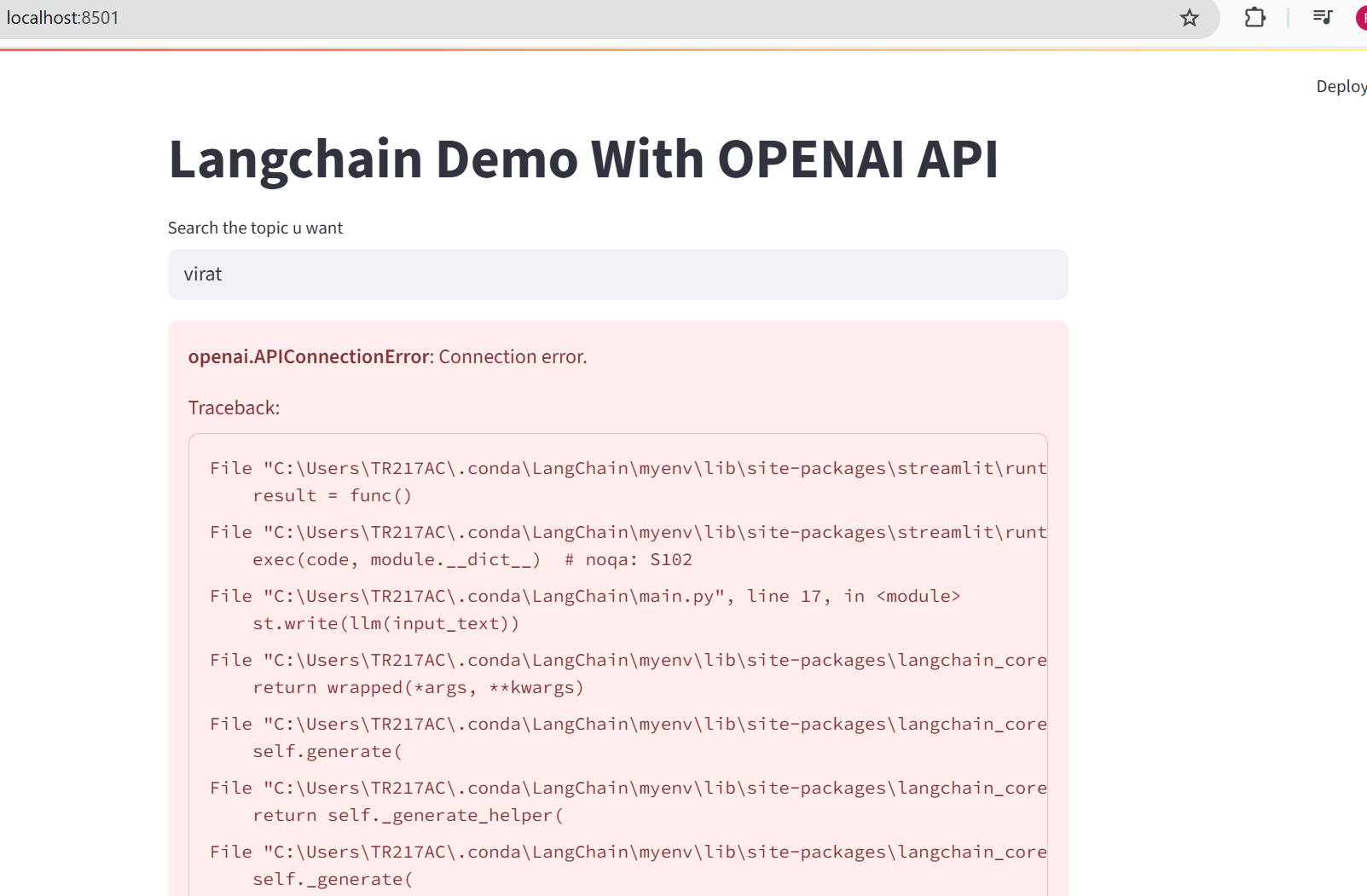
The APIConnectionError in the OpenAI Python library means your request could not reach OpenAI's servers or establish a secure connection. According to the official OpenAI documentation, this error is raised when "Issue connecting to our services" occurs, and the most common root cause is a network, proxy, SSL certificate, or firewall problem. The exact error message you will see is openai.APIConnectionError: Error communicating with OpenAI or APIConnectionError: Connection error.
What Causes This Error
The sources identify several distinct causes for the APIConnectionError. The most common is an SSL certificate verification failure, but network configuration issues, proxy settings, firewall rules, and even container permission problems can also trigger it. Here is every cause mentioned across the sources, ordered from most to least frequently reported.
SSL Certificate Verification Failure
This is the dominant cause in the community reports. Both the Stack Overflow question and the GitHub issue show the same underlying error: [SSL: CERTIFICATE_VERIFY_FAILED] certificate verify failed: self-signed certificate in certificate chain (_ssl.c:1020) or [SSL: CERTIFICATE_VERIFY_FAILED] certificate verify failed: unable to get local issuer certificate (_ssl.c:992). This happens when the Python environment cannot validate the SSL certificate presented by api.openai.com. The Stack Overflow user reports that the same API key works fine with curl from the shell, which means the key and network are functional, but the Python SSL context is broken. The GitHub issue shows the error propagating through aiohttp and the openai library, ultimately raising APIConnectionError: Error communicating with OpenAI.
Network Connectivity Issues
The official OpenAI documentation lists "a network issue" as the first possible cause. This includes unstable internet connections, high latency, or complete loss of connectivity. The documentation states: "Check your network settings and make sure you have a stable and fast internet connection. You may need to switch to a different network, use a wired connection, or reduce the number of devices or applications using your bandwidth."
Proxy Configuration Problems
If your network requires a proxy to reach external services, the OpenAI SDK might not be configured to use it. The official documentation says: "Check your proxy configuration and make sure it is compatible with our services. You may need to update your proxy settings, use a different proxy, or bypass the proxy altogether." The Stack Overflow user explicitly states they are not using a VPN, but a corporate or institutional proxy could still be in place.
Firewall Rules Blocking Outbound Traffic
Corporate firewalls, school networks, or even local security software can block connections to api.openai.com on port 443. The official documentation advises: "Check your firewall rules and make sure they are not blocking or filtering our services. You may need to modify your firewall settings."
Container Permission Issues
If you are running your code inside a container (Docker, etc.), the container may lack the necessary permissions to send and receive traffic. The official documentation mentions: "If appropriate, check that your container has the correct permissions to send and receive traffic."
Outdated or Corrupt SSL Certificates on the System
Python relies on the system's certificate store to verify SSL connections. If the certificate store is outdated, missing, or corrupt, the SSL handshake will fail. The Stack Overflow user tried running /Applications/Python*/Install\ Certificates.command on macOS, which is the standard fix for Python installations on that platform, but it did not help. This suggests a deeper issue with the certificate chain.
Using an Async Event Loop Without Proper SSL Context
The GitHub issue shows the error occurring in an async FastAPI application using aiohttp under the hood. The traceback reveals that aiohttp is making the SSL connection and failing with ClientConnectorCertificateError. This can happen when the async event loop does not have access to the same SSL context as a synchronous request.
How to Fix It
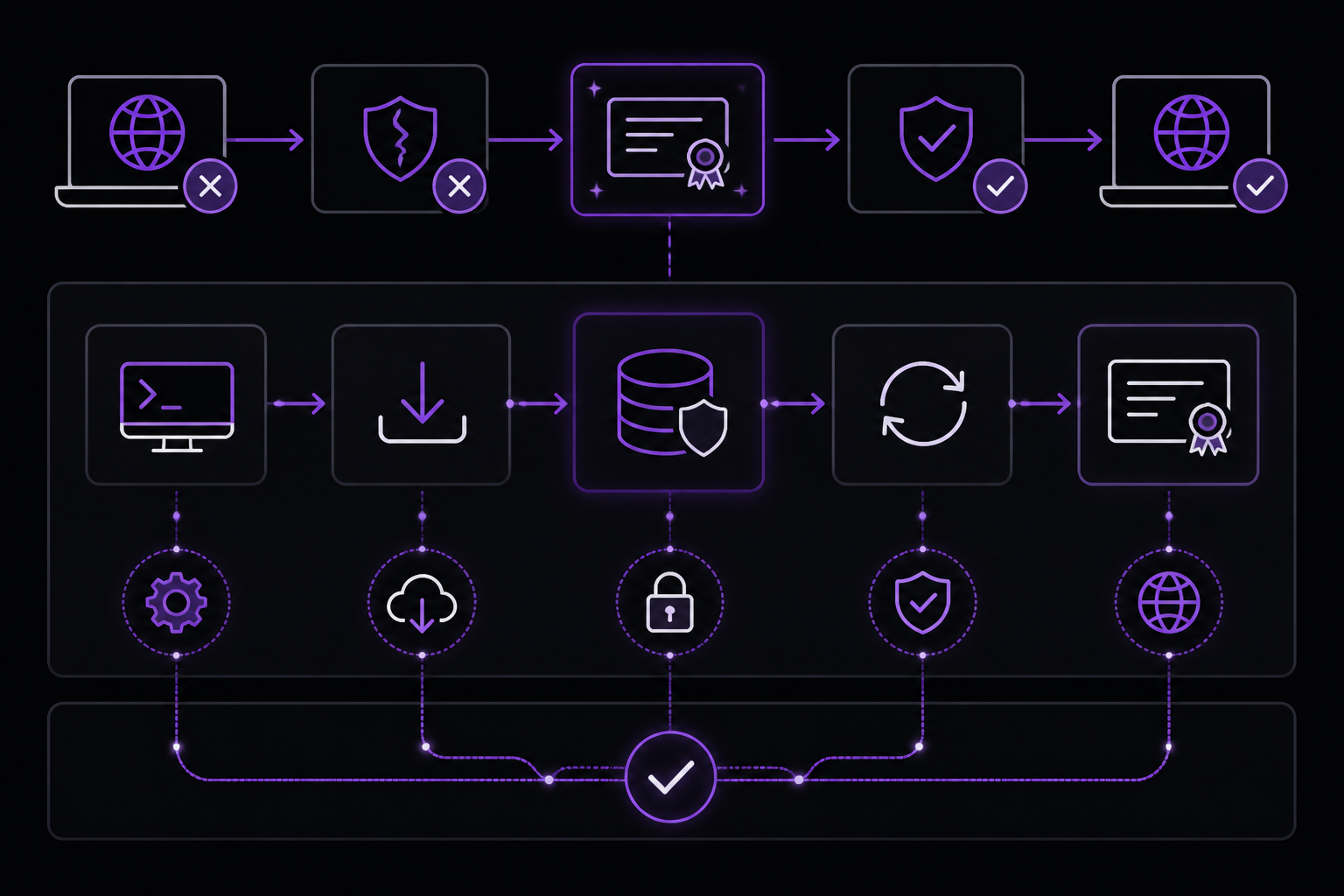
Each solution below addresses one or more of the causes above. They are ordered by likelihood of success based on the sources, with the most universally applicable fix first.
Solution 1: Verify and Update SSL Certificates (Most Common Fix)
This is the fix that directly addresses the SSL certificate verification failure reported in both the Stack Overflow question and the GitHub issue. The exact steps depend on your operating system.
On macOS:
The standard fix for a Python installed from python.org is to run the certificate installation script that ships with Python. Open a terminal and run:
/Applications/Python*/Install\ Certificates.command
This script updates the certifi package and installs the latest root certificates. If this does not work, as the Stack Overflow user reported, you may need to manually update certifi and ensure Python is using it.
pip install --upgrade certifi
Then, verify that your Python environment is using the correct certificate bundle. You can check which certificate file Python is using with:
import certifi
print(certifi.where())
This should point to a file like /Library/Frameworks/Python.framework/Versions/3.11/lib/python3.11/site-packages/certifi/cacert.pem. If it points to a non-existent file or an old bundle, reinstall certifi.
On Linux:
Update the system's CA certificates:
sudo apt-get update
sudo apt-get install --reinstall ca-certificates
sudo update-ca-certificates
Then upgrade certifi:
pip install --upgrade certifi
On Windows:
Python on Windows typically uses the Windows certificate store, but the certifi package can override it. Upgrade certifi:
pip install --upgrade certifi
If you are using a corporate network that uses a self-signed certificate (as the error message suggests), you may need to add that certificate to the trusted store. The Stack Overflow user's error specifically mentions "self-signed certificate in certificate chain," which strongly indicates a corporate proxy or firewall that intercepts SSL traffic and presents its own certificate. In that case, you need to obtain the corporate root certificate from your IT department and add it to Python's trusted certificates.
To add a custom certificate, you can set the SSL_CERT_FILE environment variable to point to a combined PEM file that includes both the corporate certificate and the standard CA bundle:
export SSL_CERT_FILE=/path/to/combined-certs.pem
Or, you can append the corporate certificate to the certifi bundle:
cat corporate-cert.pem >> $(python -m certifi)
After updating certificates, test the connection:
import openai
from openai import OpenAI
client = OpenAI()
try:
    response = client.responses.create(
        model="gpt-5.6",
        input="Say 'this is a test'"
    )
    print(response.output_text)
except openai.APIConnectionError as e:
    print(f"Failed to connect to OpenAI API: {e}")
If the error changes from APIConnectionError to a different error (like AuthenticationError), the SSL issue is resolved.
Solution 2: Temporarily Disable SSL Verification (Diagnostic Only)
This is a diagnostic step, not a permanent fix. The official documentation does not recommend this, but it can help determine if SSL is the root cause. If the request succeeds with SSL verification disabled, you know the problem is certificate-related and you should focus on Solution 1.
Warning: Disabling SSL verification makes your connection insecure and vulnerable to man-in-the-middle attacks. Only use this for testing.
import openai
from openai import OpenAI

# Create a custom HTTP client that skips SSL verification
import httpx
client = OpenAI(
    http_client=httpx.Client(verify=False)
)

try:
    response = client.responses.create(
        model="gpt-5.6",
        input="Say 'this is a test'"
    )
    print(response.output_text)
except openai.APIConnectionError as e:
    print(f"Failed to connect: {e}")
If this works, the issue is definitely SSL-related. Do not leave verify=False in production code.
Solution 3: Check Network Connectivity and Proxy Settings
If SSL is not the issue, or after fixing SSL you still get the error, check your network.
Test basic connectivity:
curl -v https://api.openai.com/v1/responses \
  -H "Content-Type: application/json" \
  -H "Authorization: Bearer $OPENAI_API_KEY" \
  -d '{
    "model": "gpt-5.6",
    "input": "Say this is a test"
  }'
If curl works (as it did for the Stack Overflow user), the network is fine and the problem is specific to Python's SSL context. If curl also fails, you have a network or proxy issue.
Check for proxy environment variables:
echo $HTTP_PROXY
echo $HTTPS_PROXY
echo $http_proxy
echo $https_proxy
echo $NO_PROXY
If any of these are set, the OpenAI SDK might be trying to use a proxy that is not configured correctly. The official documentation says to "update your proxy settings, use a different proxy, or bypass the proxy altogether." You can temporarily unset them to test:
unset HTTP_PROXY HTTPS_PROXY http_proxy https_proxy
Then run your Python script again.
If you need to use a proxy, configure the OpenAI client with an HTTP client that uses the proxy:
import httpx
from openai import OpenAI

proxies = {
    "http://": "http://your-proxy:port",
    "https://": "http://your-proxy:port",
}

client = OpenAI(
    http_client=httpx.Client(proxies=proxies)
)
Solution 4: Check Firewall Rules
If you are on a corporate or school network, the firewall might be blocking outbound connections to api.openai.com. The official documentation says to "modify your firewall settings." You can test this by trying to reach the API from a different network (e.g., your home network or a mobile hotspot). If it works on a different network, the firewall is the issue.
On Linux, you can check if iptables is blocking the connection:
sudo iptables -L -n | grep 443
On Windows, check Windows Defender Firewall or your corporate firewall software. You may need to add an outbound rule to allow Python to connect to api.openai.com on port 443.
Solution 5: Ensure Container Has Correct Permissions
If you are running inside a Docker container, the official documentation says to "check that your container has the correct permissions to send and receive traffic." This usually means the container needs network access. Ensure your container is started with the --network flag set appropriately, or that Docker's network settings are not blocking outbound HTTPS traffic.
docker run --network host your-image
Or, if using Docker Compose, ensure the service has network_mode: host or is connected to a bridge network that has internet access.
Solution 6: Use a Different HTTP Client or SDK Version
The GitHub issue shows the error occurring with openai==0.27.4 and langchain==0.0.180. The official documentation now recommends using the newer SDK (v1.x) which uses httpx instead of aiohttp for async requests. The newer SDK may handle SSL contexts differently. Upgrade to the latest SDK:
pip install --upgrade openai
If you are using LangChain, also upgrade it:
pip install --upgrade langchain
After upgrading, the code pattern changes slightly. The official quickstart shows the new pattern:
from openai import OpenAI
client = OpenAI()
response = client.responses.create(
    model="gpt-5.6",
    input="Write a one-sentence bedtime story about a unicorn."
)
print(response.output_text)
If you must stay on the older SDK, you can try setting the OPENAI_API_BASE environment variable to force a different endpoint, though this is unlikely to help with SSL issues.
Solution 7: Set the API Key Correctly
While not a direct cause of APIConnectionError, an incorrect API key can sometimes manifest as a connection error in certain SDK versions. The official documentation lists "Invalid Authentication" and "Incorrect API key provided" as separate 401 errors, but the Stack Overflow user confirmed they are using the same key that works with curl. However, ensure the key is set correctly as an environment variable:
export OPENAI_API_KEY="your_api_key_here"
On macOS/Linux, add this to your .zshrc or .bashrc file. On Windows PowerShell:
setx OPENAI_API_KEY "your_api_key_here"
Then restart your terminal. The official quickstart says: "Each OpenAI SDK automatically reads your API key from the system environment."
Solution 8: Handle the Error Programmatically with Retries
The official documentation provides a code snippet for handling APIConnectionError programmatically. This does not fix the underlying cause, but it can make your application more resilient to transient network issues.
import openai
from openai import OpenAI
client = OpenAI()

try:
    # Make your OpenAI API request here
    response = client.responses.create(
        model="gpt-5.6",
        input="Hello world"
    )
except openai.APIError as e:
    # Handle API error here, e.g. retry or log
    print(f"OpenAI API returned an API Error: {e}")
    pass
except openai.APIConnectionError as e:
    # Handle connection error here
    print(f"Failed to connect to OpenAI API: {e}")
    pass
except openai.RateLimitError as e:
    # Handle rate limit error (we recommend using exponential backoff)
    print(f"OpenAI API request exceeded rate limit: {e}")
    pass
The GitHub issue shows that LangChain's retry mechanism (using tenacity) already retries with exponential backoff (1, 2, 4, 8, 16 seconds), but it eventually fails. This retry is only useful for transient errors, not for persistent SSL misconfiguration.
If Nothing Works
If you have tried all the solutions above and the APIConnectionError persists, the official documentation provides escalation paths.
Contact OpenAI Support
The documentation says: "If the issue persists, contact our support team via chat and provide them with the following information:"
- The model you were using
- The error message and code you received
- The request data and headers you sent
- The timestamp and timezone of your request
- Any other relevant details that may help us diagnose the issue
You can reach OpenAI support at help.openai.com. The documentation notes that "support queue times may be long due to high demand."
Check the Status Page
Before contacting support, check the OpenAI status page at https://status.openai.com for any ongoing incidents or maintenance. The official documentation says: "Check our status page for any updates or announcements regarding our services and servers."
Post in the Community Forum
The documentation also suggests: "You can also post in our Community Forum but be sure to omit any sensitive information." This is a good place to see if other users are experiencing similar issues, especially if the problem is related to a specific network configuration or SDK version.
Workaround: Use the REST API Directly
If the Python SDK continues to fail, you can bypass it entirely and use the REST API with curl or requests. The Stack Overflow user confirmed that curl works. This is a viable workaround while you debug the SDK issue. Example using Python's requests library:
import requests
import os

api_key = os.environ["OPENAI_API_KEY"]
headers = {
    "Content-Type": "application/json",
    "Authorization": f"Bearer {api_key}"
}
data = {
    "model": "gpt-5.6",
    "input": "Say this is a test"
}
response = requests.post(
    "https://api.openai.com/v1/responses",
    headers=headers,
    json=data
)
print(response.json())
If requests also fails with an SSL error, the problem is definitely in Python's SSL configuration, not the OpenAI SDK.
How to Prevent It
Preventing the APIConnectionError involves maintaining a healthy Python environment and network configuration.
Keep Certificates Updated
Regularly update certifi and system CA certificates. Add a step to your deployment pipeline or development setup script:
pip install --upgrade certifi
On macOS, run the certificate installation script after each Python update:
/Applications/Python*/Install\ Certificates.command
Use Environment Variables for Configuration
Set OPENAI_API_KEY as an environment variable rather than hardcoding it. This follows the official quickstart guidance and reduces the chance of key-related errors.
Implement Proper Error Handling
Wrap your API calls in try-except blocks that catch APIConnectionError and other OpenAI exceptions. The official documentation provides a template for this. Implement exponential backoff for retries, as shown in the GitHub issue's LangChain retry pattern, but only for transient errors.
Test on Multiple Networks
If you develop on a corporate or school network, periodically test your code on a different network (home, mobile hotspot) to ensure network-specific issues are caught early.
Use the Latest SDK Version
The official documentation and quickstart both recommend using the latest SDK. Older versions (like openai==0.27.4 in the GitHub issue) may have bugs or use deprecated HTTP libraries. Upgrade regularly:
pip install --upgrade openai
Configure Proxy Explicitly
If your environment requires a proxy, configure it explicitly in the OpenAI client rather than relying on environment variables that might be inconsistent. The official documentation says to "update your proxy settings" to be compatible with OpenAI's services.
Monitor Network Changes
If you move between networks (e.g., from office to home), be aware that proxy and firewall settings change. Test your API calls after switching networks.
By following these prevention practices, you can minimize the chances of encountering the APIConnectionError and ensure your OpenAI API integration remains reliable.
The #1 Chatgpt Newsletter
The most important chatgpt updates, guides, and fixes — one weekly email.
No spam, unsubscribe anytime. Privacy policy
Related Error Solutions
Keep exploring ChatGPT
ChatGPT resources
Latest AI answers
Skip the manual work
Ready-made AI workflows and automation templates — import and run instead of building from scratch.