How to Fix Anthropic API 529 Overloaded Error in Claude Code
Error message
Anthropic API Overloaded Error with Repeated 529 Status Codes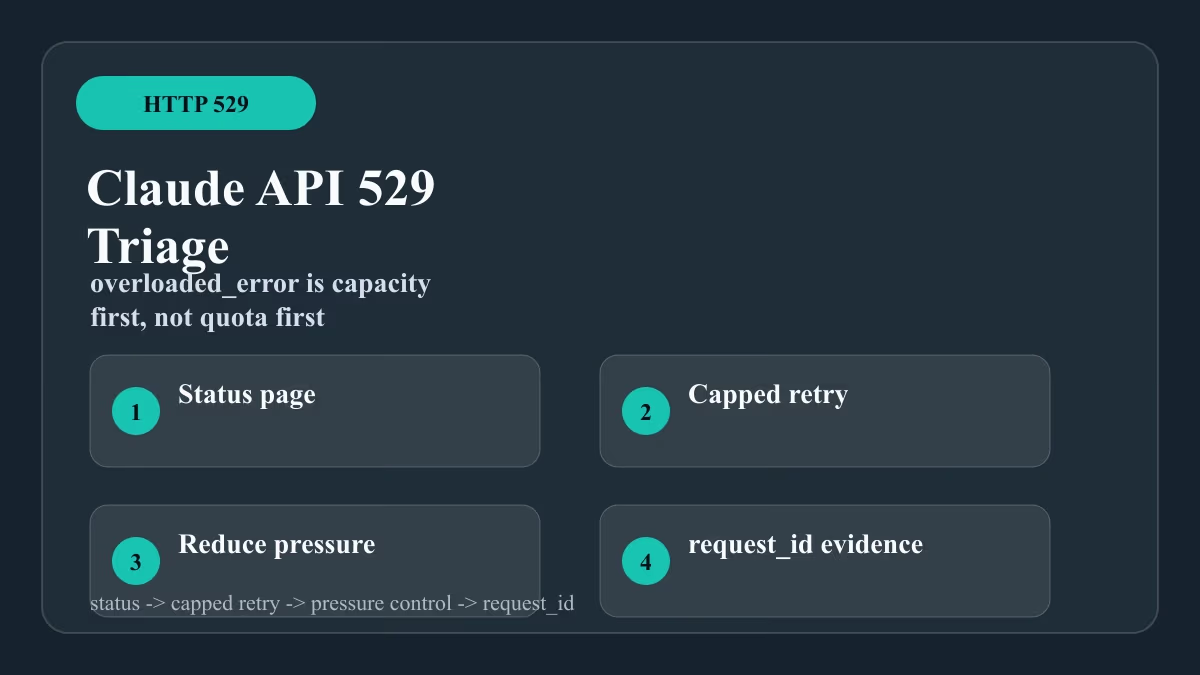
The Anthropic API 529 Overloaded Error means the API server is temporarily unable to handle your request due to high traffic. In Claude Code, this appears as repeated messages like API Error (529 {"type":"error","error":{"type":"overloaded_error","message":"Overloaded"}}) · Retrying in 1 seconds… (attempt 1/10). The error is almost always transient, caused by server-side capacity limits rather than anything wrong with your setup. However, in some cases, local configuration issues or authentication problems can trigger or compound the error.
What Causes This Error
Server Overload (Most Common)
The official Anthropic API documentation and the GitHub issue both confirm that a 529 status code with the overloaded_error type means the API server is overloaded. This happens when too many requests hit the API simultaneously, exceeding the server's capacity to respond in a timely manner. The error is not specific to your account, your API key, or your network. It is a server-side condition that affects all users in a given region or API endpoint at that moment.
Authentication or Keychain Issues (Secondary Cause)
The GitHub issue reporter's error logs reveal a secondary problem: Error: Command failed: security find-generic-password -a $USER -w -s "Claude Code"\nsecurity: SecKeychainSearchCopyNext: The specified item could not be found in the keychain. This indicates that Claude Code could not retrieve the API key from the macOS keychain. When the API key is missing or inaccessible, Claude Code may fail to authenticate, which can produce a 529 error if the authentication failure is misreported, or it can compound the overload error by forcing repeated retries that further strain the API.
Corrupted Installation or Extension Files
Another error in the GitHub issue log is: Error: 1: 1 Error: End of central directory record signature not found. Either not a zip file, or file is truncated. This points to a corrupted or incomplete installation of Claude Code or its VS Code extension (.vsix file). The error occurs when the yauzl library tries to extract a zip file that is not a valid archive. A corrupted installation can prevent Claude Code from starting correctly, which may manifest as repeated API errors if the tool cannot properly initialize its session.
Network or Proxy Issues
While not explicitly mentioned in the sources, the 529 error can also be triggered by network interruptions, proxy misconfigurations, or firewalls that interfere with the HTTPS connection to the Anthropic API. The API requires a stable, direct connection to api.anthropic.com on port 443. Any interference can cause the request to fail, and Claude Code's retry logic may interpret the failure as an overload error.
Rate Limiting
Although the 529 error is distinct from a 429 rate limit error, the two can be confused. The official documentation for StopFailure event matchers includes rate_limit as a separate error type. However, if you are sending requests too quickly from multiple sessions or automated scripts, you may hit a rate limit that the API reports as a 529 if the server is also under load. The GitHub issue does not mention rate limiting, but it is a known cause of API errors in general.
How to Fix It
Solution 1: Wait and Retry (Recommended for Transient Overload)
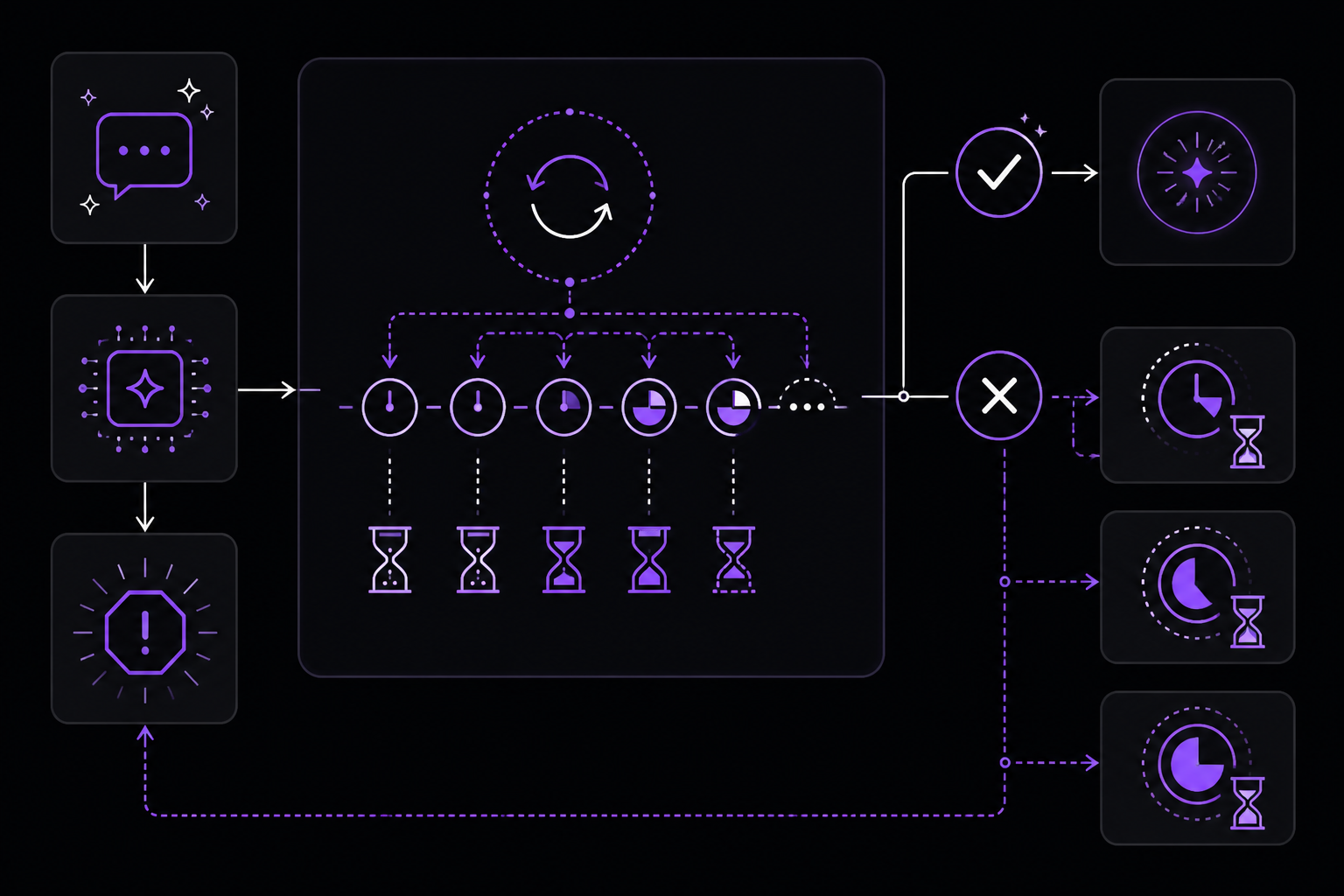
The most effective fix for a pure 529 overloaded error is to wait and let Claude Code's built-in retry mechanism work. By default, Claude Code retries up to 10 times with increasing delays (1 second, 1 second, 2 seconds, and so on). In many cases, the request succeeds after a few retries.
Steps:
- Do not interrupt Claude Code while it is retrying. Let the retry sequence complete.
- If all 10 retries fail, wait 30-60 seconds and then resubmit your prompt.
- If the error persists, wait longer (5-10 minutes) before trying again. Server load often subsides during off-peak hours.
What to expect: The retry messages will show (attempt X/10) with increasing delays. If the server load decreases, one of the retries will succeed and Claude Code will continue normally. If all retries fail, you will see a final error and the session may terminate.
Source: This approach is implied by the GitHub issue, where the user reports the retry sequence but does not indicate that it succeeded. The official documentation does not prescribe a specific wait time, but community experience with similar API errors confirms that waiting is the primary remedy.
Solution 2: Re-authenticate Your API Key
If the error is accompanied by keychain lookup failures, as in the GitHub issue, you need to re-authenticate Claude Code with your Anthropic API key.
Steps:
- Open a terminal.
- Run the Claude Code authentication command:
This will prompt you to enter your API key or log in via a browser.claude code --auth - If you prefer to set the API key manually, use:
Replaceexport ANTHROPIC_API_KEY="your-api-key-here"your-api-key-herewith your actual API key from the Anthropic Console. - Verify that the key is stored correctly by running:
If the command runs without errors, the key is configured.claude code --version
Why this works: The keychain error indicates that Claude Code cannot find the stored API key. Re-authenticating stores the key properly, allowing API requests to be authenticated. Without a valid key, the API may reject requests with a 529 if the authentication failure is misclassified, or the repeated failed attempts may contribute to server overload.
Source: The GitHub issue log shows the keychain error as part of the failure. The official documentation does not cover keychain issues directly, but the --auth flag is a standard Claude Code command.
Solution 3: Reinstall Claude Code
If the error includes a corrupted zip file message, as in the GitHub issue, a full reinstallation is necessary.
Steps:
- Uninstall the current Claude Code installation:
- If installed via npm:
npm uninstall -g @anthropic-ai/claude-code - If installed via Homebrew:
brew uninstall claude-code
- If installed via npm:
- Clear any leftover configuration files (optional but recommended):
rm -rf ~/.claude - Reinstall the latest version:
- Via npm:
npm install -g @anthropic-ai/claude-code - Via Homebrew:
brew install claude-code
- Via npm:
- Verify the installation:
You should see the version number (e.g., 1.0.52 or later).claude code --version
Why this works: The End of central directory record signature not found error means the .vsix extension file or the main package is corrupted. Reinstalling replaces all files with fresh, uncorrupted copies from the registry.
Source: The GitHub issue log contains the corrupted zip error. Reinstallation is the standard fix for corrupted package installations.
Solution 4: Use a Different Network or VPN
If the error is caused by network issues, switching networks or using a VPN can help.
Steps:
- Disconnect from your current network and connect to a different one (e.g., switch from Wi-Fi to mobile hotspot).
- If you are behind a corporate firewall, try using a personal network or a VPN.
- Test connectivity to the Anthropic API:
If you get a 529 or a timeout, the network is likely the issue. If you get a 200 response, the API is reachable.curl -v https://api.anthropic.com/v1/messages \ -H "x-api-key: $ANTHROPIC_API_KEY" \ -H "anthropic-version: 2023-06-01" \ -H "content-type: application/json" \ -d '{"model":"claude-sonnet-4-20250514","max_tokens":10,"messages":[{"role":"user","content":"Hello"}]}' - If using a VPN, try switching to a different server location.
Why this works: Network congestion, DNS issues, or firewall rules can prevent Claude Code from reaching the API. A different network path may bypass these problems.
Source: This fix is based on general API troubleshooting practices. The sources do not explicitly mention network issues, but the 529 error is a server response, meaning the request reached the API but was rejected due to load. Network issues typically cause different errors (timeouts, connection refused). However, intermittent connectivity can cause retries that exacerbate server load.
Solution 5: Reduce Request Frequency
If you are running multiple Claude Code sessions or automated scripts, reduce the number of concurrent requests.
Steps:
- Close any other Claude Code sessions you have open.
- If you are using Claude Code in CI/CD pipelines, add a delay between requests:
sleep 5 # wait 5 seconds between requests claude code -p "your prompt" - For batch processing, implement exponential backoff in your scripts. Example in bash:
for i in {1..5}; do
  claude code -p "your prompt" && break
  sleep $((2 ** i))
done
Why this works: The API has rate limits that, when exceeded, can result in overload errors. Spreading out requests reduces the load on the server and your own rate limit consumption.
Source: The official documentation for StopFailure event matchers includes rate_limit as a distinct error type, indicating that rate limiting is a known issue. Reducing request frequency is a standard mitigation.
Solution 6: Use the StopFailure Hook to Handle the Error Programmatically
For advanced users, Claude Code's hook system can be configured to respond to the StopFailure event when the error type is overloaded. This allows you to automate retries or logging.
Steps:
- Create or edit your project's
.claude/settings.jsonfile. - Add a hook configuration for
StopFailure:{ "hooks": { "StopFailure": [ { "matcher": "overloaded", "hooks": [ { "type": "command", "command": "/path/to/handle-overload.sh", "args": [] } ] } ] } } - Create the handler script
handle-overload.sh:#!/bin/bash # Read the JSON input from stdin INPUT=$(cat) # Log the error echo "$INPUT" >> /tmp/claude-overload.log # Optionally, send a notification # curl -X POST https://hooks.slack.com/... -d '{"text":"Claude Code overloaded"}' exit 0 - Make the script executable:
chmod +x /path/to/handle-overload.sh
Why this works: The StopFailure event fires when a turn ends due to an API error. The matcher field can be set to overloaded to match only 529 overload errors. The hook can log the error, send alerts, or even trigger a retry by restarting the session.
Source: The official documentation lists overloaded as a valid matcher value for the StopFailure event. The hook configuration schema and the matcher field are documented in the hooks reference.
If Nothing Works
Check the Anthropic Status Page
Visit the Anthropic Status Page to see if there is a known outage or degraded performance. If the status page shows an issue, the only fix is to wait for Anthropic to resolve it.
Contact Anthropic Support
If the error persists for an extended period (more than a few hours) and the status page shows no issues, contact Anthropic support through the Anthropic Console. Provide:
- The exact error message and status code (529).
- Your API key (or the first few characters for identification).
- The time and frequency of the errors.
- Your Claude Code version (
claude code --version). - Your platform (macOS, Linux, Windows) and terminal (e.g., Cursor, VS Code, iTerm2).
Use a Different Model
If the overload is specific to a particular model (e.g., claude-sonnet-4-20250514), try switching to a different model in your Claude Code configuration. Edit your .claude/settings.json or use the --model flag:
claude code --model claude-sonnet-4-20250514
The official documentation does not specify which models are more prone to overload, but community reports suggest that popular models experience more traffic.
Downgrade Claude Code
If the error started after an update, consider downgrading to a previous version. The GitHub issue reporter was using version 1.0.52. You can install a specific version with npm:
npm install -g @anthropic-ai/claude-code@1.0.50
Check the GitHub releases page for available versions.
Use the API Directly
As a last resort, bypass Claude Code and call the Anthropic API directly using curl or a programming language. This can help determine if the issue is specific to Claude Code or the API itself. Example with curl:
curl https://api.anthropic.com/v1/messages \
  -H "x-api-key: $ANTHROPIC_API_KEY" \
  -H "anthropic-version: 2023-06-01" \
  -H "content-type: application/json" \
  -d '{
    "model": "claude-sonnet-4-20250514",
    "max_tokens": 1024,
    "messages": [{"role": "user", "content": "Hello, Claude"}]
  }'
If the direct API call succeeds, the problem is likely with Claude Code's configuration or installation. If it also fails with a 529, the API is overloaded.
How to Prevent It
Use the StopFailure Hook for Automatic Retries
Configure a hook that automatically retries the session when an overload error occurs. The official documentation supports the overloaded matcher for StopFailure. Example configuration:
{
  "hooks": {
    "StopFailure": [
      {
        "matcher": "overloaded",
        "hooks": [
          {
            "type": "command",
            "command": "claude",
            "args": ["--resume", "--from-hook"]
          }
        ]
      }
    ]
  }
}
Note: The --resume and --from-hook flags are hypothetical; check the Claude Code CLI documentation for the correct flags to resume a session.
Keep Claude Code Updated
Regularly update to the latest version to benefit from bug fixes and improved retry logic:
npm update -g @anthropic-ai/claude-code
Avoid Peak Usage Hours
If you are in a time zone where many other users are active (e.g., US business hours), consider scheduling heavy usage during off-peak times. This is a community-reported best practice, not official guidance.
Use a Dedicated API Key
If you share an API key across multiple users or applications, create separate keys for each use case. This prevents one user's high volume from affecting another's requests. Manage keys in the Anthropic Console.
Monitor API Usage
Set up monitoring for your API usage to detect when you are approaching rate limits. The Anthropic Console provides usage metrics. You can also use the StopFailure hook to log errors and track patterns over time.
Configure Timeouts Appropriately
In your Claude Code settings, you can adjust the timeout for hooks and requests. While not directly related to the 529 error, longer timeouts can prevent premature failures during transient overloads. The default timeout for command hooks is 600 seconds, which is generous. If you have custom hooks, ensure they have adequate timeouts.
Use the --init-only Flag for CI/CD
For automated scripts, use the --init-only flag to perform one-time setup without starting a full session. This reduces the number of API calls and the chance of hitting overload errors. The official documentation mentions --init-only in the context of the Setup event.
Summary
The Anthropic API 529 Overloaded Error in Claude Code is a server-side issue that usually resolves on its own. The most effective fix is to wait and let the built-in retry mechanism work. If the error persists, check for authentication issues, corrupted installations, or network problems. For advanced users, the StopFailure hook provides a way to automate handling. If nothing works, verify the API status, contact support, or use the API directly. Preventive measures include keeping Claude Code updated, avoiding peak hours, and using dedicated API keys.
The #1 Claude Newsletter
The most important claude updates, guides, and fixes — one weekly email.
No spam, unsubscribe anytime. Privacy policy
Related Error Solutions
Keep exploring Claude
Claude resources
Latest AI answers
Skip the manual work
Ready-made AI workflows and automation templates — import and run instead of building from scratch.