Fix Unexpected Claude Usage Limit Reduction After September 29, 2025
Error message
[Meta] Unexpected change in Claude usage limits as of 2025-09-29. (30+ reports)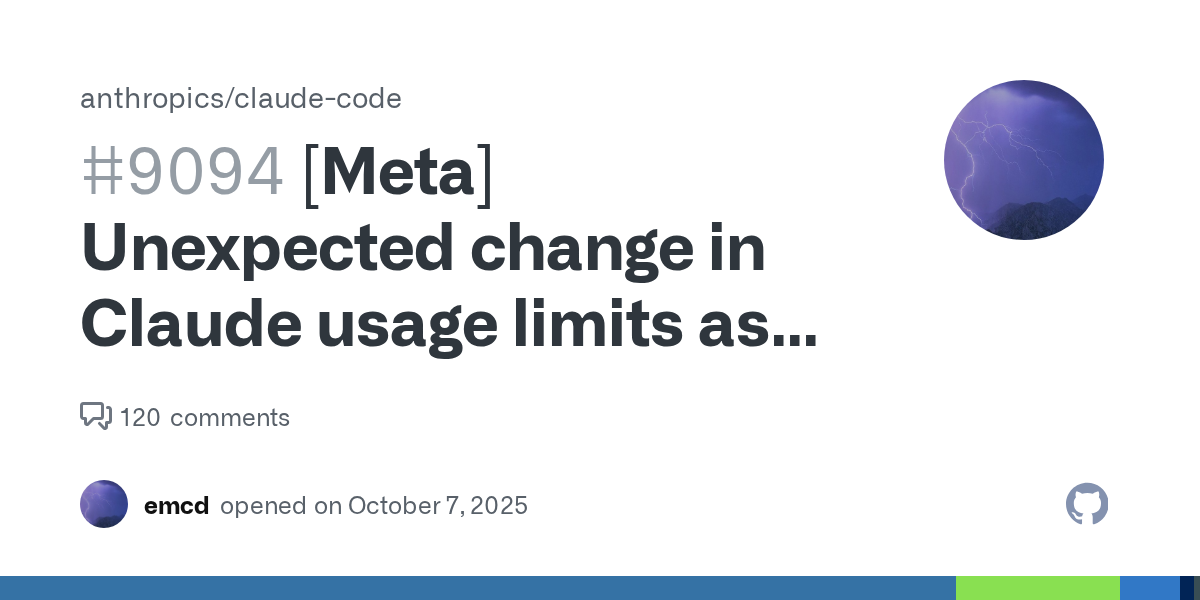
Diagnosis: What This Error Means
Since the release of Claude Sonnet 4.5 on September 29, 2025, many Claude Pro subscribers have experienced a sudden and unannounced reduction in their weekly usage limits when using Claude Code. Previously, users could expect 40 to 80 hours of active work per week, as stated in an email from Anthropic on July 28, 2025. After September 29, many users report being limited to only 6 to 8 hours per week. This is not a traditional error message; instead, users discover the reduction when checking their remaining usage at https://claude.ai/settings/usage or when Claude Code unexpectedly stops responding mid-session. The most common cause appears to be a server-side rate limiter change or policy update deployed alongside the Sonnet 4.5 rollout, which Anthropic has not officially acknowledged or documented as of the latest reports.
What Causes This Error
1. Unannounced Server-Side Rate Limit Change (Most Common)
The primary cause, reported by over 30 users in the Claude Code GitHub repository (issue #9094 and linked issues), is a reduction in weekly rate limits applied at the Anthropic server level. This change coincided with the release of Claude Sonnet 4.5 on September 29, 2025. Users who previously had 40-80 hours of weekly usage now see their limits drop to 6-8 hours. The issue is not a client-side misconfiguration; it is a server-side policy or rate limiter change that affects all Pro subscribers uniformly.
2. Rate Limiter Misconfiguration
Some users speculate that the reduction could be due to a rate limiter misconfiguration on Anthropic's side, rather than an intentional policy change. The GitHub issue author explicitly states: "If this is a rate limiter misconfiguration, then acknowledge it and provide proper updates to your paying customers while you fix it." As of the latest community reports, Anthropic has not confirmed whether this is a bug or a deliberate change.
3. Lack of Communication from Anthropic
Anthropic's customer support response, as documented in the GitHub issue comment by user emcd, did not acknowledge the reduction. Instead, the support agent offered generic advice about usage limits best practices and offered to reset the user's limits. The user rejected this, stating they were not asking for a reset but for acknowledgment of the change and official documentation of the new limits. This lack of communication has left users without clear guidance on what the new limits are or how to work within them.
4. Not a Client-Side Issue
Multiple users have confirmed that the problem is not related to their local configuration, Claude Code version, or operating system. The issue occurs across platforms (Ubuntu/Debian Linux, Windows Terminal) and persists after updating to the latest Claude Code version (2.0.9 at the time of reporting). The regression was first noticed after version 1.0.126, which was the last working version for many users.
How to Fix It
Important note: Because this is a server-side issue, there is no guaranteed client-side fix. The solutions below are community-reported workarounds and escalation strategies. They may restore some functionality but will not fully restore the previous 40-80 hour weekly limit unless Anthropic reverts the change or updates their policy.
Solution 1: Check Your Current Usage and Limits
Source: GitHub issue #9094, community reports
Before attempting any fix, verify your current usage and limits to confirm you are affected.
- Open a web browser and go to
https://claude.ai/settings/usage. - Log in with your Claude Pro account.
- Review the displayed usage metrics. Compare your remaining weekly hours to the previous expectation of 40-80 hours.
- If you see a significantly lower limit (e.g., 6-8 hours remaining), you are affected by this issue.
What to expect: The usage page will show your current weekly usage and remaining limit. If the limit is drastically lower than before, this confirms the server-side change.
Solution 2: Contact Anthropic Support and Request Acknowledgment
Source: GitHub issue comment by emcd, community reports
Anthropic's support team has responded to some tickets, but their initial response may be a generic non-answer. You need to escalate and request specific acknowledgment of the September 29 limit change.
- Go to the Anthropic support portal (accessible from
https://support.anthropic.comor through the Claude app). - Submit a new support request with the subject line: "Unexpected usage limit reduction after September 29, 2025."
- In the description, include:
- Your Claude Pro subscription details.
- The exact dates when you noticed the change (on or after September 29, 2025).
- Your previous weekly usage (e.g., 40-50 hours) and your current usage (e.g., 6-8 hours).
- Links to the GitHub issue (#9094) and Reddit threads (https://www.reddit.com/r/ClaudeCode/comments/1nvc6i7/usage_limits_we_just_need_replies_not_in_3_weeks/ and https://www.reddit.com/r/ClaudeAI/comments/1nvnafs/update_on_usage_limits/).
- A clear request: ask Anthropic to publicly acknowledge the limit change and provide official documentation of the new limits.
- If you receive a generic response (like the one emcd received), reply firmly, reiterating that you are not asking for a limit reset but for acknowledgment and documentation. Reference the July 28 email that stated 40-80 hours per week.
What to expect: Anthropic may respond with a non-answer or offer to reset your limits. As emcd experienced, this does not resolve the underlying issue. Persist in requesting official communication.
Solution 3: Optimize Your Usage Within the New Limits
Source: Community best practices, Anthropic's usage limits guidance (referenced in the GitHub issue)
While this does not fix the limit reduction, it helps you maximize the hours you do have. These practices were already recommended by Anthropic before the change.
- Reduce codebase size: Claude Code's usage scales with the size of your codebase. If you are working in a large repository, consider narrowing the context by using the
/add-dircommand to include only relevant directories, or by launching Claude Code from a subdirectory. - Disable auto-accept mode: Auto-accept mode (
--auto-accept) can consume more tokens because Claude may generate and apply changes without your review. Turn it off when you want to conserve usage. - Avoid running multiple Claude Code instances in parallel: Each instance consumes from the same weekly limit. Running two instances simultaneously will deplete your limit roughly twice as fast.
- Use concise prompts: Be specific and direct in your requests. Avoid open-ended prompts that may cause Claude to generate long, exploratory responses.
- use MCP servers efficiently: If you use MCP servers (as documented in the official Anthropic MCP documentation), note that each tool call consumes tokens. Use the
/mcpcommand within Claude Code to check which servers are connected and their tool counts. Disconnect servers you are not actively using withclaude mcp remove <server-name>. - Monitor usage in real time: Keep the usage page (
https://claude.ai/settings/usage) open in a browser tab while working. Refresh periodically to track your remaining limit.
What to expect: These optimizations may extend your usable time from 6-8 hours to perhaps 10-12 hours, but they will not restore the previous 40-80 hour limit.
Solution 4: Use the Anthropic API Directly (Workaround)
Source: Community discussion (inferred from the GitHub issue context)
If you have a separate Anthropic API account (not the same as your Claude Pro subscription), you can use Claude Code with your API key instead of the Pro subscription. This bypasses the Pro usage limits entirely, but you pay per token.
- Obtain an API key from the Anthropic Console (
https://console.anthropic.com). - Set the
ANTHROPIC_API_KEYenvironment variable in your terminal:export ANTHROPIC_API_KEY=your-api-key-here - Run Claude Code as usual. It will use the API key for billing instead of your Pro subscription.
- To make this permanent, add the export to your shell profile (e.g.,
~/.bashrc,~/.zshrc).
What to expect: You will have no weekly usage limits, but you will be charged per token at API rates. This can be more expensive for heavy usage but provides unlimited access. This is a workaround, not a fix for the Pro subscription issue.
Solution 5: Downgrade to an Older Claude Code Version (Not Recommended)
Source: GitHub issue #9094, user reports that version 1.0.126 was the last working version
Some users have speculated that reverting to an older Claude Code version might restore the previous limits, but this is unlikely to work because the limit is enforced server-side. However, if you want to test:
- Uninstall your current Claude Code version:
npm uninstall -g @anthropic-ai/claude-code - Install the specific older version:
npm install -g @anthropic-ai/claude-code@1.0.126 - Run Claude Code and check your usage.
What to expect: This will almost certainly not restore your limits, as the server-side change applies regardless of client version. The version regression is a symptom, not a cause.
Solution 6: Use the Claude Web Interface Instead of Claude Code
Source: Community reports
If Claude Code's limits are too restrictive, you can use the Claude web interface (https://claude.ai) for your work. The web interface may have different (possibly higher) usage limits for Pro subscribers.
- Go to
https://claude.aiand log in. - Start a new conversation.
- Paste your code or describe your task.
- Copy the results back to your development environment.
What to expect: This is a significant workflow disruption, as you lose Claude Code's direct file system access, terminal integration, and MCP server capabilities. However, it may provide more usage time if the web interface has separate limits.
If Nothing Works
Escalation Paths
-
GitHub Issue #9094: This is the primary community hub for tracking the problem. Comment on the issue to add your report and upvote it. The issue has already accumulated over 30+ linked reports. The more visibility, the more likely Anthropic will respond.
-
Reddit Communities: Two active Reddit threads are tracking this issue:
https://www.reddit.com/r/ClaudeCode/comments/1nvc6i7/usage_limits_we_just_need_replies_not_in_3_weeks/https://www.reddit.com/r/ClaudeAI/comments/1nvnafs/update_on_usage_limits/Post your experience and upvote the threads to increase visibility.
-
Anthropic Support: Continue to escalate within Anthropic's support system. If you receive a generic response, reply and insist on escalation to a supervisor or product team. Reference the July 28 email and the GitHub issue.
-
Social Media: Users have reported on X (formerly Twitter) about this issue. Tagging @AnthropicAI and using hashtags like #ClaudeCode #UsageLimits may help get attention.
-
Alternative Tools: If the limits remain restrictive and Anthropic does not communicate, consider evaluating alternative AI coding assistants (e.g., GitHub Copilot, Cursor, etc.) that may offer more predictable usage policies.
Workarounds
- Use the Anthropic API directly (see Solution 4 above) for unlimited usage at per-token cost.
- Use the Claude web interface for tasks that don't require direct file system access.
- Batch your work: Consolidate your Claude Code sessions into fewer, longer sessions to minimize overhead from session startup.
How to Prevent It
Important: Because this is a server-side change, there is no client-side configuration that can prevent it. The following practices can help you stay informed and mitigate future disruptions.
1. Monitor Official Communication Channels
- Subscribe to Anthropic's official blog and email announcements. The July 28 email was sent to Pro subscribers; ensure your email preferences are set to receive product updates.
- Check the Anthropic status page (if available) for any reported incidents.
- Follow @AnthropicAI on social media for real-time updates.
2. Track Your Usage Regularly
- Bookmark
https://claude.ai/settings/usageand check it daily, especially after major releases (like Sonnet 4.5). - Keep a personal log of your weekly usage hours. If you notice a sudden drop, you can immediately identify it as a server-side change and report it.
3. Diversify Your Tools
- Do not rely solely on Claude Code for critical workflows. Maintain familiarity with alternative tools (API access, web interface, other AI assistants) so you can switch quickly if limits change.
- If you use Claude Code heavily, consider having an API key ready as a backup (see Solution 4).
4. Engage with the Community
- Join the Claude Code GitHub repository and watch for issues tagged with
bugorrate-limit. - Participate in Reddit communities (
r/ClaudeCode,r/ClaudeAI) to hear about issues before they affect you. - When you see a pattern of reports (like the 30+ linked issues in #9094), assume it is a systemic problem and prepare accordingly.
5. Set Expectations with Your Team
- If you use Claude Code as part of a team workflow, communicate that usage limits can change without notice. Do not build critical processes that assume a fixed weekly quota.
- For production workflows, use the Anthropic API with a dedicated billing account to avoid subscription limit surprises.
Summary
The unexpected reduction in Claude Code usage limits after September 29, 2025, is a server-side issue that Anthropic has not officially acknowledged. Affected users have seen their weekly limits drop from 40-80 hours to 6-8 hours. The only effective workaround is to use the Anthropic API directly or switch to the web interface. Community pressure through GitHub, Reddit, and support tickets is the best path to getting an official response from Anthropic. Until then, optimize your usage within the new limits and prepare for potential further changes.
The #1 Claude Newsletter
The most important claude updates, guides, and fixes — one weekly email.
No spam, unsubscribe anytime. Privacy policy
Related Error Solutions
Keep exploring Claude
Claude resources
Latest AI answers
Skip the manual work
Ready-made AI workflows and automation templates — import and run instead of building from scratch.