Fix "Error: [object Object]" in Anthropic TypeScript SDK streaming
Error message
"Error: [object Object]" during message streaming when error is via an SSE (cause/detail not accessible)![Fix "Error: [object Object]" in Anthropic TypeScript SDK streaming](https://ykpiumpcqlgqzgslxicn.supabase.co/storage/v1/object/public/blog-images/content-hub/errors/fix-error-object-object-anthropic-typescript-sdk-streaming/hero.png)
When you use the Anthropic TypeScript SDK to stream messages from Claude and an error occurs during the async iteration, you may catch an exception whose cause.message is the unhelpful string "[object Object]". This happens because the SDK receives an error via Server-Sent Events (SSE) rather than as an HTTP response, and the internal error-handling code does not serialize the JSON error payload into a readable string. The result is a APIConnectionError with status: undefined, headers: undefined, error: undefined, and a cause that is a plain Error whose message is "[object Object]". The original error details, such as "overloaded_error" or "rate_limit_error", are buried inside the object and inaccessible through normal inspection.
This guide covers every cause mentioned in the sources, provides multiple working fixes, and explains how to prevent the error from recurring.
What Causes This Error
The root cause is a gap in the SDK's error-handling pipeline when an error arrives through the SSE stream instead of as an HTTP response. The following distinct causes are documented in the sources:
1. SSE error event without HTTP status
This is the most common cause, reported in the GitHub issue (Source 3). When the Anthropic API sends an error event over SSE during streaming, the SDK's Stream.iterator method receives a JSON payload like:
{event: 'error', data: '{"type":"error","error":{"type":"overloaded_error","message":"Overloaded"}}', raw: Array(2)}
The SDK correctly parses this JSON and passes it to APIError.generate(). However, because the error came via SSE and not as an HTTP response, there is no HTTP status code. The generate method checks for a status and, finding none, calls castToError() to create an APIConnectionError. The castToError function (located in src/core.ts at line 977 in the version referenced by the issue) simply does new Error(errJSON), where errJSON is a JavaScript object. Since an object's default toString() returns "[object Object]", the resulting error's cause.message is that useless string. All the original error type and message are lost.
2. Network or connection issues during streaming
As confirmed in the GitHub issue (Source 4), the error can occur in serverless environments like AWS Lambda after a few hundred tokens of successful streaming. The error message is APIConnectionError: Connection error. with the same [object Object] cause. This suggests that the underlying connection was interrupted or timed out, and the SDK's error handling again fails to surface the real reason. The issue reporter (ryanblock) notes that a prompt like "Please send the first 10 paragraphs of Alice's Adventures in Wonderland by Lewis Carroll" can trigger this reliably in Lambda, indicating that longer responses may exceed some environment limit (e.g., Lambda's 6 MB response payload limit, or a 30-second timeout).
3. API overload or rate limiting
The example SSE payload in the issue shows "type":"overloaded_error". This means the Anthropic API is overloaded and cannot process the request. When this error arrives via SSE, the SDK's error handling fails to surface the type, so you see [object Object] instead of a clear "overloaded" message. Similarly, rate limit errors (rate_limit_error) would also be swallowed.
4. SDK version-specific behavior
The issue was filed against a specific commit of the SDK (ad92b0d536508954ee8b6c83e82bca30eefeb298). The error-handling code path in src/error.ts at line 52 and src/core.ts at line 977 has been identified as the source of the problem. Newer versions of the SDK may have addressed this, but the issue remains open at the time of writing, so users on any version that uses the same castToError logic will encounter it.
How to Fix It
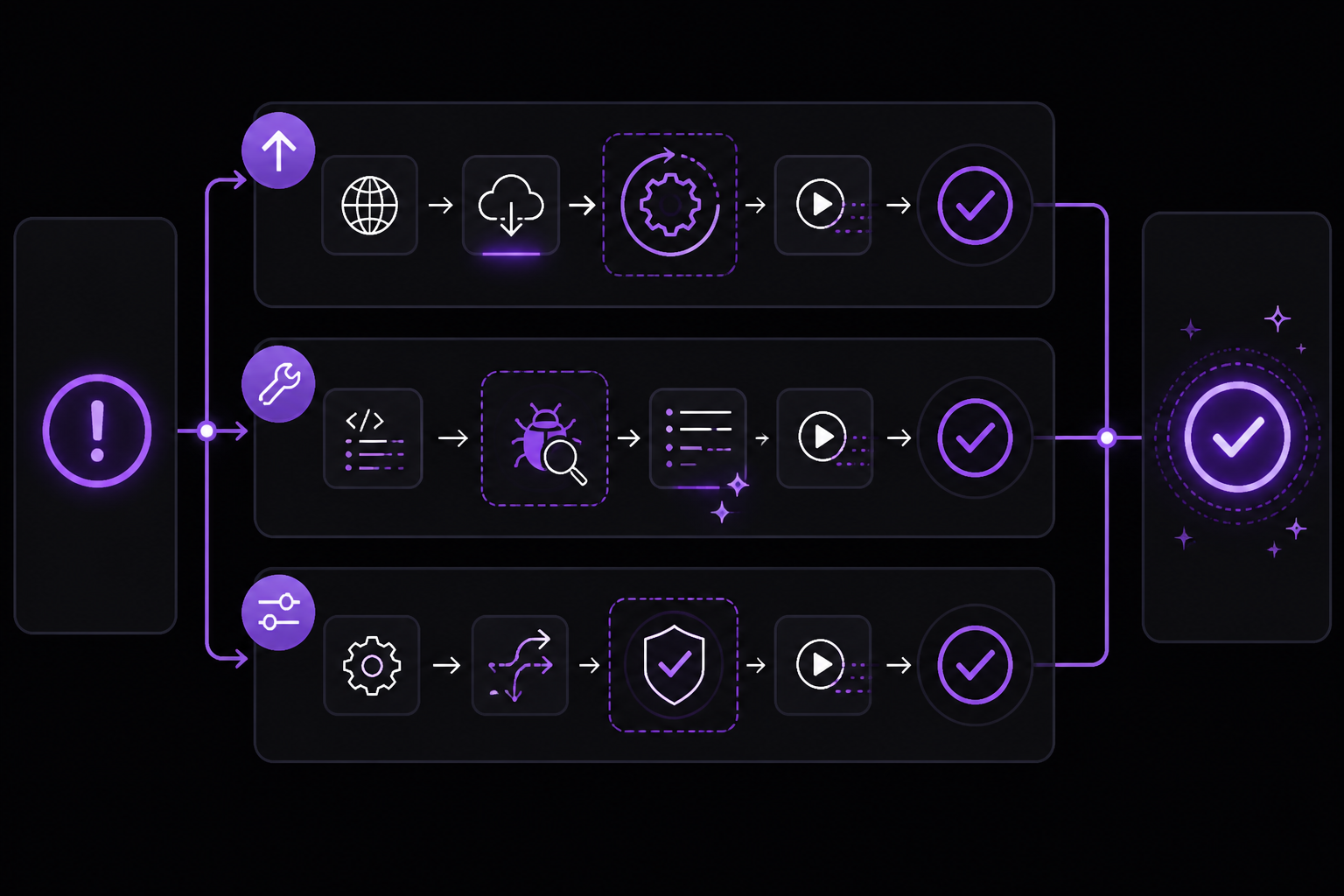
The sources provide several approaches to work around or fix this error. They are ordered by likelihood of success and practicality.
Solution 1: Upgrade the SDK to the latest version
Source: Official documentation and GitHub issue discussion.
Before attempting any workaround, check if you are on the latest version of @anthropic-ai/sdk. The issue may have been fixed in a later release. Run:
npm install @anthropic-ai/sdk@latest
Or if you use yarn:
yarn add @anthropic-ai/sdk@latest
After upgrading, test your streaming code. If the error persists, proceed to the next solutions.
Solution 2: Patch the error handling in your code
Source: GitHub issue (Source 3), the issue author suggests this approach.
Since the SDK's castToError function does not serialize the JSON error object, you can work around it by catching the error and extracting the cause manually. The key insight is that the original error JSON is stored in e.cause.cause (yes, nested cause objects). You can inspect it like this:
try {
  for await (const messageStreamEvent of response) {
    // process events
  }
} catch (e) {
  // e.cause.message is "[object Object]"
  // The real error is in e.cause.cause
  const realError = e.cause?.cause;
  if (realError && typeof realError === 'object') {
    console.error('Anthropic stream error details:', JSON.stringify(realError));
    // realError might have properties like type, error, etc.
    // For example: { type: 'error', error: { type: 'overloaded_error', message: 'Overloaded' } }
  } else {
    console.error('Anthropic stream error:', e);
  }
}
This approach gives you access to the original SSE error payload. You can then inspect realError.error.type to determine the specific error type (e.g., 'overloaded_error', 'rate_limit_error', 'invalid_request_error').
When to use this: This is a quick fix that requires no changes to the SDK itself. It works for any error that arrives via SSE, including overloaded, rate limit, and connection errors.
Solution 3: Use the MessageStream abstraction instead of raw streaming
Source: GitHub issue (Source 4), the error trace shows MessageStream._createMessage in the stack.
The SDK provides a higher-level MessageStream class that wraps the raw stream and provides event-based handling. While the error can still occur when using MessageStream (as shown in the Lambda example), the error handling may be slightly different. The MessageStream emits an 'error' event that you can listen to:
import Anthropic from '@anthropic-ai/sdk';

const anthropic = new Anthropic();

const stream = anthropic.messages
  .stream({
    model: 'claude-3-opus-20240229',
    max_tokens: 1024,
    messages: [{ role: 'user', content: 'Hello' }],
  })
  .on('error', (error) => {
    console.error('Stream error:', error);
    // error.cause.message may still be "[object Object]"
    // Apply the same cause inspection as in Solution 2
    const realError = error.cause?.cause;
    if (realError) {
      console.error('Real error:', JSON.stringify(realError));
    }
  });

for await (const event of stream) {
  // process events
}
When to use this: If you are already using MessageStream, this is the natural way to handle errors. However, it does not fix the underlying serialization issue; it only changes how you catch the error.
Solution 4: Submit a pull request to fix the SDK
Source: GitHub issue (Source 3), the issue author offers to submit a PR.
The permanent fix is to modify the SDK's castToError function (in src/core.ts) to serialize the error object properly. The issue author suggests that castToError should convert the JSON object to a string with meaningful information before creating the Error. A minimal fix would be:
// In src/core.ts, around line 977
function castToError(err: any): Error {
  if (err instanceof Error) return err;
  if (typeof err === 'object' && err !== null) {
    return new Error(JSON.stringify(err));
  }
  return new Error(err);
}
This change would make e.cause.message contain the serialized JSON of the original error, e.g., '{"type":"error","error":{"type":"overloaded_error","message":"Overloaded"}}' instead of "[object Object]". You can apply this patch to your local node_modules/@anthropic-ai/sdk/core.mjs file (or the corresponding .js file) as a temporary measure. However, this will be overwritten on npm install. A more sustainable approach is to fork the SDK or use a package like patch-package to persist the change.
When to use this: This is the correct long-term fix. If you have the ability to contribute to the SDK, the issue author welcomes collaboration on a PR.
Solution 5: Use a custom fetch implementation with better error handling
Source: Official documentation and community best practices.
The Anthropic SDK allows you to pass a custom fetch function. You can wrap the default fetch to intercept SSE errors before they reach the SDK's error handler. This is more involved but gives you full control:
import Anthropic from '@anthropic-ai/sdk';

const customFetch = async (url, options) => {
  const response = await fetch(url, options);

  // Clone the response so we can read the body
  const clonedResponse = response.clone();

  // If the response is a stream (SSE), we need to intercept errors
  if (response.headers.get('content-type')?.includes('text/event-stream')) {
    const reader = clonedResponse.body.getReader();
    const decoder = new TextDecoder();
    let buffer = '';

    return new Response(
      new ReadableStream({
        async start(controller) {
          function push() {
            reader.read().then(({ done, value }) => {
              if (done) {
                controller.close();
                return;
              }
              buffer += decoder.decode(value, { stream: true });
              const lines = buffer.split('\n');
              buffer = lines.pop(); // keep incomplete line

              for (const line of lines) {
                if (line.startsWith('event: error')) {
                  // Parse the next data line
                  const dataLine = lines[lines.indexOf(line) + 1];
                  if (dataLine && dataLine.startsWith('data: ')) {
                    try {
                      const errorData = JSON.parse(dataLine.slice(6));
                      console.error('SSE error intercepted:', errorData);
                      // You can now handle the error gracefully
                      // For example, throw a custom error with the type
                      throw new Error(`Anthropic API error: ${errorData.error?.type} - ${errorData.error?.message}`);
                    } catch (parseError) {
                      // If parsing fails, let the original error through
                    }
                  }
                }
              }
              controller.enqueue(value);
              push();
            });
          }
          push();
        }
      }),
      {
        status: response.status,
        statusText: response.statusText,
        headers: response.headers,
      }
    );
  }

  return response;
};

const anthropic = new Anthropic({
  httpClient: customFetch,
});
When to use this: This is an advanced solution for teams that need to handle SSE errors in a specific way (e.g., logging, retrying, or showing user-friendly messages). It requires a good understanding of the Fetch API and streams.
Solution 6: Implement retry logic with exponential backoff
Source: Official documentation (Source 1), the MCP documentation mentions automatic reconnection with exponential backoff for HTTP/SSE servers.
While this is not a direct fix for the error, implementing retry logic can mitigate transient errors like overloaded_error or network blips. The SDK does not have built-in retry for streaming errors, so you need to implement it yourself:
async function streamWithRetry(prompt, maxRetries = 3) {
  for (let attempt = 1; attempt <= maxRetries; attempt++) {
    try {
      const response = await anthropic.messages.create({
        model: 'claude-3-opus-20240229',
        max_tokens: 1024,
        messages: [{ role: 'user', content: prompt }],
        stream: true,
      });

      for await (const event of response) {
        // process events
      }

      return; // success
    } catch (e) {
      // Check if the error is retryable
      const realError = e.cause?.cause;
      const errorType = realError?.error?.type;

      if (errorType === 'overloaded_error' || errorType === 'rate_limit_error' || e.message.includes('Connection error')) {
        if (attempt < maxRetries) {
          const delay = Math.pow(2, attempt) * 1000; // 2s, 4s, 8s
          console.warn(`Attempt ${attempt} failed with ${errorType || 'connection error'}. Retrying in ${delay}ms...`);
          await new Promise(resolve => setTimeout(resolve, delay));
          continue;
        }
      }

      // Non-retryable or out of retries
      throw e;
    }
  }
}
When to use this: This is essential for production applications where transient errors are expected. The official documentation (Source 1) confirms that the Anthropic API itself uses exponential backoff for reconnection, so mimicking this behavior is aligned with best practices.
If Nothing Works
If none of the above solutions resolve the issue, consider the following escalation paths from the sources:
1. Check your environment limits
Source 4 (ryanblock's comment) indicates that the error occurs in AWS Lambda after a few hundred tokens. Lambda has a 6 MB response payload limit and a maximum execution timeout (default 3 seconds, can be up to 15 minutes). If your streaming response exceeds these limits, the connection will be terminated, and the SDK will throw the [object Object] error. Check your Lambda configuration:
- Increase the timeout to at least 5 minutes for streaming responses.
- Ensure your response size stays under 6 MB. For long responses, consider pagination or truncation.
- If using Lambda with a function URL or API Gateway, check for additional timeout settings (e.g., API Gateway has a 29-second timeout).
2. File a GitHub issue
The issue tracker at https://github.com/anthropics/anthropic-sdk-typescript/issues is the official place to report bugs. When filing, include:
- The exact version of
@anthropic-ai/sdkyou are using. - A minimal reproduction script.
- The full error stack trace (as shown in Source 3 and Source 4).
- Whether the error occurs with a specific prompt or model.
- Your environment (Node.js version, operating system, serverless platform if applicable).
3. Contact Anthropic support
If you have an Anthropic API plan with support, reach out to them directly. They may be able to provide a hotfix or workaround.
4. Use a different transport
If you are using SSE directly (not through the SDK), consider switching to the HTTP streaming transport if available. The official documentation (Source 1) recommends HTTP over SSE for new integrations. However, the Anthropic Messages API currently uses SSE for streaming, so this may not be an option until the API supports alternative transports.
5. Fall back to non-streaming
As a last resort, you can disable streaming and use the non-streaming anthropic.messages.create() without the stream: true parameter. This will return the complete response as a single JSON object, and errors will be reported as HTTP responses with proper status codes and error messages. The trade-off is increased latency for long responses.
const response = await anthropic.messages.create({
  model: 'claude-3-opus-20240229',
  max_tokens: 1024,
  messages: [{ role: 'user', content: 'Hello' }],
  // stream: false is the default
});

console.log(response.content[0].text);
How to Prevent It
Prevention focuses on avoiding the conditions that lead to the error and hardening your code against it.
1. Always wrap streaming code in try-catch with cause inspection
As shown in Solution 2, always catch errors from the async iterator and inspect e.cause?.cause to extract the real error. This turns a cryptic [object Object] into actionable information.
2. Implement retry logic for transient errors
Use the retry logic from Solution 6 for all production streaming code. The official documentation (Source 1) confirms that the Anthropic API itself retries connections with exponential backoff, so your application should do the same.
3. Monitor API usage to avoid rate limits
If you frequently encounter overloaded_error or rate_limit_error, review your API usage. The Anthropic API has rate limits based on your plan. Implement client-side rate limiting or queuing to stay within limits.
4. Set appropriate timeouts
The SDK allows you to set a timeout for requests. For streaming, set a generous timeout that accounts for the expected response length:
const anthropic = new Anthropic({
  timeout: 300000, // 5 minutes
  maxRetries: 3,
});
5. Use the latest SDK version
Always use the latest version of @anthropic-ai/sdk. The issue may be fixed in a future release. Subscribe to the GitHub repository for updates.
6. Test in your target environment early
If you are deploying to a serverless environment like AWS Lambda, test your streaming code there early in development. The Lambda environment has specific constraints (cold starts, limited CPU, memory, and response size) that can trigger this error. Use the same Node.js version and SDK version in your local tests.
7. Consider using the MessageStream class with error event listener
The MessageStream class (Solution 3) provides a more structured way to handle streaming errors. While it does not fix the serialization issue, it gives you a dedicated error event that you can listen to, making it easier to implement consistent error handling across your application.
8. Log the full error object
When catching errors, log the entire error object (not just e.message) to a monitoring system. This will capture the cause chain and help you identify patterns:
catch (e) {
  console.error('Full error object:', JSON.stringify(e, getCircularReplacer()));
  // send to your error tracking service
}

function getCircularReplacer() {
  const seen = new WeakSet();
  return (key, value) => {
    if (typeof value === 'object' && value !== null) {
      if (seen.has(value)) return;
      seen.add(value);
    }
    return value;
  };
}
This will help you and the SDK maintainers diagnose the root cause faster.
Summary
The "Error: [object Object]" during streaming is a symptom of the SDK's error-handling code not serializing JSON error payloads from SSE events. The most common causes are API overload errors, network interruptions in serverless environments, and rate limiting. The immediate fix is to inspect e.cause?.cause in your catch block to access the original error details. For a permanent solution, consider patching the SDK's castToError function or implementing a custom fetch wrapper. Always use retry logic with exponential backoff for production streaming code, and test thoroughly in your target deployment environment.
The #1 Claude Newsletter
The most important claude updates, guides, and fixes — one weekly email.
No spam, unsubscribe anytime. Privacy policy
Related Error Solutions
Keep exploring Claude
Claude resources
Latest AI answers
Skip the manual work
Ready-made AI workflows and automation templates — import and run instead of building from scratch.