Fix OpenAI Python SDK AuthenticationError: Empty Message
Error message
openai.error.AuthenticationError: <empty message>
Diagnosis
The openai.error.AuthenticationError: <empty message> error occurs when the OpenAI Python SDK cannot authenticate your API request, but the server returns no error text in the response body. According to the GitHub issue discussion, the most common cause is an invalid or expired API key. The error message is empty because the server's response includes an error object with an empty message field, as shown in the raw response captured by a community member: {'error': {'message': '', 'type': 'invalid_request_error', 'param': None, 'code': 'invalid_api_key'}}. This error typically appears during API calls like openai.Embedding.create() or any other SDK method that requires authentication.
What Causes This Error
Based on the two GitHub issue sources, the following causes are identified:
-
Invalid API Key (most common): The raw response from the OpenAI API, as posted by user grumpyp in the issue comments, shows
'code': 'invalid_api_key'. This means the API key you are using is not recognized by the server. It could be expired, revoked, or simply mistyped. -
API Key Not Set Correctly: The error can occur if the API key is not properly assigned to the
openai.api_keyvariable or not retrieved from the environment variableOPENAI_API_KEY. In the reproduction code from the issue, the key is set viaopenai.api_key = OPENAI_KEY or os.getenv("OPENAI_API_KEY"). IfOPENAI_KEYis undefined and the environment variable is missing or empty, the SDK sends no key, leading to authentication failure. -
OpenAI Service Outage: The original bug reporter noted the error started "yesterday 24.05.2023 around your outage." This suggests that temporary server-side issues can cause authentication errors with empty messages, even if your key is valid. However, this is less common and usually resolves on its own.
-
Library Version Mismatch: The reporter used
openai==0.27.7. While not explicitly stated as a cause, older or newer versions of the SDK might handle authentication differently. The issue was filed against theopenai-pythonlibrary, and version differences could contribute to unexpected error formats.
How to Fix It
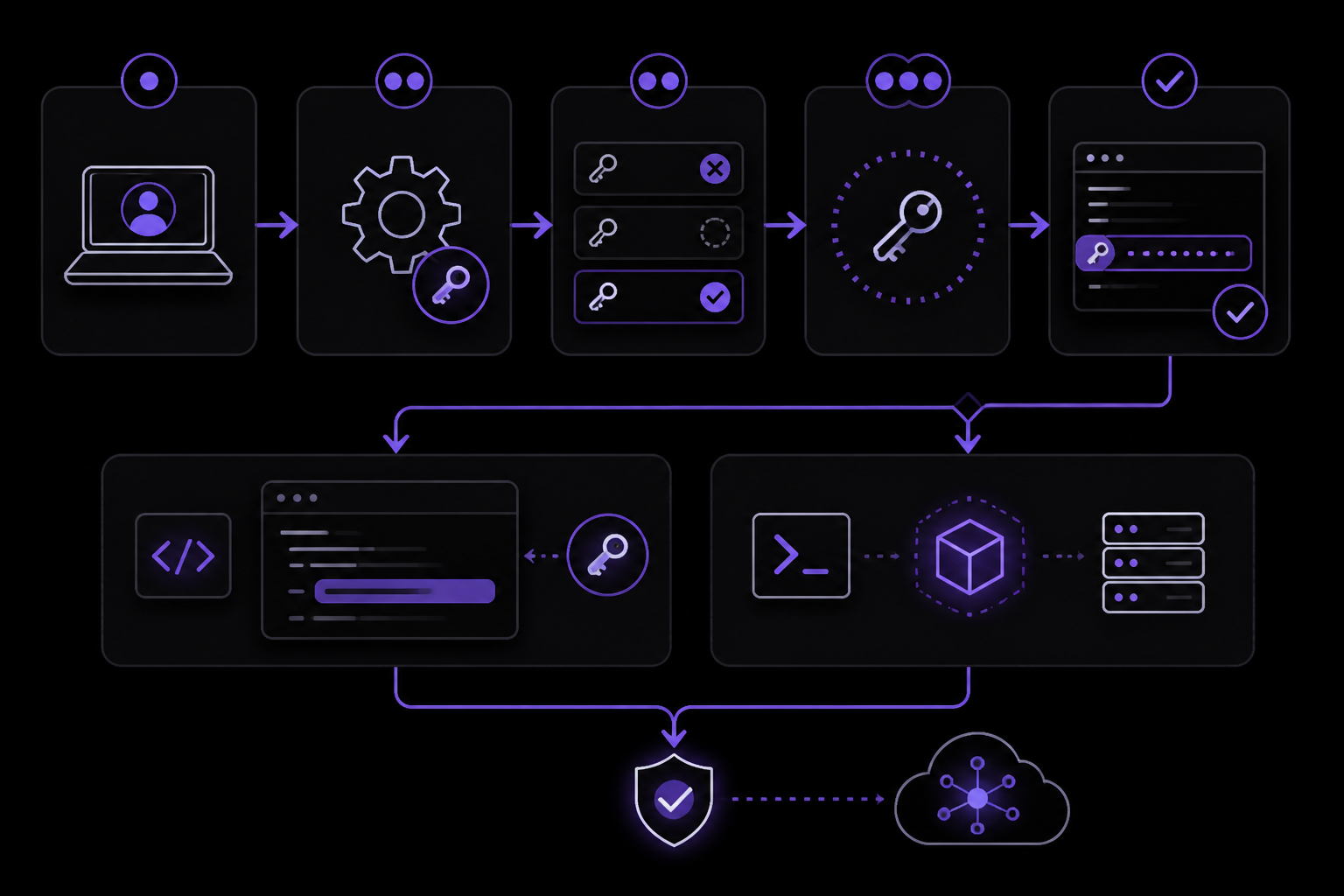
Solution 1: Verify and Reset Your API Key (Official Recommendation)
This is the most likely fix, based on the raw API response showing invalid_api_key.
- Log in to your OpenAI account at platform.openai.com.
- Navigate to the API keys section under your account settings.
- Check if the key you are using is still active. If it is expired or revoked, generate a new key.
- Copy the new key exactly, including any hyphens or underscores.
- In your code, replace the old key with the new one. For example:
import openai

openai.api_key = "sk-your-new-key-here"
- Alternatively, set the environment variable
OPENAI_API_KEYin your terminal or deployment environment:
export OPENAI_API_KEY="sk-your-new-key-here"
- Run your code again. If the key was the issue, the error should disappear.
Solution 2: Ensure the API Key Is Properly Loaded (Community-Reported Fix)
If your key is valid but still not working, the issue may be in how it is loaded. The reproduction code from the issue uses:
openai.api_key = OPENAI_KEY or os.getenv("OPENAI_API_KEY")
This line assumes OPENAI_KEY is a defined variable. If it is not, Python will raise a NameError before the API call. To avoid this, use only the environment variable or a hardcoded fallback:
import os
import openai

openai.api_key = os.getenv("OPENAI_API_KEY")
if not openai.api_key:
    raise ValueError("OPENAI_API_KEY environment variable not set")
This ensures the key is always loaded from a reliable source. After making this change, test with a simple embedding call:
texts = ["test", "foo"]
for i in texts:
    response = openai.Embedding.create(
        input=i,
        model="text-embedding-ada-002"
    )
    embeddings = response['data'][0]['embedding']
    print(f"Embedding for '{i}' generated successfully")
If the error persists, move to Solution 3.
Solution 3: Check for Service Outages (Community-Reported Workaround)
If your key is valid and correctly loaded, the issue might be temporary on OpenAI's side. The original reporter linked the error to a known outage on May 24, 2023. To check:
- Visit the OpenAI Status Page to see if there are any ongoing incidents.
- If an outage is reported, wait for it to be resolved. The error should resolve automatically.
- As a workaround, implement retry logic with exponential backoff to handle transient failures:
import time
import openai

def create_embedding_with_retry(text, model="text-embedding-ada-002", max_retries=3):
    for attempt in range(max_retries):
        try:
            response = openai.Embedding.create(input=text, model=model)
            return response['data'][0]['embedding']
        except openai.error.AuthenticationError as e:
            if attempt < max_retries - 1:
                wait_time = 2 ** attempt
                print(f"Authentication error, retrying in {wait_time} seconds...")
                time.sleep(wait_time)
            else:
                raise e
Solution 4: Update the OpenAI Python Library (Preventive Fix)
While not directly mentioned as a fix in the sources, updating the library can resolve version-specific bugs. The reporter used openai==0.27.7. To update:
pip install --upgrade openai
After updating, restart your Python environment and test again.
If Nothing Works
If none of the above solutions resolve the error, consider these escalation paths:
-
OpenAI Support: Contact OpenAI support through the help section of your account dashboard. Provide the exact error message, the raw API response (if you can capture it), and your API key prefix (but not the full key) for investigation.
-
GitHub Issue Tracker: The issue you are experiencing is documented at github.com/openai/openai-python/issues/464. Check for updates or add a comment with your specific details, including your library version and any raw response headers you can obtain.
-
Workaround: If the error persists and you need immediate functionality, consider using the OpenAI API directly via HTTP requests instead of the Python SDK. This bypasses the SDK's error handling and may give you more control:
import requests
import os

api_key = os.getenv("OPENAI_API_KEY")
headers = {
    "Authorization": f"Bearer {api_key}",
    "Content-Type": "application/json"
}
data = {
    "input": "test",
    "model": "text-embedding-ada-002"
}
response = requests.post("https://api.openai.com/v1/embeddings", headers=headers, json=data)
print(response.json())
This approach gives you the raw response, which may include a more descriptive error message.
How to Prevent It
To avoid this error in the future, follow these practices derived from the sources:
-
Store API Keys Securely: Never hardcode API keys in your source code. Use environment variables or a secrets manager. Set
OPENAI_API_KEYin your.envfile or deployment environment. -
Validate Keys Before Use: Before making API calls, verify that the key is set and looks valid (starts with "sk-" and has the expected length).
-
Monitor OpenAI Status: Regularly check the OpenAI status page for planned maintenance or incidents that could affect authentication.
-
Keep the SDK Updated: Run
pip install --upgrade openaiperiodically to get the latest bug fixes and improvements. -
Implement Graceful Error Handling: Wrap API calls in try-except blocks that catch
openai.error.AuthenticationErrorand log the full response for debugging. This helps you catch issues early.
By following these steps, you can minimize the chances of encountering the AuthenticationError: <empty message> error and quickly resolve it when it does occur.
The #1 Chatgpt Newsletter
The most important chatgpt updates, guides, and fixes — one weekly email.
No spam, unsubscribe anytime. Privacy policy
Related Error Solutions
Keep exploring ChatGPT
ChatGPT resources
Latest AI answers
Skip the manual work
Ready-made AI workflows and automation templates — import and run instead of building from scratch.