Fix TypeScript Error: Type 'RequestInit' is not assignable to type 'never' in Anthropic Bedrock SDK
Error message
Typescript compliation issue - Type 'RequestInit' is not assignable to type 'never'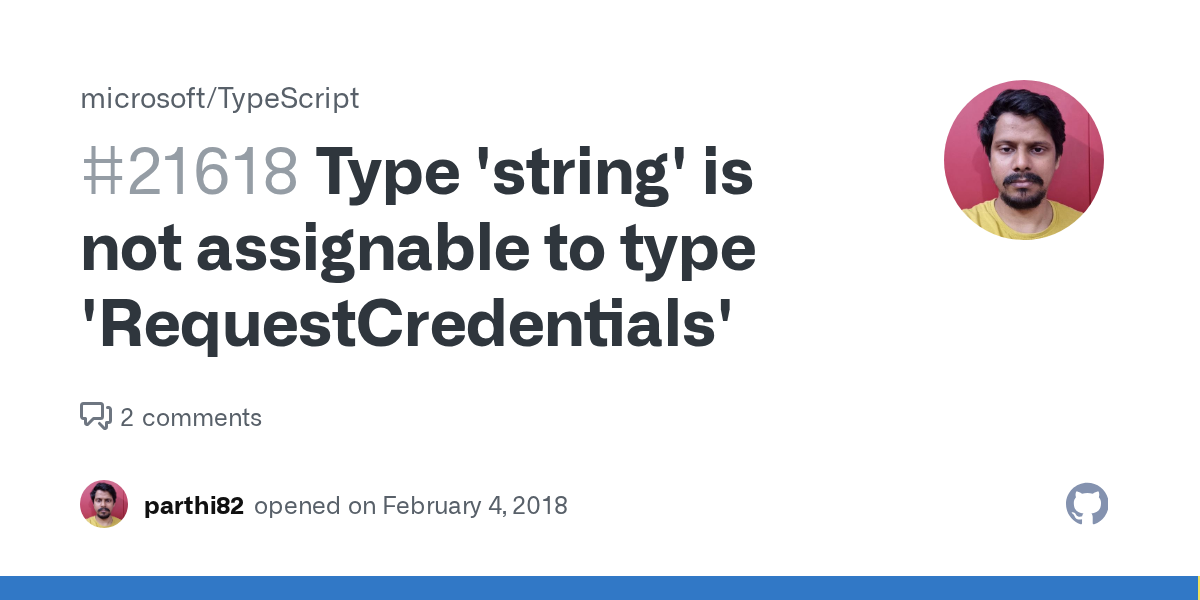
Diagnosis
The TypeScript compilation error Type 'RequestInit' is not assignable to type 'never' occurs when using the @anthropic-ai/bedrock-sdk package in a Node.js + TypeScript project. This error is a type mismatch between the SDK's internal type definitions and the global RequestInit type expected by the base APIClient class. The exact error message, as reported in the GitHub issue, is:
../node_modules/@anthropic-ai/bedrock-sdk/client.d.ts:45:5 - error TS2416: Property 'buildRequest' in type 'AnthropicBedrock' is not assignable to the same property in base type 'APIClient'.
  Type '{ (options: FinalRequestOptions<unknown>): { req: RequestInit; url: string; timeout: number; }; (options: FinalRequestOptions<unknown>): { ...; }; }' is not assignable to type '<Req>(options: FinalRequestOptions<Req>) => { req: never; url: string; timeout: number; }'.
    Call signature return types '{ req: RequestInit; url: string; timeout: number; }' and '{ req: never; url: string; timeout: number; }' are incompatible.
      The types of 'req' are incompatible between these types.
        Type 'RequestInit' is not assignable to type 'never'.

45     buildRequest(options: Core.FinalRequestOptions<unknown>): {
       ~~~~~~~~~~~~
The most common cause is a conflict between the RequestInit type from the global fetch API (available in Node.js 18+) and the RequestInit type from the @types/node-fetch package, which the SDK's base class expects. This mismatch leads to TypeScript seeing the return type as never because the two types are structurally incompatible.
What Causes This Error
1. Conflicting RequestInit type definitions (most common)
The root cause is that the @anthropic-ai/bedrock-sdk package depends on @anthropic-ai/sdk, which internally uses node-fetch types. When your project also has @types/node-fetch installed (either directly or as a transitive dependency), TypeScript sees two different RequestInit types: one from the global fetch (available in Node.js 18+) and one from @types/node-fetch. These types are structurally incompatible, particularly in the body property. The body property in @types/node-fetch's RequestInit expects BodyInit from node-fetch, while the global fetch's BodyInit includes ReadableStream and Blob in ways that don't align. This causes the buildRequest method's return type to be inferred as never because TypeScript cannot unify the two RequestInit types.
2. Missing or incorrect shim import
The Anthropic SDK requires a shim import to polyfill the fetch API for Node.js versions that don't have native fetch. If you are using Node.js 18 or later, the shim may conflict with the native fetch types. If you are using an older Node.js version, omitting the shim can cause runtime errors, but the compilation error itself is about type definitions, not runtime.
3. Version mismatch between SDK packages
Using @anthropic-ai/bedrock-sdk version 0.9.2 with TypeScript 5.2.2 (as reported in the issue) may expose type definition bugs that have been fixed in later versions of the SDK or its dependencies.
How to Fix It
Solution 1: Install and import the Node.js shim (most reliable)
This is the officially recommended approach from the Anthropic SDK documentation. The shim ensures that the RequestInit type used by the SDK matches the global RequestInit type expected by your project.
Step 1: Install the shim package if you haven't already:
npm install @anthropic-ai/sdk
Step 2: Add the shim import at the very top of your entry file (e.g., index.ts or app.ts), before any other imports:
import '@anthropic-ai/sdk/shims/node';
Step 3: Ensure your tsconfig.json includes "types": ["node"] in the compilerOptions to use Node.js type definitions:
{
  "compilerOptions": {
    "types": ["node"],
    "moduleResolution": "node",
    "esModuleInterop": true,
    "skipLibCheck": false
  }
}
What to expect: After adding the shim, the RequestInit type should align, and the error should disappear. If it doesn't, proceed to Solution 2.
Solution 2: Remove or avoid @types/node-fetch
If Solution 1 doesn't work, the conflict is likely caused by @types/node-fetch being installed. The Anthropic SDK's base class expects the RequestInit type from @types/node-fetch, but if your project also has this package, TypeScript may pick up the wrong version.
Step 1: Check if @types/node-fetch is in your package.json:
npm ls @types/node-fetch
Step 2: If it's listed, remove it:
npm uninstall @types/node-fetch
Step 3: If it's a transitive dependency (not directly in your package.json), you can force resolution by adding an override in package.json:
{
  "overrides": {
    "@types/node-fetch": "2.6.11"
  }
}
Use the version that matches the one expected by the SDK (check node_modules/@anthropic-ai/sdk/package.json for its @types/node-fetch dependency).
What to expect: Removing the conflicting types should resolve the type mismatch. The SDK will use its own bundled types.
Solution 3: Use skipLibCheck as a temporary workaround
If you need a quick fix and can't resolve the type conflict immediately, you can disable type checking on library files. This is a blunt instrument and may hide other type errors, but it will make the compilation succeed.
Step 1: In your tsconfig.json, set skipLibCheck to true:
{
  "compilerOptions": {
    "skipLibCheck": true
  }
}
What to expect: TypeScript will skip type checking for all .d.ts files, including the SDK's. The error will disappear, but you lose type safety for third-party libraries. Use this only as a short-term workaround.
Solution 4: Upgrade the SDK and TypeScript
Version 0.9.2 of @anthropic-ai/bedrock-sdk may have type definition issues that are fixed in later versions. Check for updates:
npm update @anthropic-ai/bedrock-sdk @anthropic-ai/sdk
Also ensure TypeScript is at a compatible version. The issue was reported with TypeScript 5.2.2; newer versions (5.3+, 5.4+) may handle the type inference differently.
What to expect: Upgrading may resolve the type mismatch if the SDK maintainers have patched the type definitions.
Solution 5: Use a type assertion in your code (community workaround)
If the error persists and you cannot modify the SDK, you can work around it by asserting the type in your own code where you call the SDK. This doesn't fix the library's type definitions but prevents the error from propagating.
Step 1: In your code that uses AnthropicBedrock, cast the instance or the method return type:
import { AnthropicBedrock } from '@anthropic-ai/bedrock-sdk';

const client = new AnthropicBedrock({
  // your config
});

// If you need to call buildRequest directly, assert the return type
const request = (client as any).buildRequest(options) as { req: RequestInit; url: string; timeout: number };
What to expect: This suppresses the type error in your code, but the original error in the SDK's .d.ts file will still appear during compilation unless you also use skipLibCheck. This is a last resort.
If Nothing Works
If none of the above solutions resolve the error, consider these escalation paths:
-
Open an issue on the SDK's GitHub repository: The issue was reported at github.com/anthropics/anthropic-sdk-typescript/issues/367. Check if there are newer comments or a fix merged. If not, open a new issue with your exact
package.jsondependencies, TypeScript version, and Node.js version. -
Use a different SDK: If the Bedrock SDK continues to have type issues, consider using the standard
@anthropic-ai/sdkwith a custom HTTP client that routes requests through AWS Bedrock. This is more work but may avoid the type conflict. -
Downgrade to JavaScript: If you are blocked and need a quick solution, rename your file from
.tsto.jsand remove type annotations. This is not ideal but will bypass the TypeScript compiler entirely.
How to Prevent It
-
Always install the shim: When using the Anthropic SDK in Node.js, always include
import '@anthropic-ai/sdk/shims/node'at the top of your entry file. This aligns the type definitions with the runtime environment. -
Avoid installing
@types/node-fetchdirectly: The SDK bundles its own types. Adding@types/node-fetchseparately can cause conflicts. If another dependency requires it, useoverridesinpackage.jsonto pin a compatible version. -
Keep dependencies updated: Regularly run
npm outdatedand update the SDK packages. Type definition bugs are often fixed in patch releases. -
Use Node.js 18 or later: The native
fetchAPI in Node.js 18+ reduces the need for polyfills and shims, which can simplify type resolution. However, the shim is still recommended for type alignment. -
Set
skipLibChecktofalseduring development: This ensures you catch type errors in third-party libraries early. Only set it totrueas a temporary workaround.
The #1 Claude Newsletter
The most important claude updates, guides, and fixes — one weekly email.
No spam, unsubscribe anytime. Privacy policy
Related Error Solutions
Keep exploring Claude
Claude resources
Latest AI answers
Skip the manual work
Ready-made AI workflows and automation templates — import and run instead of building from scratch.