How to put a base64 image in a ChatPromptTemplate in LangChain
Original question: langchain- Putting a 'base64' image in chatPromptTemplate(
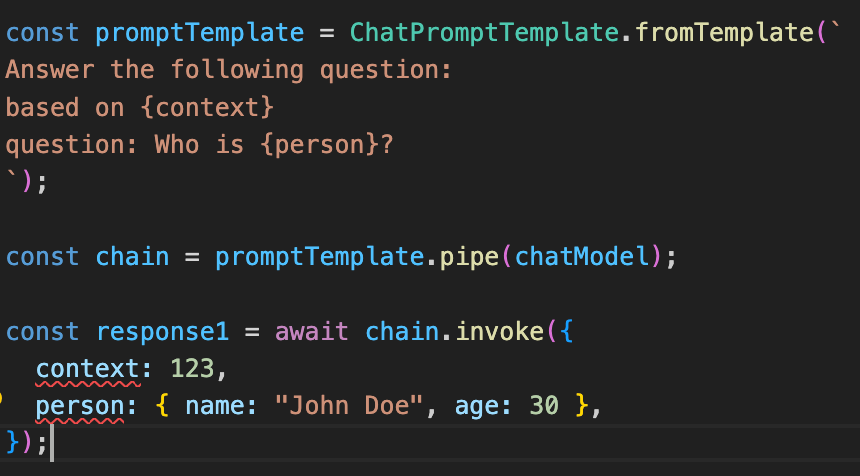
To put a base64 image in a ChatPromptTemplate, you must use a HumanMessage with an image content block, not a string placeholder. The error you saw occurs because MessagesPlaceholder expects a string for variable_name, not a list, and because base64 image data cannot be passed as plain text. The correct approach is to define a MessagesPlaceholder with a single string variable name, then pass a list of HumanMessage objects containing the image data when invoking the prompt.
The Full Answer
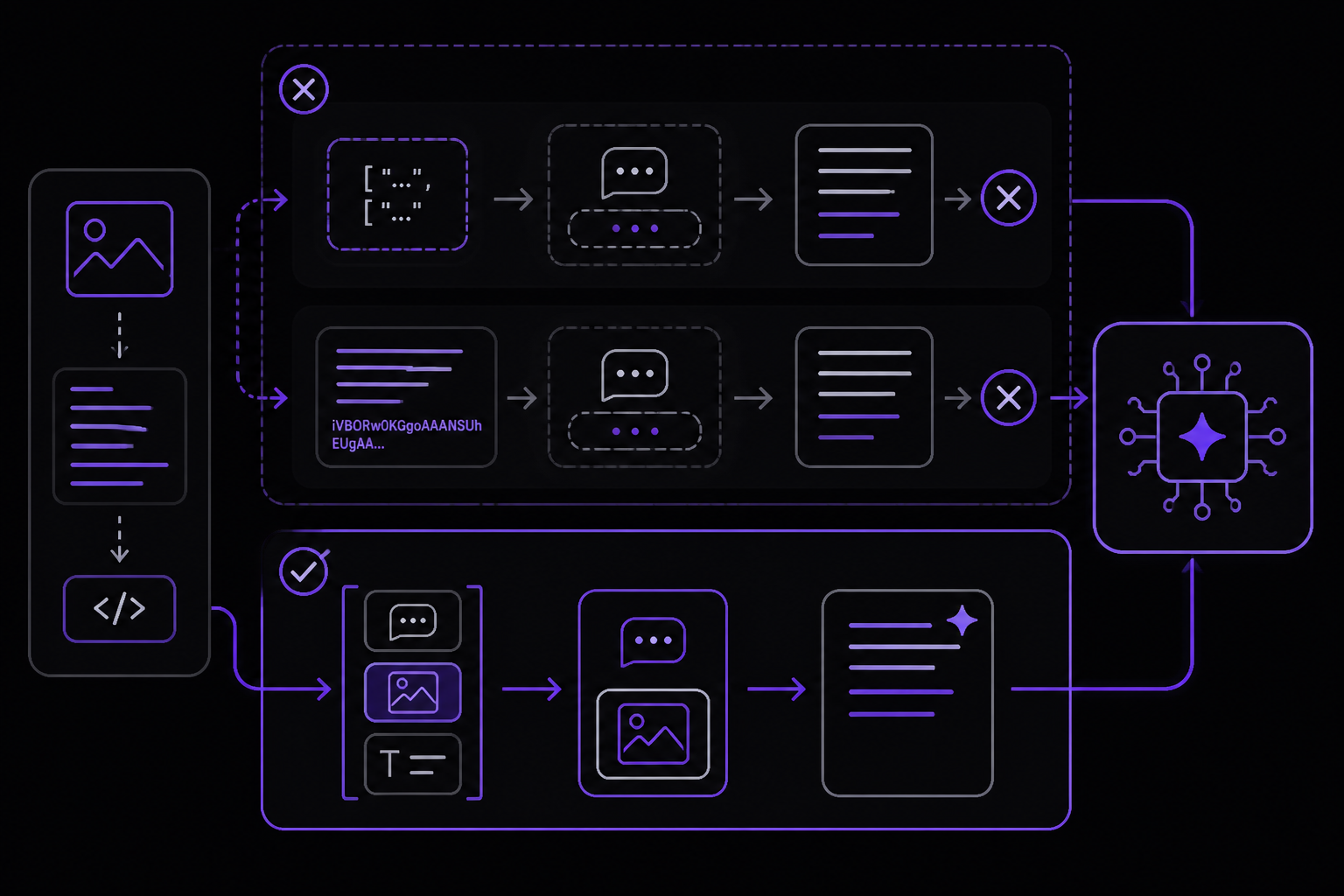
The core issue in the original code is twofold. First, MessagesPlaceholder takes a single string for variable_name, not a list. The line MessagesPlaceholder(variable_name = ["im64",str(image_data)]) is invalid because variable_name expects a string like "image_messages". Second, even if you fix that, putting base64 image data directly into a system prompt string or a placeholder will not be interpreted as an image. LangChain treats the string as plain text, not as image content. To send an image, you must use a HumanMessage with a structured content list that includes an image block.
Step 1: Understand MessagesPlaceholder
MessagesPlaceholder is a placeholder for a list of message objects (like HumanMessage, AIMessage, etc.) that you supply later when invoking the prompt. It is not a way to inject raw text or base64 strings into a prompt. According to the LangChain documentation, the correct usage is:
MessagesPlaceholder(variable_name="history")
Then later:
prompt.format_messages(history=[...])
or
prompt.invoke({"history": [...]})
In your case, you need a placeholder for the image messages, so you would use:
MessagesPlaceholder(variable_name="image_messages")
Step 2: Create a HumanMessage with image content
LangChain supports sending images as part of a HumanMessage content list. The format depends on your LangChain version. For version 0.3.x (which you are using), the recommended format uses image_url with a data URI. For newer versions (1.x), you can use either image_url or a base64 key with mime_type. The accepted solution on Stack Overflow confirms both work, but image_url is more universally compatible.
For LangChain 0.3.x and 1.x:
from langchain.schema import HumanMessage

image_data = "..."  # your base64 string (without the data: prefix)

message = HumanMessage(
    content=[
        {
            "type": "image_url",
            "image_url": {"url": f"data:image/jpeg;base64,{image_data}"},
        },
    ]
)
Alternative for newer LangChain 1.x (also works):
message = HumanMessage(
    content=[
        {
            "type": "image",
            "base64": image_data,
            "mime_type": "image/jpeg",
        },
    ]
)
Note: The base64 key format is documented in LangChain's Messages documentation but may require a newer version. The image_url approach is more widely tested.
Step 3: Build the full prompt template
Here is a complete working example based on the accepted solution (tested with LangChain 1.2.13, but the pattern applies to 0.3.x with adjusted imports):
import base64
from langchain.prompts.chat import ChatPromptTemplate, MessagesPlaceholder
from langchain.schema import SystemMessage, HumanMessage

# Load and encode image
with open("food.jpg", "rb") as f:
    image_bytes = f.read()
image_data = base64.b64encode(image_bytes).decode("utf-8")

# Define the prompt template
prompt = ChatPromptTemplate.from_messages(
    [
        SystemMessage(
            "You are an expert assistant. Your task is to analyze the food items "
            "displayed in the image and provide detailed information about them."
        ),
        MessagesPlaceholder(variable_name="image_messages"),
    ]
)

# Create the image message
image_message = HumanMessage(
    content=[
        {
            "type": "image_url",
            "image_url": {"url": f"data:image/jpeg;base64,{image_data}"},
        },
    ]
)

# Format the prompt
formatted_prompt = prompt.format_prompt(
    image_messages=[image_message]
)
Step 4: Invoke with a chat model
Once you have the formatted prompt, you can pass it to a chat model. The accepted solution uses ChatOllama from langchain_ollama, but the same pattern works with any LangChain chat model (OpenAI, Anthropic, etc.):
from langchain_ollama import ChatOllama

llm = ChatOllama(model="llama3.2-vision")  # or any multimodal model
result = llm.invoke(formatted_prompt)
print(result.content)
If you are using OpenAI, import ChatOpenAI from langchain_openai and ensure the model supports vision (e.g., gpt-4o).
Why the original code failed
variable_namewas a list:MessagesPlaceholder(variable_name=["im64", str(image_data)])is invalid.variable_namemust be a string.- Image data was treated as text: Putting
{{im64}}in the system prompt and then passingimage_dataas a string does not create an image message. The model sees the base64 string as text, not as an image. - No HumanMessage with image content: The image must be wrapped in a
HumanMessagewith a proper content block, not injected into a system message or placeholder string.
Common Pitfalls
1. Using the wrong import paths for your LangChain version
LangChain 0.3.x and 1.x have different import paths. In 0.3.x, you would use:
from langchain.prompts.chat import ChatPromptTemplate, MessagesPlaceholder
from langchain.schema import SystemMessage, HumanMessage
In 1.x, these moved to langchain_classic (which is preinstalled with langchain):
from langchain_classic.prompts.chat import ChatPromptTemplate, MessagesPlaceholder
from langchain_classic.schema import SystemMessage, HumanMessage
If you get import errors, check your LangChain version with import langchain; print(langchain.__version__) and adjust imports accordingly. The community reports that mixing versions causes confusing errors.
2. Forgetting to decode base64 bytes to string
When you read an image file and encode it with base64.b64encode(), the result is bytes. You must call .decode("utf-8") to get a string before using it in the data URI:
image_data = base64.b64encode(image_bytes).decode("utf-8")
If you pass bytes, the data URI will be malformed and the model may reject it or fail silently.
3. Using the wrong MIME type
The data URI must match the actual image format. Common values:
- JPEG:
image/jpeg - PNG:
image/png - GIF:
image/gif - WebP:
image/webp
If you use the wrong MIME type, the model may not process the image correctly. Some models are more forgiving, but it is best to be accurate.
4. The {{im64}} placeholder in system message is useless
As the accepted solution notes, putting {{im64}} in the system prompt does not inject the image. The image is passed via the HumanMessage content list, not through template variables. You can remove {{im64}} entirely and just describe the task in the system message.
5. Model must support vision
Not all LangChain chat models support image inputs. You need a multimodal model like:
- OpenAI:
gpt-4o,gpt-4-turbo(with vision) - Ollama:
llama3.2-vision,llava,bakllava - Anthropic:
claude-3-opus-20240229(vialangchain_anthropic)
If you use a text-only model, you will get an error or the image will be ignored.
Related Questions
How do I send multiple images in one prompt?
You can include multiple image blocks in the same HumanMessage content list. Each block is a separate dictionary with type and image_url (or base64). For example:
message = HumanMessage(
    content=[
        {"type": "image_url", "image_url": {"url": f"data:image/jpeg;base64,{image1}"}},
        {"type": "image_url", "image_url": {"url": f"data:image/png;base64,{image2}"}},
    ]
)
You can also mix text and images in the same message by adding a text block:
{"type": "text", "text": "Analyze these images."}
Can I use a base64 image with a system message?
No. System messages only accept text content. Images must be sent in a HumanMessage (or, in some models, an AIMessage for tool outputs). The system message can describe the task, but the image data goes into a separate message.
What is the difference between image_url and base64 in HumanMessage?
Both work, but image_url is more widely supported across LangChain versions and model providers. The base64 key with mime_type is a newer format documented in LangChain's Messages documentation. If you are on LangChain 0.3.x, use image_url. If you are on 1.x and the base64 key fails, fall back to image_url.
The #1 AI Newsletter
The most important ai updates, guides, and fixes — one weekly email.
No spam, unsubscribe anytime. Privacy policy
Related Answers
Keep exploring
AI resources
Latest error solutions
Skip the manual work
Ready-made AI workflows and automation templates — import and run instead of building from scratch.