Fix ValueError: agent_scratchpad should be a list of base messages in LangChain
Original question: ValueError: variable agent_scratchpad should be a list of base messages, got of type <class 'str'>
The error ValueError: variable agent_scratchpad should be a list of base messages, got of type <class 'str'> occurs when the agent_scratchpad placeholder in your LangChain prompt receives a plain string instead of a list of message objects. The fix is to replace MessagesPlaceholder(variable_name="agent_scratchpad") with ("ai", "{agent_scratchpad}") in your ChatPromptTemplate. This forces the scratchpad content to be treated as a single AI message string, which avoids the type mismatch. If you prefer a single-message prompt, you can embed both {input} and {agent_scratchpad} directly into the system message string.
The Full Answer
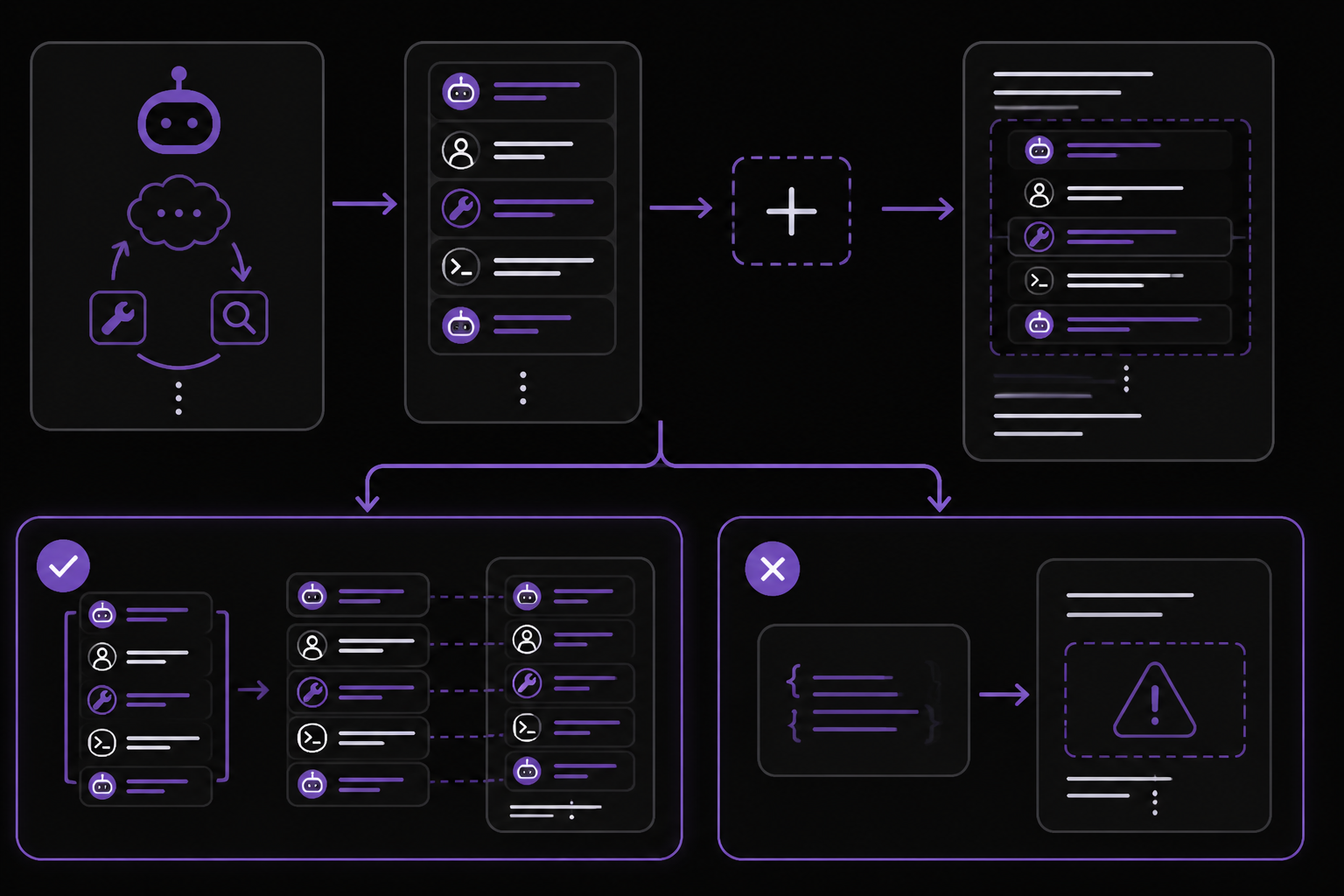
The agent_scratchpad variable in LangChain agents is designed to hold the intermediate steps (thoughts, actions, observations) that the agent has taken so far. By default, create_structured_chat_agent expects this variable to be a list of BaseMessage objects (like AIMessage, HumanMessage, ToolMessage). When you use MessagesPlaceholder(variable_name="agent_scratchpad"), LangChain tries to insert each message in that list as a separate message in the prompt. If the variable is a plain string (e.g., from a previous string formatting step or from a model that returns text), the placeholder fails with the ValueError.
This is a common issue when:
- You manually construct a prompt and pass a string for
agent_scratchpad. - You use a custom LLM that returns raw text instead of structured messages.
- You are testing with
FakeMessagesListChatModeland the prompt template is not fully compatible.
Both solutions from the community (source 2) work around this by changing how the prompt template handles the scratchpad variable.
Solution 1: Replace MessagesPlaceholder with a String Template (Recommended)
This is the simplest and most reliable fix. Instead of using MessagesPlaceholder, use a regular message tuple with the "ai" role and a string template that references {agent_scratchpad}. This tells LangChain to insert the scratchpad content as a single AI message string, which is always valid.
Step-by-step:
- Locate the
ChatPromptTemplate.from_messagesdefinition in your code. - Remove or comment out the line
MessagesPlaceholder(variable_name="agent_scratchpad"). - Add
("ai", "{agent_scratchpad}")in its place.
Here is the modified prompt from source 2:
prompt = ChatPromptTemplate.from_messages([
    ("system", """Respond to the human as helpfully and accurately as possible. You have access to the following tools:

{tools}

Use a json blob to specify a tool by providing an action key (tool name) and an action_input key (tool input).

Valid "action" values: "Final Answer" or {tool_names}

Provide only ONE action per $JSON_BLOB, as shown:
{{ "action": $TOOL_NAME, "action_input": $INPUT }}
Follow this format:

Question: input question to answer
Thought: consider previous and subsequent steps
Action:
$JSON_BLOB
Observation: action result
... (repeat Thought/Action/Observation as needed)
Thought: I know what to respond
Action:
{{ "action": "Final Answer", "action_input": "Final response to human" }}
Begin! Reminder to ALWAYS respond with a valid json blob of a single action. Use tools if necessary. Respond directly if appropriate. Format is Action:```$JSON_BLOB```then Observation"""),
    ("human", "{input}"),
    #MessagesPlaceholder(variable_name="agent_scratchpad"),
    ("ai", "{agent_scratchpad}"),
])
Why this works: The ("ai", "{agent_scratchpad}") tuple tells the prompt to insert the value of agent_scratchpad as a single AI message. Even if the value is a string (which it often is when using FakeMessagesListChatModel or custom LLMs), it will be wrapped in an AIMessage object internally. The MessagesPlaceholder was trying to iterate over the string as if it were a list of messages, which caused the error.
When to use this: Use this approach when you want to keep the standard multi-message prompt structure (system, human, ai) but avoid the type error. It works with FakeMessagesListChatModel, real LLMs, and most agent types.
Solution 2: Embed Both Variables in a Single System Message
If you prefer a completely flat prompt with no separate human or AI message slots, you can put both {input} and {agent_scratchpad} directly into the system message string. This avoids the placeholder entirely.
Step-by-step:
- Remove the
("human", "{input}")line and theMessagesPlaceholderline. - Append
{input}and{agent_scratchpad}to the end of your system message string.
Here is the modified prompt from source 2:
prompt = ChatPromptTemplate.from_messages([
    ("system", """Respond to the human as helpfully and accurately as possible. You have access to the following tools:

{tools}

Use a json blob to specify a tool by providing an action key (tool name) and an action_input key (tool input).

Valid "action" values: "Final Answer" or {tool_names}

Provide only ONE action per $JSON_BLOB, as shown:
{{ "action": $TOOL_NAME, "action_input": $INPUT }}
Follow this format:

Question: input question to answer
Thought: consider previous and subsequent steps
Action:
$JSON_BLOB
Observation: action result
... (repeat Thought/Action/Observation as needed)
Thought: I know what to respond
Action:
{{ "action": "Final Answer", "action_input": "Final response to human" }}
Begin! Reminder to ALWAYS respond with a valid json blob of a single action. Use tools if necessary. Respond directly if appropriate. Format is Action:```$JSON_BLOB```then Observation

{input}

{agent_scratchpad}"""),
    # ("human", "{input}"),
    #MessagesPlaceholder(variable_name="agent_scratchpad"),
    # ("ai", "{agent_scratchpad}"),
])
Why this works: By placing {input} and {agent_scratchpad} inside the system message string, you are telling LangChain to treat them as plain text substitutions within a single message. There is no type checking on the contents of a string template, so the error does not occur. The agent executor will still pass the correct values for these variables.
When to use this: Use this approach if you want a minimal prompt structure or if you are experiencing other issues with multi-message prompts. Note that this changes the prompt format significantly: the model will see the input and scratchpad as part of the system instructions, not as separate human/AI messages. This may affect how the model interprets the conversation history.
Full Working Example (Solution 1)
Here is the complete code from source 1, modified with Solution 1, that runs without the error:
import asyncio
import json
from langchain.agents import AgentExecutor, create_structured_chat_agent, Tool
from langchain_core.prompts import ChatPromptTemplate, MessagesPlaceholder
from langchain_core.messages import AIMessage, ToolCall
from langchain_community.chat_models.fake import FakeMessagesListChatModel

# 1. Define a simple, predictable tool
def simple_tool_function(input: str) -> str:
    """A simple tool that returns a fixed string."""
    print(f"Tool called with input: '{input}'")
    return "The tool says hello back!"

tools = [
    Tool(
        name="simple_tool",
        func=simple_tool_function,
        description="A simple test tool.",
    )
]

# 2. Create responses that follow the structured chat format
responses = [
    # First response: Agent decides to use a tool
    AIMessage(
        content=json.dumps({
            "action": "simple_tool",
            "action_input": {"input": "hello"}
        })
    ),
    # Second response: Agent provides final answer after tool execution
    AIMessage(
        content=json.dumps({
            "action": "Final Answer",
            "action_input": "The tool call was successful. The tool said: 'The tool says hello back!'"
        })
    ),
]

# Use the modern FakeMessagesListChatModel
llm = FakeMessagesListChatModel(responses=responses)

# 3. Create the prompt using the standard structured chat prompt format
prompt = ChatPromptTemplate.from_messages([
    ("system", """Respond to the human as helpfully and accurately as possible. You have access to the following tools:

{tools}

Use a json blob to specify a tool by providing an action key (tool name) and an action_input key (tool input).

Valid "action" values: "Final Answer" or {tool_names}

Provide only ONE action per $JSON_BLOB, as shown:
{{ "action": $TOOL_NAME, "action_input": $INPUT }}
Follow this format:

Question: input question to answer
Thought: consider previous and subsequent steps
Action:
$JSON_BLOB
Observation: action result
... (repeat Thought/Action/Observation as needed)
Thought: I know what to respond
Action:
{{ "action": "Final Answer", "action_input": "Final response to human" }}
Begin! Reminder to ALWAYS respond with a valid json blob of a single action. Use tools if necessary. Respond directly if appropriate. Format is Action:```$JSON_BLOB```then Observation"""),
    ("human", "{input}"),
    ("ai", "{agent_scratchpad}"),
])

# 4. Create the agent and executor
agent = create_structured_chat_agent(llm, tools, prompt)
agent_executor = AgentExecutor(
    agent=agent,
    tools=tools,
    verbose=True,
    handle_parsing_errors=True,
    max_iterations=3
)

# 5. Run the agent
result = asyncio.run(agent_executor.ainvoke({"input": "call the tool"}))
print(result)
Expected output (from source 2):
✅ Agent and Executor created successfully.

--- Invoking Agent ---

> Entering new AgentExecutor chain...
{"action": "simple_tool", "action_input": {"input": "hello"}}Tool called with input: 'hello'
The tool says hello back!{"action": "Final Answer", "action_input": "The tool call was successful. The tool said: 'The tool says hello back!'"}

> Finished chain.

--- Agent Finished ---
✅ Final Result: {'input': 'call the tool', 'output': "The tool call was successful. The tool said: 'The tool says hello back!'"}
Common Pitfalls
-
Using
MessagesPlaceholderwith string inputs (community reported). The most common cause of this error is passing a string value foragent_scratchpadwhile usingMessagesPlaceholder. The placeholder expects a list ofBaseMessageobjects. If you are using a custom LLM or a fake model that returns strings, always use the("ai", "{agent_scratchpad}")pattern instead. -
Forgetting to remove
MessagesPlaceholderwhen switching to Solution 2. If you embed{agent_scratchpad}in the system message, you must remove or comment out theMessagesPlaceholderline. Leaving both will cause a duplicate variable error or unexpected behavior. -
Prompt format mismatch with
create_structured_chat_agent. Thecreate_structured_chat_agentfunction expects a specific prompt structure. If you use Solution 2 (single system message), the agent may still work, but the model might not follow the structured output format correctly because the instructions are not separated into distinct roles. Test thoroughly. -
Version compatibility. The error and fixes were reported with
langchain==0.3.27,langchain-community==0.3.27,langchain-core==0.3.74, and Python 3.9. If you are using a different version, the behavior ofMessagesPlaceholdermay differ. Check the LangChain changelog for breaking changes related to prompt placeholders. -
Using
FakeMessagesListChatModelwith incomplete responses. In the original code (source 1), theresponseslist contains twoAIMessageobjects. If you provide fewer responses than the number of agent iterations, the fake model will raise an error. Ensure you have enough responses formax_iterations.
Related Questions
Why does MessagesPlaceholder expect a list of messages instead of a string?
MessagesPlaceholder is designed to insert multiple messages into a prompt at a specific position. It is used for conversation history or intermediate steps where each step is a separate message (e.g., AI thought, tool observation). When you pass a string, LangChain cannot split it into individual messages, so it raises a ValueError. The ("ai", "{agent_scratchpad}") pattern treats the entire scratchpad as a single message, which avoids this requirement.
Can I use MessagesPlaceholder with a list of strings?
No. MessagesPlaceholder specifically requires a list of BaseMessage objects (like AIMessage, HumanMessage, ToolMessage). If you have a list of strings, you must convert each string to a message object first, for example using AIMessage(content=string) or HumanMessage(content=string). Otherwise, use the string template approach described above.
Does this error occur with real LLMs like OpenAI or Anthropic?
Yes, it can. The error is not specific to FakeMessagesListChatModel. Any LLM that returns a string for the scratchpad (instead of a structured message list) will trigger this error if you use MessagesPlaceholder. The fix is the same: replace the placeholder with ("ai", "{agent_scratchpad}").
What is the difference between agent_scratchpad and intermediate_steps?
agent_scratchpad is the formatted string representation of the agent's intermediate steps (thoughts, actions, observations). It is passed to the prompt as a single variable. intermediate_steps is a list of (AgentAction, Any) tuples that the agent executor uses internally. The create_structured_chat_agent function automatically formats intermediate_steps into agent_scratchpad. You should not need to set agent_scratchpad manually unless you are building a custom agent.
The #1 AI Newsletter
The most important ai updates, guides, and fixes — one weekly email.
No spam, unsubscribe anytime. Privacy policy
Related Answers
Keep exploring
AI resources
Latest error solutions
Skip the manual work
Ready-made AI workflows and automation templates — import and run instead of building from scratch.