Why ProtBERT returns identical embeddings for non-whitespace-separated inputs
Original question: Why does the ProtBERT model generate identical embeddings for all non-whitespace-separated (single token?) inputs?

ProtBERT returns identical embeddings for any input that is not whitespace-separated because the tokenizer maps the entire sequence to the same three tokens: [CLS], [UNK], and [SEP]. The tokenizer splits on whitespace, so without spaces it cannot recognize individual amino acids and encodes them all as the unknown token [UNK]. The model then processes this identical input and produces the same output every time.
The Full Answer
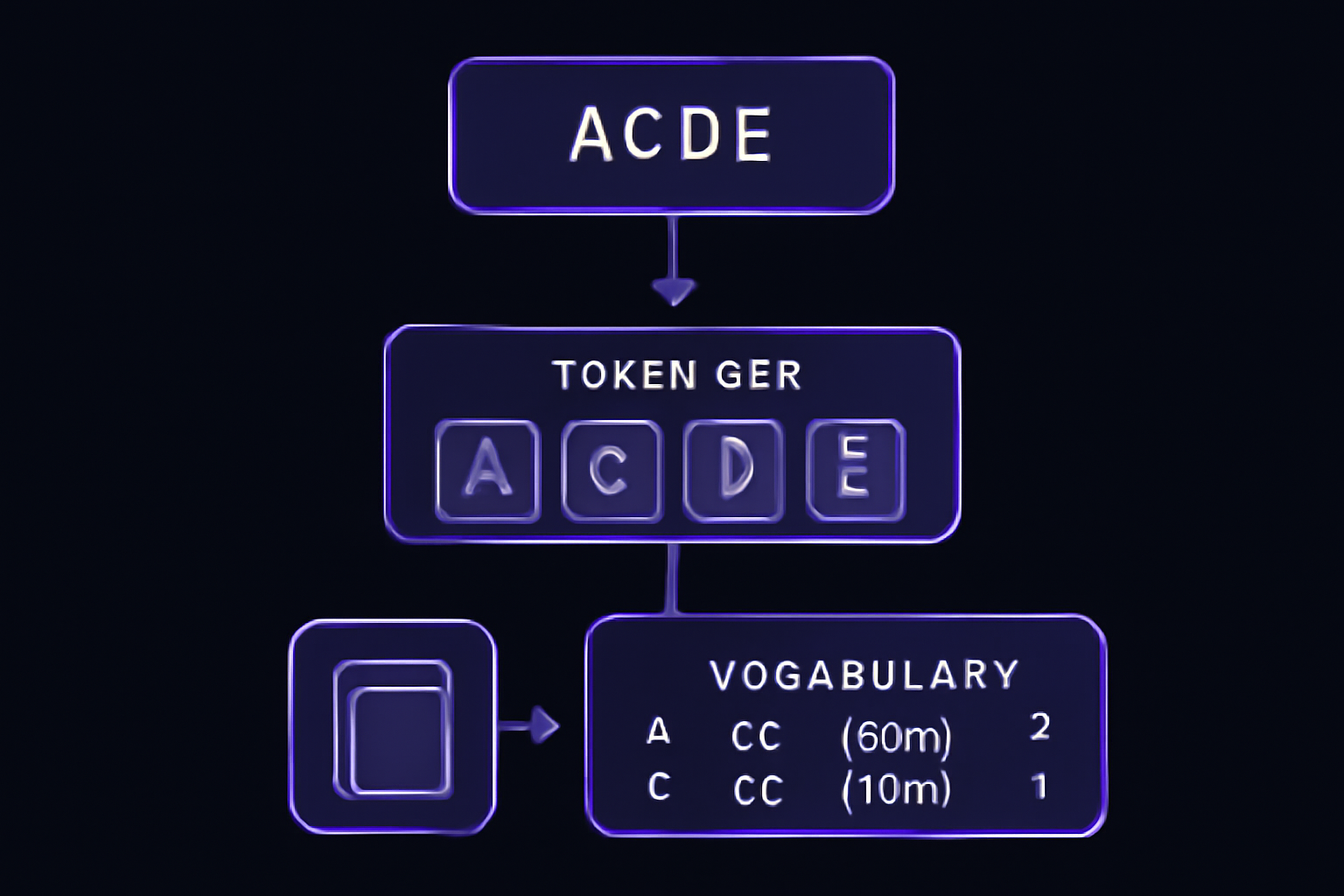
Why this happens
The Rostlab/prot_bert tokenizer uses a whitespace-based tokenization algorithm. As confirmed by the accepted answer on Stack Overflow, the tokenizer splits the input string on whitespace before mapping each token to its vocabulary ID. The vocabulary (accessible via tokenizer.get_vocab()) contains single-letter amino acid codes like 'A': 6, 'C': 23, 'D': 14, and so on. When you pass a string without spaces, the tokenizer does not split it at all. It treats the entire string as a single token, which does not exist in the vocabulary, so it encodes it as [UNK] (ID 1). The tokenizer also adds the special tokens [CLS] (ID 2) at the start and [SEP] (ID 3) at the end. The result is always the same three-token sequence: [2, 1, 3].
Step-by-step demonstration
Here is a minimal working example that shows the tokenizer output for both whitespace-separated and non-whitespace-separated inputs:
import torch
import random
from transformers import BertModel, BertTokenizer

tokenizer = BertTokenizer.from_pretrained("Rostlab/prot_bert", do_lower_case=False, truncation=True)
model = BertModel.from_pretrained("Rostlab/prot_bert")

ALPHABET = list("ACDEFGHIJKLMNPQRSTVWY")

def print_encoding_and_embedding(sequence):
    peptide = " ".join(sequence)
    peptide_no_ws = "".join(sequence)
    print(f"Sequence with spaces: {peptide}")
    encoded_input = tokenizer(peptide, return_tensors="pt", max_length=24)
    print(f"Input IDs (with spaces): {encoded_input.input_ids}")
    encoded_input_no_ws = tokenizer(peptide_no_ws, return_tensors="pt", max_length=24)
    print(f"Input IDs (no spaces): {encoded_input_no_ws.input_ids}")
    with torch.inference_mode():
        outputs = model(**encoded_input_no_ws)
    print(f"Embedding (no spaces): {outputs.last_hidden_state[:, 0, :]}")
    print()

for i in range(3):
    aas = random.choices(ALPHABET, k=20)
    print_encoding_and_embedding(aas)
Output:
Sequence with spaces: J F E E Q A C J N R L V Q I K C D S V C
Input IDs (with spaces): tensor([[ 2, 1, 19, 9, 9, 18, 6, 23, 1, 17, 13, 5, 8, 18, 11, 12, 23, 14, 10, 8, 23, 3]])
Input IDs (no spaces): tensor([[2, 1, 3]])
Embedding (no spaces): tensor([[-0.1096, 0.0474, -0.0857, ..., -0.0035, -0.0569, 0.0918]])

Sequence with spaces: I E J C P D W A F T Q S S Q C M D Y Y A
Input IDs (with spaces): tensor([[ 2, 11, 9, 1, 23, 16, 14, 24, 6, 19, 15, 18, 10, 10, 18, 23, 21, 14, 20, 20, 6, 3]])
Input IDs (no spaces): tensor([[2, 1, 3]])
Embedding (no spaces): tensor([[-0.1096, 0.0474, -0.0857, ..., -0.0035, -0.0569, 0.0918]])

Sequence with spaces: N H L J Q S H R D Q D K J Y P D G L N E
Input IDs (with spaces): tensor([[ 2, 17, 22, 5, 1, 18, 10, 22, 13, 14, 18, 14, 12, 1, 20, 16, 14, 7, 5, 17, 9, 3]])
Input IDs (no spaces): tensor([[2, 1, 3]])
Embedding (no spaces): tensor([[-0.1096, 0.0474, -0.0857, ..., -0.0035, -0.0569, 0.0918]])
Notice that the input IDs for the non-whitespace case are always [2, 1, 3]. The tokenizer does not split the string, so the entire sequence becomes a single unknown token. The model receives the same three tokens every time and therefore produces the same embedding.
How to fix it: preprocess sequences with whitespace
The correct preprocessing step is to insert a space between every amino acid. This is done with a simple join:
sequence_examples = [" ".join(list(sequence)) for sequence in sequence_examples]
For a single sequence:
peptide = "ACDEFGHIKLMNPQRSTVWY"
peptide_processed = " ".join(peptide)
# Result: "A C D E F G H I K L M N P Q R S T V W Y"
This matches the tokenizer's expected format. Each amino acid becomes its own token, and the model can then process the sequence correctly.
Alternative embedding extraction methods
The original question also noted confusion about the canonical way to access embeddings. Two common approaches are:
-
Using the
[CLS]token embedding:outputs.last_hidden_state[:, 0, :]extracts the embedding of the first token (the[CLS]token). This is a standard BERT practice for classification tasks. -
Averaging over all tokens:
outputs.last_hidden_state.mean(axis=1)computes the mean of all token embeddings. This is often used for sequence-level representations.
Both methods produce different numerical values, but they exhibit the same qualitative behavior: if the input is not whitespace-separated, the embedding will be identical for all sequences because the underlying token IDs are identical.
Common Pitfalls
Pitfall 1: Assuming the tokenizer handles arbitrary strings
Community members on Stack Overflow have reported that beginners often assume the tokenizer will automatically split amino acid sequences. The ProtBERT tokenizer does not do this. It expects whitespace-separated tokens, just like the original BERT tokenizer for natural language. If you pass a string like "ACDEF", it will be treated as a single unknown token.
Pitfall 2: Confusing ProtBERT with ESM models
The ESM (Evolutionary Scale Modeling) family of models, also used for protein sequences, expects input without whitespace. This inconsistency is a known source of confusion. ESM models tokenize at the character level, while ProtBERT tokenizes at the word (amino acid) level with whitespace separation. If you switch between models, you must adjust your preprocessing accordingly.
Pitfall 3: Not checking the tokenizer output
A quick way to verify that your input is being tokenized correctly is to inspect the input_ids or decode them back to tokens:
tokens = tokenizer.convert_ids_to_tokens(encoded_input.input_ids[0])
print(tokens)
If you see [UNK] for anything other than rare amino acids (like 'J', 'O', or 'U' which are not in the standard 20), your input format is likely wrong.
Pitfall 4: Assuming max_length affects tokenization
Setting max_length to a large value does not help if the input is not split. The tokenizer will still produce only three tokens regardless of the max_length parameter. The embedding will remain identical.
Related Questions
How do I get the vocabulary of the ProtBERT tokenizer?
You can retrieve the full vocabulary with tokenizer.get_vocab(). This returns a dictionary mapping tokens to integer IDs. For the Rostlab/prot_bert model, the vocabulary includes the 20 standard amino acids (A, C, D, E, F, G, H, I, K, L, M, N, P, Q, R, S, T, V, W, Y) plus special tokens like [PAD], [UNK], [CLS], [SEP], [MASK], and rare amino acids (X, U, B, Z, O). Any token not in this vocabulary is mapped to [UNK] (ID 1).
What is the difference between ProtBERT and ESM tokenization?
ProtBERT uses a whitespace-based tokenizer derived from the original BERT model for natural language. It expects each amino acid to be separated by a space. ESM models, on the other hand, use a character-level tokenizer that does not require spaces. This means you must preprocess sequences differently depending on which model you use. For ProtBERT, insert spaces between residues. For ESM, pass the sequence as a continuous string.
Can I use a different tokenizer with ProtBERT?
No, the ProtBERT model is tied to its specific tokenizer. The tokenizer's vocabulary and tokenization algorithm are part of the model's architecture. If you use a different tokenizer, the input IDs will not match the embeddings the model was trained on, and the results will be meaningless. Always use the tokenizer that comes with the model checkpoint (e.g., BertTokenizer.from_pretrained("Rostlab/prot_bert")).
The #1 AI Newsletter
The most important ai updates, guides, and fixes — one weekly email.
No spam, unsubscribe anytime. Privacy policy
Related Answers
Keep exploring
AI resources
Latest error solutions
Skip the manual work
Ready-made AI workflows and automation templates — import and run instead of building from scratch.