AI Workflows
Artificial Intelligence tools and workflows
Automate Multimodal File Analysis with Google Gemini and Qwen LLM
Leverage Google Gemini tools and Qwen LLM to analyze images, videos, audio, and documents uploaded via chat, providing concise insights and summaries.
n8n$14.99Get a Summary of Each Podcast in Your YouTube Playlist Daily, Automatically, and for Free
## Understand the workflow better. [Watch this video](https://www.youtube.com/@ARRE-automation) ## Good to know: This workflow automatically transcribes your favorite podcasts or videos saved in a YouTube playlist and generates a comprehensive, AI-powered summary—so you can quickly understand the main topics and insights without having to watch or listen to the entire episode. ## ☀ Who is this for? - Podcast fans who want to save time and get the key points from episodes - Busy professionals who follow educational or industry videos and need quick takeaways - Content creators or researchers who organize and review large amounts of video/audio material - Anyone who wants to efficiently capture and summarize information from YouTube playlists ## 🌟 What problem is this workflow solving? This workflow solves the challenge of information overload from long-form podcasts and videos. It: - Automatically transcribes each video or podcast episode in your chosen YouTube playlist - Uses AI to create a clear, well-structured summary of the content - Lets you learn and extract valuable information without watching or listening to the entire recording - Organizes everything in a Google Sheets document for easy tracking and future reference ## 🚀 What this workflow does: - Fetches all videos from a specified YouTube playlist - Extracts video titles, URLs, and IDs - Retrieves and combines transcripts for each video or podcast episode - Processes transcript data for clarity - Uses AI to generate a detailed, sectioned summary that covers all main topics and insights - Automatically logs video titles, transcripts, summaries, and row numbers to a Google Sheets spreadsheet ## ⚙ How it works: Trigger: Start the workflow manually or on a schedule - Fetch videos from your chosen YouTube playlist - Extract and organize video details (title, URL, ID) - Retrieve the transcript for each video or podcast episode - Combine transcript segments into a single script - Extract the first sentences for focused summarization - AI agent creates a comprehensive summary of the episode or video - Save all data—title, transcript, summary, and row number—to Google Sheets ## 📘 How to use: - Set up YouTube OAuth2 credentials in n8n - Configure Google Sheets OAuth2 credentials - Set up API credentials for transcript and AI processing - Create and link your Google Sheets document - Input your playlist ID and adjust any filters as needed - Activate the workflow ## 📌 Requirements: - n8n instance (cloud or self-hosted) - YouTube account with OAuth2 access - Google Sheets account - Access to transcript and AI APIs - Basic n8n workflow knowledge ## Customizing this workflow: - Change the YouTube playlist ID to target your preferred podcasts or video series - Adjust the transcript retrieval process for other APIs or formats - Customize the AI prompt for different summary styles or focus areas - Add or remove fields in the Google Sheets output - Change the workflow trigger or polling frequency - Switch to a different AI model if desired This workflow is designed to help you quickly learn from podcasts and videos you care about—without spending hours consuming the full content.
n8n$14.99Automate Website Content Chatbot with Pinecone, Airtable, and OpenAI
This n8n workflow extracts website content, indexes it in Pinecone, and uses Airtable to power a chat agent for customer Q&A. Ideal for creating a knowledge base and chatbots that utilize your site's content.
n8n$14.99Automate Weekly Motorcycle Newsletter Creation and Distribution
This workflow automates the creation and distribution of a unique weekly motorcycle newsletter, featuring fresh content on bikes, news, gear, and more. It ensures no duplicate content by leveraging historical data and AI-generated content, then formats and sends the newsletter via email.
n8n$10.08Build a Local Privacy-First AI Assistant with Telegram, Ollama, and Whisper
Create a privacy-focused AI assistant that operates entirely offline, using Telegram for interaction, Ollama for language processing, and Whisper for speech-to-text conversion.
n8n$14.99Intelligent AI Digest for Security, Privacy, and Compliance Feeds
**How it works** This workflow acts like your own personal AI assistant, automatically fetching and summarizing the most relevant Security, Privacy, and Compliance news from curated RSS feeds. It processes only the latest articles (past 24 hours), organizes them by category, summarizes key insights using AI, and delivers a clean HTML digest straight to your inbox—saving you time every day. **Key Highlights** - Handles three independent tracks: Security, Privacy, and Compliance - Processes content from customizable RSS sources (add/remove easily) - Filters fresh articles, removes duplicates, and sorts by recency - Uses AI to summarize and format insights in a digestible format - Sends polished HTML digests via Gmail—one per category - Fully modular and extensible—adapt it to your needs **Personalization** You can easily tailor the workflow: Customize feeds: Add or remove sources in the following Code nodes: ``` Fetch Security RSS, Fetch Privacy Feeds, and Fetch Compliance Feeds ``` - Modify logic: Adjust filters, sorting, formatting, or even AI prompts as needed - Bring your own LLM: Works with Gemini, but easily swappable for other LLM APIs **Setup Instructions** - Requires Gmail and LLM (e.g., Gemini) credentials - Prebuilt with placeholders for RSS feeds and email output - Designed to be readable, maintainable, and fully adaptable
n8n$24.99Create a Financial Q&A Chatbot with Real-Time Data Using Google Finance, SerpAPI, and OpenAI
This workflow integrates Google Finance, SerpAPI, and OpenAI to create a chatbot that answers financial questions in real-time. It fetches market data and uses AI to generate natural language responses.
n8n$9.99Turn Google Sheets Ideas into AI Videos with GPT-4 and Fall.AI Veo 3
**Turn Your Ideas into Videos—Right from Google Sheets!** This workflow helps you make cool 8-second videos using Fal.AI and Veo 3, just by typing your idea into a Google Sheet. You can even choose if you want your video to have sound or not. It's super easy—no tech skills needed! **Why use this?** Just type your idea in a sheet—*no fancy tools or uploads.* Get a video link back in the same sheet. Works with or without sound—*your choice!* **How does it work?** You write your idea, pick the video shape, and say if you want sound (true or false) in the Google Sheet. n8n reads your idea and asks Fal.AI to make your video. When your video is ready, the link shows up in your sheet. **What do you need?** - A Google account and Google Sheets connected with a service account ([check this link for reference](https://docs.n8n.io/integrations/builtin/credentials/google/)) - A copy of the following Google Spreadsheet: [Spreadsheet to copy](https://docs.google.com/spreadsheets/d/100ur8DnU_q2YIAx15ccMfEWC43Di_G7hj19csjxg73A/edit?usp=sharing) - An OpenAI API key - A Fal.AI account with some money in it **That's it!** Just add your ideas and let the workflow make the videos for you. Have fun creating! If you have any questions, just contact me at max@nervoai.com
n8n$9.99Document Q&A Chatbot with Gemini AI and Supabase Vector Search for Telegram
This template creates a Telegram AI Assistant that answers questions based on your documents, powered by Google Gemini and Supabase. Key features include **Intelligent HTML Post-processing** for **rich formatting in Telegram** and **Adaptive Message Chunking** to handle long text responses. ## Watch the Bot in Action [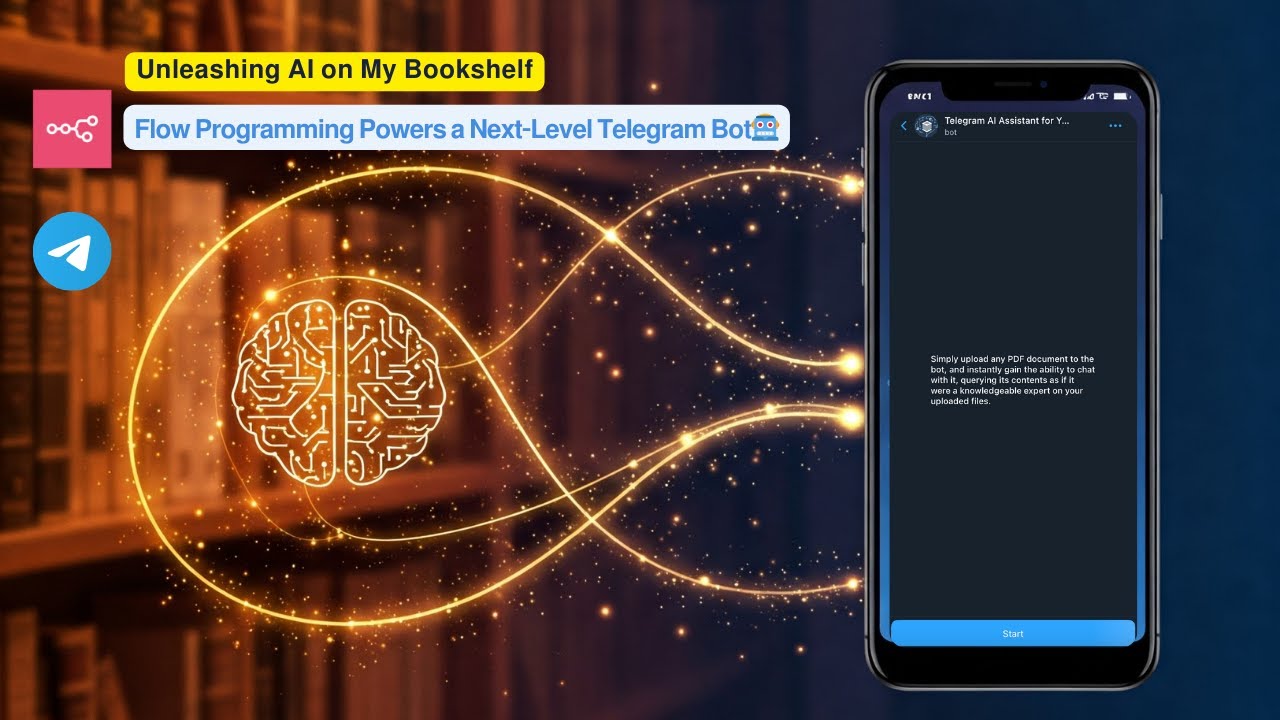](https://www.youtube.com/watch?v=r_KGyJApy5M) **Click the image above to watch a live demo on YouTube.** This video provides a live demonstration of the bot's core features and how it interacts. See a quick walkthrough of its capabilities and user flow. **How it works:** * User uploads a PDF document to a Telegram bot. * The workflow processes the PDF, creates embeddings using Google Gemini, and stores these embeddings in a **Supabase vector table**. * Users then ask questions to the bot. * The workflow performs a **vector search in Supabase** to find relevant document chunks based on the user's query. * Google Gemini uses the retrieved relevant chunks to generate an intelligent answer. * The bot sends the formatted answer back to the user on Telegram, utilizing **HTML markup** for enhanced presentation. **Set up steps:** Setup should take approximately 15-20 minutes. 1. Import the workflow into your n8n instance. 2. Configure credentials for Telegram, Google Gemini, and Supabase. 3. Set up your Supabase vector table using the provided SQL script. 4. Activate the workflow. Detailed setup instructions, including how to get API keys and configure nodes, are available in the sticky notes within the workflow itself.
n8n$14.99Automate AI Image Generation from Text with Content Moderation
This workflow enables developers and content creators to generate AI-powered images from text prompts, with integrated content moderation to ensure safe outputs.
n8n$9.99Automate PDF Knowledge Base Creation with S3, OpenAI, and Qdrant
This workflow automates the creation of a knowledge base from PDFs stored in AWS S3, utilizing OpenAI for text embeddings and Qdrant for vector storage and retrieval.
n8n$9.99Convert Natural Language to Video JSON Prompts with GPT and Gemini for Veo 3
The Prompt Converter workflow tackles the challenge of turning your natural language video ideas into perfectly formatted JSON prompts tailored for Veo 3 video generation. By leveraging Langchain AI nodes and Google Gemini, this workflow automates and refines your input to help you create high-quality videos faster and with more precision—think of it as your personal video prompt translator that speaks fluent cinematic! ## Why Use Prompt Converter? **Save time:** Automate converting complex video prompts into structured JSON, cutting manual formatting headaches and boosting productivity. **Avoid guesswork:** Eliminate unclear video prompt details by generating detailed, cinematic descriptions that align perfectly with Veo 3 specs. **Improve output quality:** Optimize every parameter for Veo 3's video generation model to get realistic and stunning results every time. **Gain a creative edge:** Turn vague ideas into vivid video concepts with AI-powered enhancement—your video project's secret weapon. ## Perfect For **Video creators:** Content developers wanting quick, precise video prompt formatting without coding hassles. **AI enthusiasts:** Developers and hobbyists exploring Langchain and Google Gemini for media generation. **Marketing teams:** Professionals creating video ads or visuals who need consistent prompt structuring that saves time. ## How It Works **Trigger:** User submits a free text prompt via message or webhook. **Process:** The text goes through an AI model that understands and reworks it into detailed JSON parameters tailored for Veo 3. **Smart Logic:** Langchain nodes parse and optimize the prompt with cinematic details, set reasonable defaults, and structure the data precisely. **Output:** The refined JSON prompt is sent to Google Gemini for video generation with optimized settings. ## Quick Setup 1. Import the JSON file to your [n8n instances](https://n8n.partnerlinks.io/khmuhtadin) 2. **Add credentials:** Azure OpenAI, Gemini API, OpenRouter API 3. **Customize:** Adjust prompt templates or default parameters in the Prompt Converter node 4. **Test:** Run your workflow with sample text prompts to see videos come to life ## You'll Need - Active [n8n instances](https://n8n.partnerlinks.io/khmuhtadin) - Azure OpenAI API - Gemini API Key - OpenRouter API (alternative AI option) ## Level Up Ideas - Add integration with video hosting platforms to auto-upload generated videos ## Nodes Used - **Prompt Input** (Chat Trigger) - **OpenAI** (Azure OpenAI GP model) - **Alternative** (OpenRouter API) - **Prompt Converter** (Langchain chain LLM for JSON conversion) - **JSON Parser** (structured output extraction) - **Generate a Video** (Google Gemini video generation) --- **Made by:** [Khaisa Studio](https://khaisa.studio) **Tags:** video generation, AI, Langchain, automation, Google Gemini **Category:** Video Production **Need custom work?** [Contact me](https://khaisa.studio/pages/contact)
n8n$4.99Multi-Tool Personal Assistant with Telegram, Grok-4, Gmail, Calendar & Memory
## Summary Chat with your AI agent in Telegram. It remembers important facts about you in Airtable, can transcribe your voice messages, search the web, read and manage Google Calendar, fetch Gmail, and query Notion. Responses are grounded in your recent memories and tool outputs, then sent back to Telegram. ## What this workflow does - Listens to your Telegram messages (text or voice) - Maintains short-term chat memory per user and long-term memory in Airtable - Decides when to save new facts about you (auto “Save Memory” without telling you) - Uses tools on demand: - Web search via SerpAPI - Google Calendar: list/create/update/delete events - Gmail: list and read messages - Notion: fetch database info - Transcribes Telegram voice notes with OpenAI and feeds them to the agent - Combines live tool results + recent memories and replies in Telegram ## Apps and credentials - Telegram Bot API: personal_bot - xAI Grok: Grok-4 model for chat - OpenAI: speech-to-text (transcribe audio) - Airtable: store long-term memories - Google Calendar: calendar actions - Gmail: email actions - Notion: knowledge and reading lists - SerpAPI: web search ## Typical use cases - Personal assistant that remembers preferences, decisions, and tasks - Create/update meetings by chatting, and get upcoming events - Ask “what did I say I'm reading?” or “what's our plan from last week?” - Voice-first capture: send a voice note → get a transcribed, actionable reply - Fetch recent emails or look up info on the web without leaving Telegram - Query a Notion database (e.g., “show me the Neurocracy entries”) ## How it works (node-by-node) - Telegram Trigger - Receives messages from your Telegram chat (text and optional voice). - Text vs. Voice Router - Routes based on message contents: - Text path → goes directly to the Agent (AI). - Voice path → downloads the file and transcribes before AI. - Always also fetches recent Airtable memories for context. - Get a file (Telegram) - Downloads the voice file (voice.file_id) when present. - Transcribe a recording (OpenAI) - Converts audio to text so the agent can use it like a normal message. - Get memories (Airtable) - Searches your “Agent Memories” base/table, filtered by user, sorted by Created. - Aggregate (Aggregate) - Bundles recent memory records into a single array “Memories” with text + timestamp. - Merge (Merge) - Combines current input (text or transcript) with the memory bundle before the agent. - Simple Memory (Agent memory window) - Short-term session memory keyed by Telegram chat ID; keeps the recent 30 turns. - Tools wired into the agent - SerpAPI - Google Calendar tools: - Get many events in Google Calendar - Create an event in Google Calendar - Update an event in Google Calendar - Delete an event in Google Calendar - Gmail tools: - Get many messages in Gmail - Get a message in Gmail - Notion tool: - Get a database in Notion - Airtable tool: - Save Memory (stores distilled facts about the user) - Agent - System prompt defines role, tone, and rules: - Be a friendly assistant. - On each message, decide if it contains user info worth saving. - If yes, call “Save Memory” to persist a short summary in Airtable. - Don't announce memory saves—just continue helping. - Use tools when needed (web, calendar, Gmail, Notion). - Think with the provided memory context block. - Uses xAI Grok Chat Model for reasoning and tool-calling. - Can call Save Memory, Calendar, Gmail, Notion, and SerpAPI tools as needed. - Save Memory (Airtable) - Persists Memory and User fields to “Agent Memories” base; auto timestamp by Airtable. - Send a text message (Telegram) - Sends the agent's final answer back to the same Telegram chat ID. ## Node map | Node | Type | Purpose | |---|---|---| | Telegram Trigger | Trigger | Receive text/voice from Telegram | | Text vs. Voice Router | Flow control | Route text vs. voice; also trigger memories fetch | | Get a file | Telegram | Download voice audio | | Transcribe a recording | OpenAI | Speech-to-text for voice notes | | Get memories | Airtable | Load recent user memories | | Aggregate | Aggregate | Pack memory records into “Memories” array | | Merge | Merge | Combine input and memories before agent call | | Simple Memory | Agent memory | Short-term chat memory per chat ID | | xAI Grok Chat Model | LLM | Core reasoning model for the Agent | | Search Web with SerpAPI | Tool | Web search | | Google Calendar tools | Tool | List/create/update/delete events | | Gmail tools | Tool | Search and read email | | Notion tool | Tool | Query a Notion database | | Save Memory | Airtable Tool | Persist distilled user facts | | AI Agent | Agent | Orchestrates tools + memory, produces the answer | | Send a text message | Telegram | Reply to the user in Telegram | ## Before you start - Create a
n8n$14.99Automate Task Delegation with AI Manager and Sub-Agents in n8n
This workflow sets up an AI Manager Agent in n8n to intelligently route tasks to specialized sub-agents for email writing and data analysis, using the Langchain framework.
n8n$9.99AI-Powered RAG Document Processing & Chatbot with Google Drive, Supabase, OpenAI
## **Who is this for?** This workflow is perfect for: * Businesses and teams who need an automated solution to organize, analyze, and retrieve insights from their internal documents. * Researchers who want to quickly analyze and query large collections of research papers, reports, or datasets. * Customer support teams looking to streamline access to product documentation and support resources. * Legal and compliance professionals needing to reference and query legal documents with confidence. * AI enthusiasts and developers wanting to implement Retrieval-Augmented Generation (RAG) systems without starting from scratch. ## **What problem is this workflow solving?** Manually organizing, processing, and searching through documents can be time-consuming, error-prone, and inefficient. This workflow solves that by: * **Automating document processing** from Google Drive, supporting multiple formats like PDFs, CSVs, and Google Docs. * **Extracting, chunking, and enhancing document text**, preserving context and improving AI comprehension. * **Storing vector embeddings** in a secure, scalable Supabase vector database, enabling semantic search and retrieval. * **Providing an interactive AI chat interface** that allows users to ask natural language questions and get precise, document-based answers. This means teams can quickly access relevant insights from their document repositories, boosting productivity and ensuring accurate information retrieval. ## **Key Features** * **End-to-End Document Processing**: From Google Drive upload detection to vector embedding and storage. * **Semantic Search & Retrieval**: Users can ask complex, natural-language questions and receive contextually relevant answers. * **AI-Powered Summaries & Metadata**: Automatically generates document titles and summaries using Google Gemini AI. * **Smart Chunking & Contextual Enhancement**: Breaks documents into smart chunks with overlap, preserving context and table integrity. * **Secure & Scalable Vector Database**: Stores and retrieves embeddings in a Supabase vector store for fast, reliable searches. * **Conversational AI Interface**: Uses OpenAI to power natural, accurate, and cost-effective AI chat interactions. ## **How does this workflow work?** * Monitors Google Drive for new files. * Extracts text from PDFs and CSVs (or Google Docs auto-converted). * Splits text into context-preserving chunks. * Enhances chunk quality and stores embeddings in Supabase. * Enables natural language search and AI-powered chat interactions with the stored documents. ## **Typical Use Cases** * Corporate Knowledge Base * Research Paper Analysis * Customer Support Document Query * Legal Document Review and Analysis * Internal Team Documentation Search ## **Why You'll Love It** This workflow lets you build a scalable, searchable, and AI-powered document system without needing to write complex code or manage multiple systems. With this, you can: * Stay organized with automated document processing. * Deliver faster, more accurate answers to user queries. * Reduce manual work and improve productivity. * Gain a competitive edge with cutting-edge AI search capabilities. ## **Setup Requirements** * An n8n instance with Google Drive, Supabase, OpenAI, and Gemini credentials configured. * Access to a Supabase vector store for storing document embeddings. * Configurable chunk size, overlap, and processing limits (default: 1000 characters per chunk, 20 chunks max). **Contact me for consulting and support:** **billychartanto@gmail.com**
n8n$24.99Automate AI Music Creation with Suno and KIE.ai API
This workflow enables users to generate AI music using the KIE.ai API integrated with the Suno model. It provides a form interface for inputting music prompts, styles, and titles, automating the music creation process for musicians and content creators.
n8n$9.99Automate AI-Driven Sales Pitches from Website URLs Using Google Sheets and OpenAI
This n8n workflow transforms website URLs listed in Google Sheets into personalized AI-generated sales pitches using OpenAI. It automates the process of scraping website content, generating context-rich pitches, and updating the Google Sheets with the results, streamlining prospect research and messaging.
n8n$9.99Automate News Research and Sentiment Analysis with n8n
This n8n workflow automates the process of researching news and performing sentiment analysis using Google Gemini and SearXNG. It efficiently processes user queries, gathers relevant information, and analyzes sentiment to provide insightful results.
n8n$4.99Extract Text from Images via Telegram Bot Using Tesseract OCR
This n8n workflow allows users to send images to a Telegram bot and receive extracted text using Tesseract OCR, streamlining the process of converting images into readable text directly through chat.
n8n$4.99Automate Video Production from Google Sheets with AI-Driven Prompts
Streamline your video creation process by using Google Sheets to manage ideas, generate AI-optimized prompts, and automate video production with VEO3 and n8n.
n8n$14.99Create an AI Chatbot with PDF-Based RAG System Using OpenAI, Pinecone, and Cohere
Build an AI chatbot that answers questions using content from PDF documents with a Retrieval-Augmented Generation (RAG) system. Integrate OpenAI, Pinecone, and Cohere for enhanced performance.
n8n$9.99Deploy a Customizable AI Chatbot with DeepSeek Integration on Your Website
Implement a branded AI chatbot on your website using DeepSeek for intelligent conversation management. This workflow provides a fully customizable chat widget that integrates seamlessly with your brand, enhancing user interaction and support.
n8n$4.99Streamline Content Requests from Telegram to Notion with AI Assistance
Automate the process of handling content requests by integrating Telegram with Notion using Gemini AI. This workflow allows team members to submit content ideas via Telegram, which are then processed by AI and recorded in Notion.
n8n$14.99Automate Multilingual Voice Calls with OpenAI, ElevenLabs, and Twilio
Leverage AI to automate voice calls in multiple languages for scheduling appointments and placing service orders using OpenAI, ElevenLabs, and Twilio.
n8n$9.99
Related categories
Custom AI Systems & Services
Our team of experienced AI builders will help build custom AI systems, workflows, and solutions.
Request Custom Work