Fix Ollama Connection Refused (Errno 111) in AutoGPT Docker
Error message
Connection Refused ([Errno 111]) When Using Ollama with AutoGPT
Diagnosis
The error [Errno 111] Connection refused when using Ollama with AutoGPT means that AutoGPT, running inside a Docker container, cannot reach the Ollama service. The most common cause is that AutoGPT is trying to connect to localhost:11434, but inside the Docker container, localhost refers to the container itself, not the host machine where Ollama is running. This error appears even when Ollama is confirmed to be running on the host at the correct port.
What Causes This Error
1. Docker Network Namespace Isolation
Docker containers have their own network namespace. When a process inside a container tries to connect to localhost (127.0.0.1), it attempts to reach the container's own loopback interface, not the host's. Since Ollama is running on the host machine (not inside the container), the connection is refused. This is the root cause described in the accepted Stack Overflow answer by efremidze.
2. Incorrect Host Address Configuration
Even if you have verified that Ollama is running on the host at http://localhost:11434/ (using curl from the host terminal), AutoGPT's configuration must point to an address that is reachable from within the Docker container. Using localhost in the AutoGPT configuration will always fail when AutoGPT is containerized.
3. Port Mismatch (Less Common)
While the error message suggests checking the port, the default Ollama port is 11434, and the sources confirm this is correct. However, if you have changed Ollama's port or if another service is occupying port 11434, a different error would occur. The sources do not indicate a port mismatch as the cause here.
How to Fix It
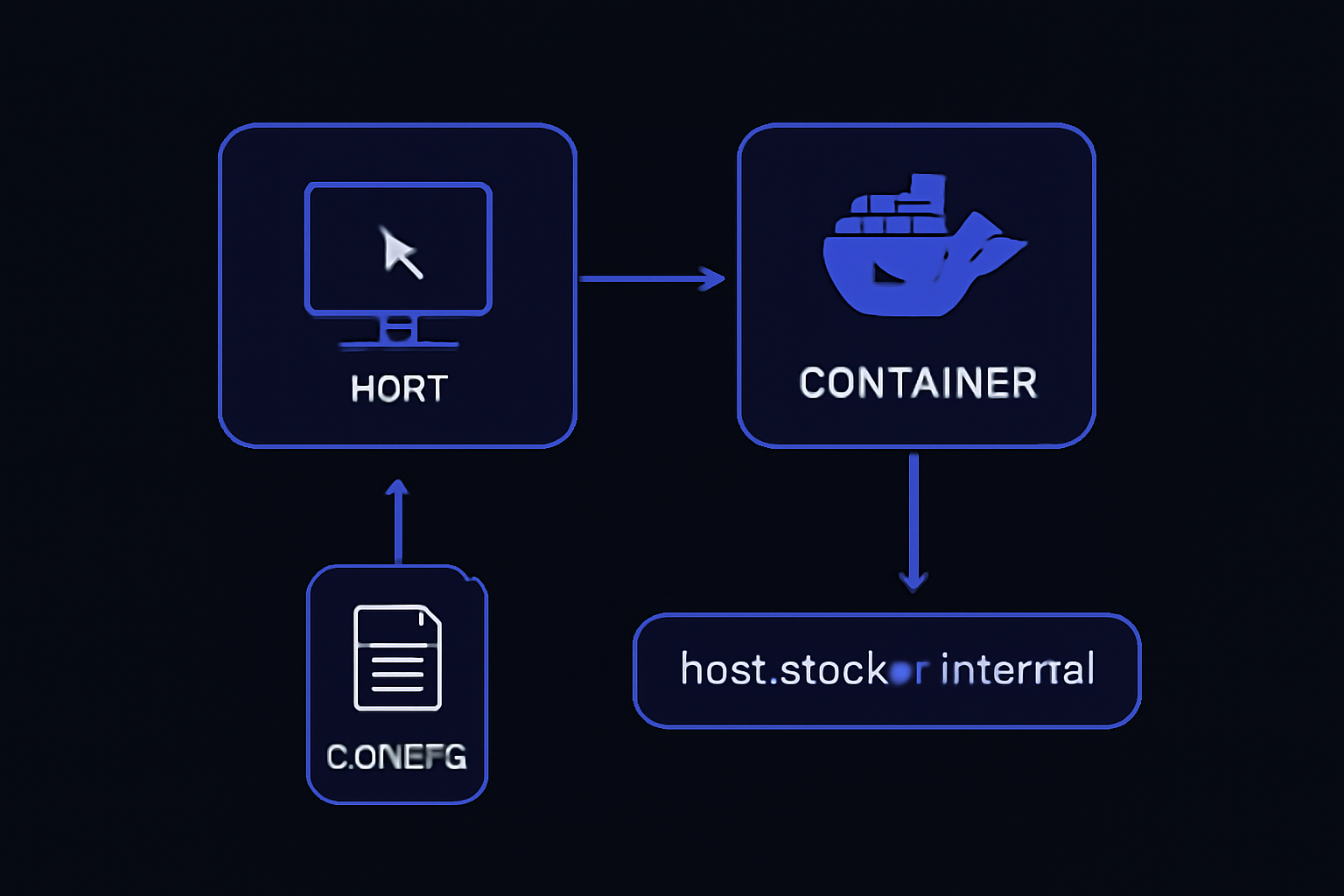
Solution 1: Use host.docker.internal (Recommended)
This is the accepted solution from the Stack Overflow answer by efremidze. The host.docker.internal hostname is a special DNS name that Docker provides to allow containers to access services running on the host machine. It works on Docker Desktop for Windows, macOS, and Linux (with some configuration).
Steps:
-
Locate the configuration file where AutoGPT stores the Ollama endpoint. This is typically in a
.envfile or a configuration YAML/JSON file. Common locations include:autogpt/.envAutoGPT/.env- A configuration section in
docker-compose.yml
-
Change the Ollama host from
localhosttohost.docker.internal. For example, if your configuration has:OLLAMA_HOST=http://localhost:11434Change it to:
OLLAMA_HOST=http://host.docker.internal:11434 -
Save the file and restart the AutoGPT container:
docker-compose down docker-compose up -d -
Verify the connection. AutoGPT should now be able to reach Ollama. You can test connectivity from inside the container using:
docker exec -it <autogpt_container_name> curl http://host.docker.internal:11434/Expected output:
Ollama is running
Why this works: The host.docker.internal hostname resolves to the host machine's IP address from within the container, bypassing the container's loopback interface. This is documented in Docker's networking documentation and confirmed by the accepted answer.
Caveats:
- On Linux,
host.docker.internalis not available by default in Docker Engine. You may need to add--add-host host.docker.internal:host-gatewayto your Docker run command or in thedocker-compose.ymlunderextra_hosts:services: autogpt: extra_hosts: - "host.docker.internal:host-gateway" - If you are using Docker Desktop on Windows or macOS,
host.docker.internalworks out of the box.
Solution 2: Use the Host's IP Address Directly
If host.docker.internal does not work (e.g., on some Linux configurations), you can use the host machine's actual IP address on the Docker network.
Steps:
-
Find the host's IP address that is reachable from the Docker container. On the host machine, run:
ip addr show docker0 | grep inetThis typically shows an IP like
172.17.0.1. Alternatively, use the host's local network IP (e.g.,192.168.x.x). -
Update the AutoGPT configuration to use that IP:
OLLAMA_HOST=http://172.17.0.1:11434 -
Restart the container as in Solution 1.
Why this works: The Docker bridge network allows containers to communicate with the host via the gateway IP (usually 172.17.0.1). This is a more manual but reliable method.
Caveats:
- The IP address may change if Docker is restarted or if the network configuration changes. This makes it less stable than
host.docker.internal. - You must ensure that Ollama is listening on all interfaces (not just localhost). By default, Ollama listens on
127.0.0.1:11434. To allow external connections, you may need to start Ollama with:
Or set the environment variableOLLAMA_HOST=0.0.0.0:11434 ollama serveOLLAMA_HOST=0.0.0.0in your Ollama service configuration.
Solution 3: Run AutoGPT Without Docker (Workaround)
If the Docker networking issues persist, you can run AutoGPT directly on the host machine (not in a container). This eliminates the network namespace problem entirely.
Steps:
- Ensure Python 3.10+ and pip are installed on the host.
- Clone the AutoGPT repository and install dependencies:
git clone https://github.com/Significant-Gravitas/AutoGPT.git cd AutoGPT pip install -r requirements.txt - Set the Ollama host to
localhost:OLLAMA_HOST=http://localhost:11434 - Run AutoGPT:
python -m autogpt
Why this works: Running on the host means localhost correctly refers to the host machine, so Ollama is reachable.
Caveats:
- This bypasses Docker's isolation and reproducibility benefits.
- You must manage dependencies and environment manually.
If Nothing Works
If none of the above solutions resolve the error, consider the following escalation paths:
-
Check the GitHub issue referenced in the accepted answer: The solution is discussed in Ollama Issue #703. Review the issue for additional workarounds or updates.
-
Verify Ollama is listening on all interfaces: Run
netstat -tuln | grep 11434on the host. If it shows127.0.0.1:11434, Ollama is only listening locally. Change theOLLAMA_HOSTenvironment variable to0.0.0.0:11434and restart Ollama. -
Check Docker Compose network configuration: Ensure both AutoGPT and Ollama are on the same Docker network. If Ollama is also running in a container, use service names instead of IP addresses.
-
Post a new question on Stack Overflow with your Docker Compose file, AutoGPT configuration, and the exact error output. Include the output of
docker network inspectanddocker logs <autogpt_container>. -
File an issue on the AutoGPT GitHub repository if you believe it is a bug in AutoGPT's Docker configuration.
How to Prevent It
To avoid this error in the future:
- Always use
host.docker.internalwhen configuring a Docker container to connect to a service running on the host. This is the standard Docker pattern for host-to-container communication. - Document your Docker Compose setup with explicit
extra_hostsentries if using Linux:services: autogpt: extra_hosts: - "host.docker.internal:host-gateway" - Test connectivity from inside the container before relying on AutoGPT. Use
docker execwithcurlto verify the endpoint is reachable. - Keep Ollama and AutoGPT updated to the latest versions, as networking fixes may be included in updates.
- Use environment variables for the Ollama host URL so it can be easily changed without modifying code.
By following these practices, you can ensure that AutoGPT and Ollama communicate reliably, even in complex Docker environments.
The #1 AI Newsletter
The most important ai updates, guides, and fixes — one weekly email.
No spam, unsubscribe anytime. Privacy policy
Related Error Solutions
Keep exploring
AI resources
Latest AI answers
Skip the manual work
Ready-made AI workflows and automation templates — import and run instead of building from scratch.