Ollama Server Freezes After a Few Runs: Causes and Fixes
Error message
Ollama stuck after few runs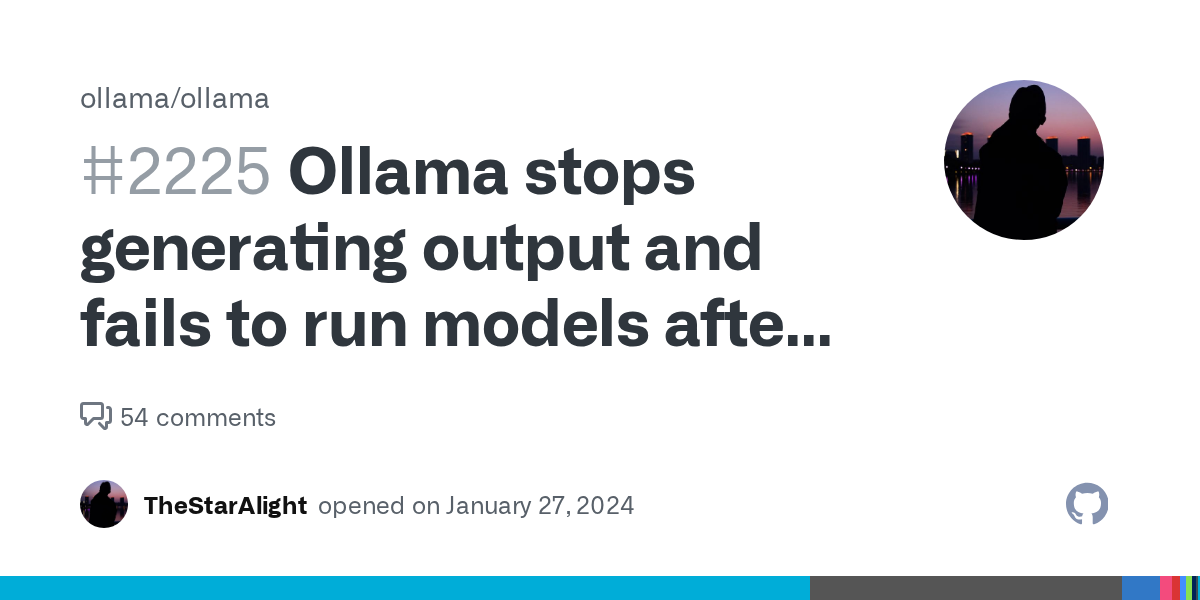
Diagnosis
If your Ollama server stops responding after processing a few prompts, you are encountering a known issue where the server hangs, typically after 10 minutes to 2 days of continuous use. The exact error message when it stops is not a standard error string but rather a freeze: the server stops processing new requests, and you see no output or a timeout from your client. As reported in a GitHub issue, the server message when it stops running is simply a freeze, and after restarting the server, the next prompt and LLM answer are successfully received. The most common cause is a resource exhaustion or a concurrency bug in Ollama versions 0.1.17 and 0.1.18, especially when using multiple models or high prompt volumes.
What Causes This Error
1. Ollama Version Bug (0.1.17 and 0.1.18)
According to the GitHub issue, the user updated from Ollama 0.1.16 to 0.1.18 and encountered the freeze. With Ollama 0.1.17, the server stopped in 1 or 2 days. With 0.1.18, it hung in 10 minutes. This indicates a regression introduced in version 0.1.17 that worsened in 0.1.18. The issue is more pronounced when running the Phi-2 model compared to Mixtral, suggesting the bug may be related to model-specific memory or thread handling.
2. Multiple Model Endpoints
A community member (julienlesbegueriesperso) confirmed on version 0.1.27 that the issue persists across platforms (Mac OS X, Fedora with GPU, Ubuntu without GPU). In a FastAPI + LangChain environment with two endpoints invoking two different Ollama models, after successfully receiving responses from the first endpoint, the second endpoint hangs. This points to a concurrency or resource contention problem when switching between models.
3. High Prompt Volume and Large Prompt Size
The original reporter used 5,000 prompts with a prompt size of approximately 10K tokens on a system with 4 x NVIDIA A100 GPUs. The server froze after processing an unknown number of prompts (but within 10 minutes to 2 days). High throughput and large prompts may exacerbate the underlying bug.
4. GPU Memory Leak
Although not explicitly confirmed in the sources, the freeze pattern (server stops responding, restart fixes it) is consistent with a GPU memory leak. The server may fail to release GPU memory after each inference, eventually exhausting available VRAM and causing a hang.
How to Fix It
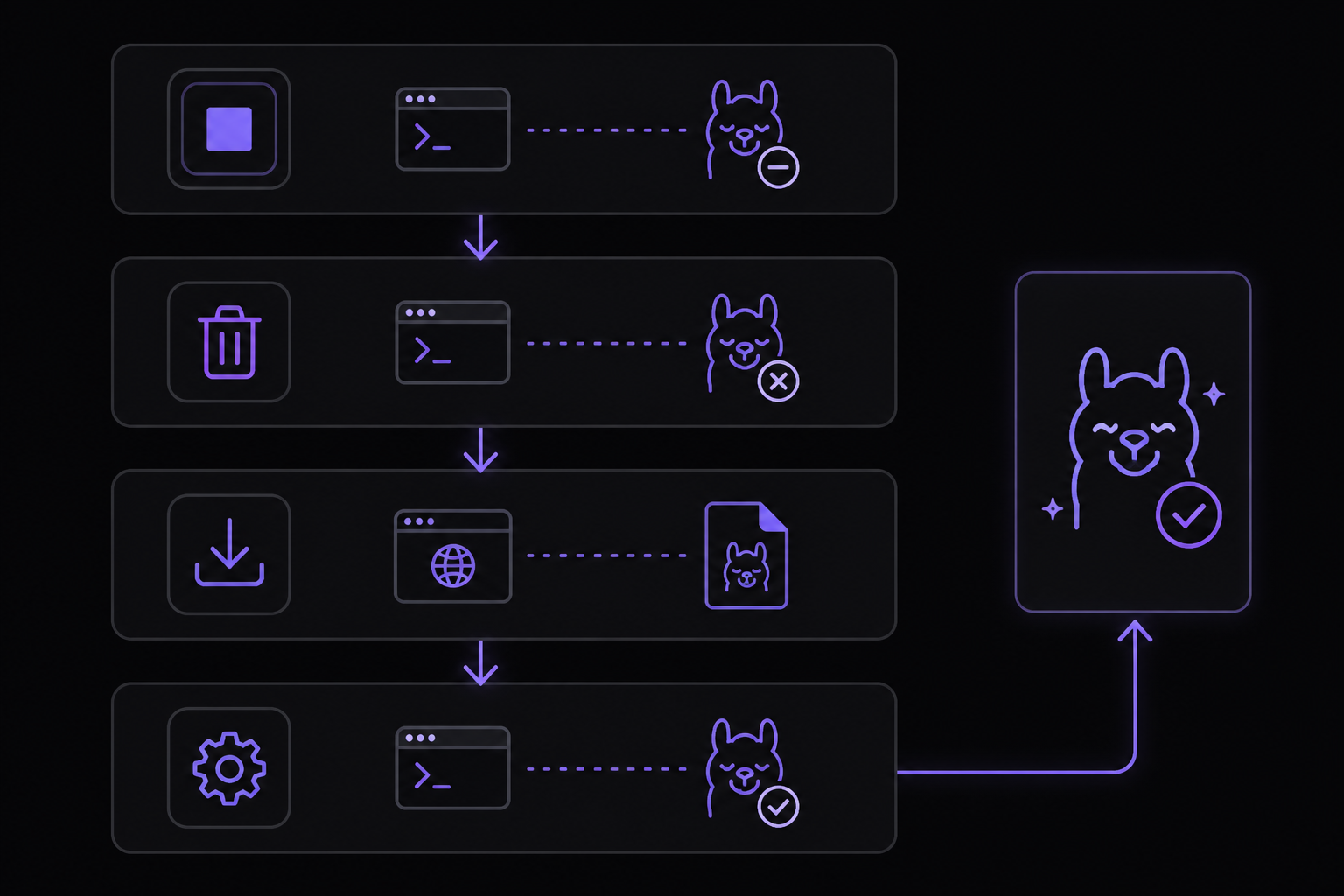
Solution 1: Downgrade to Ollama 0.1.16 (Recommended by Community)
The original reporter explicitly asked for a way to install the previous version (0.1.16) because versions 0.1.17 and 0.1.18 introduced the freeze. This is the most reliable fix based on the source.
Steps:
-
Stop the current Ollama service:
sudo systemctl stop ollama -
Uninstall the current version:
- On Linux (using the install script):
This script installs the latest version. To downgrade, you need to manually download the older binary.curl -fsSL https://ollama.com/install.sh | sh
- On Linux (using the install script):
-
Download Ollama 0.1.16 binary:
- Visit the Ollama releases page and find version 0.1.16. Download the appropriate binary for your OS (e.g.,
ollama-linux-amd64). - Alternatively, use
wget:wget https://github.com/ollama/ollama/releases/download/v0.1.16/ollama-linux-amd64
- Visit the Ollama releases page and find version 0.1.16. Download the appropriate binary for your OS (e.g.,
-
Replace the binary:
sudo mv /usr/local/bin/ollama /usr/local/bin/ollama.bak sudo mv ollama-linux-amd64 /usr/local/bin/ollama sudo chmod +x /usr/local/bin/ollama -
Restart the service:
sudo systemctl start ollama
What to expect: After downgrading, the server should run without freezing for extended periods. The original reporter confirmed that version 0.1.16 worked before the update.
Solution 2: Restart the Ollama Service After Each Model Switch (Workaround)
If downgrading is not possible (e.g., you need features from newer versions), a community-reported workaround is to restart the Ollama service before switching models. This is especially relevant for users with multiple endpoints.
Steps:
-
In your application code (Python with FastAPI + LangChain), after processing a batch of prompts with one model, restart the service programmatically:
import subprocess import time def restart_ollama(): subprocess.run(["sudo", "systemctl", "restart", "ollama"]) time.sleep(5) # Wait for server to be ready -
Call this function before switching to a different model endpoint.
What to expect: This is a brute-force workaround. It will clear any stuck state but adds latency (5+ seconds per restart). It is not suitable for high-throughput production systems but can unblock development.
Solution 3: Reduce Concurrency and Prompt Size
While not a definitive fix, reducing the load may delay or avoid the freeze.
- Reduce prompt size: If your prompts are around 10K tokens, try to shorten them or split them into smaller chunks.
- Reduce the number of concurrent requests: Use a single-threaded loop instead of async calls.
- Use a single model: If possible, avoid switching between models (e.g., Mixtral and Phi-2) in the same session.
What to expect: This may extend the uptime from 10 minutes to hours, but the freeze will likely still occur eventually.
If Nothing Works
Escalation Paths
- GitHub Issue Tracker: The original issue is at https://github.com/ollama/ollama/issues/1863. You can comment with your environment details (OS, GPU, Ollama version, model, prompt size) to help the developers diagnose the problem.
- Check Related Issues: The reporter referenced two other issues that did not help: issue #1853 and issue #1688. These may have additional context or workarounds.
- Ollama Discord: Join the Ollama Discord server for real-time community support.
Workaround: Use a Different Backend
If the freeze is blocking your work, consider using a different LLM serving backend (e.g., vLLM, Text Generation Inference) that may not have this bug. This is a significant change but may be necessary for production.
How to Prevent It
1. Stay on a Stable Version
Based on the sources, Ollama 0.1.16 was stable. Avoid upgrading to versions 0.1.17, 0.1.18, or 0.1.27 until a fix is confirmed. Check the release notes for mentions of this freeze issue before upgrading.
2. Monitor GPU Memory
Use nvidia-smi to monitor GPU memory usage. If memory usage grows over time without decreasing, you are likely experiencing a memory leak. Set up a cron job to restart Ollama if memory exceeds a threshold:
#!/bin/bash
# Check if GPU memory usage > 90%
MEM_USAGE=$(nvidia-smi --query-gpu=memory.used --format=csv,noheader,nounits | awk '{sum+=$1} END {print sum}')
TOTAL_MEM=$(nvidia-smi --query-gpu=memory.total --format=csv,noheader,nounits | awk '{sum+=$1} END {print sum}')
if [ $((MEM_USAGE * 100 / TOTAL_MEM)) -gt 90 ]; then
    sudo systemctl restart ollama
fi
3. Limit Concurrent Model Loading
If your application uses multiple models, load them one at a time and unload the previous model explicitly (if possible) before loading the next. In Ollama, you can use the API to unload a model:
curl -X POST http://localhost:11434/api/generate -d '{"model": "phi", "keep_alive": 0}'
This sets the keep_alive to 0, which unloads the model after the request completes.
4. Use a Single Model per Server Instance
Run separate Ollama server instances for different models, each on a different port. This isolates the freeze to one instance and allows the other to continue working.
The #1 AI Newsletter
The most important ai updates, guides, and fixes — one weekly email.
No spam, unsubscribe anytime. Privacy policy
Related Error Solutions
Keep exploring
AI resources
Latest AI answers
Skip the manual work
Ready-made AI workflows and automation templates — import and run instead of building from scratch.